
Onboarding Overview
You can install Juniper Security Director and manage SRX Series Firewalls and vSRX Virtual Firewalls through a centralized web interface. This centralized approach simplifies the management of network security devices, providing a streamlined process for onboarding, configuration, and monitoring.
Figure outlines the high-level workflow for onboarding your SRX Series Firewalls. This end‑to‑end workflow helps you understand the required steps and ensures efficient and consistent onboarding across the organization.
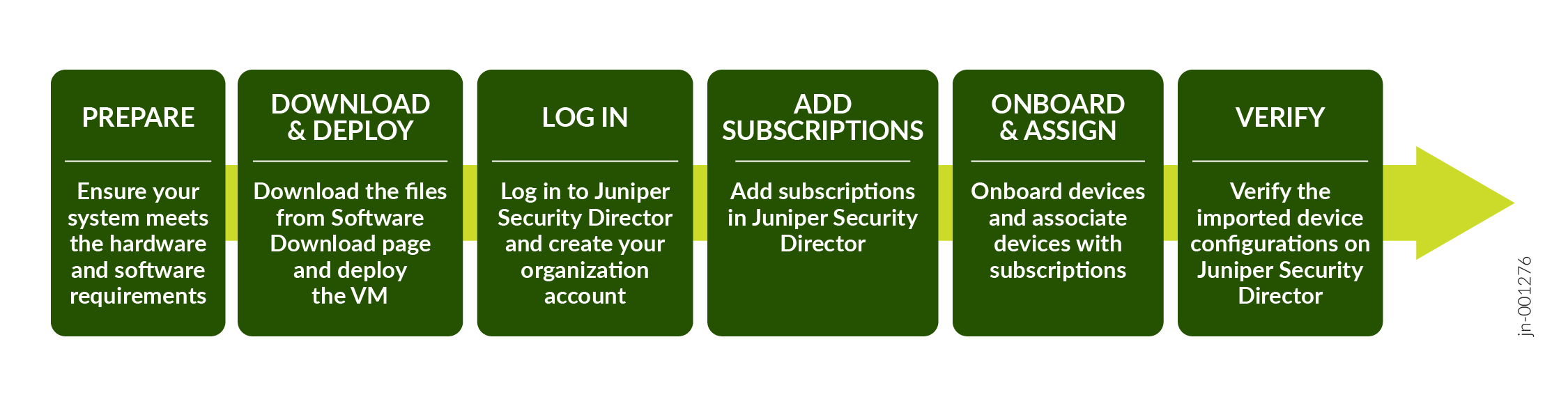
| Task | Use these resources |
|---|---|
| Prepare |
For ESXi server, see Juniper Security Director System Requirements for ESXi Server. For KVM, see Juniper Security Director System Requirements for KVM. For Microsoft Azure, see Juniper Security Director System Requirements for Microsoft Azure. |
| Download and deploy |
You can deploy Juniper Security Director VM using the following options:
|
| Log in to Juniper Security Director | Log In to the Juniper Security Director Web UI |
| Add Subscriptions | Add and Manage Subscriptions |
| Onboard devices and assign subscriptions | Onboard Devices and Associate with Subscriptions |
| Verify | Verify Configurations on Adopted Devices |