
Onboard Devices and Associate with Subscriptions
After the organization account is created and the subscriptions are added in Juniper Security Director, you can onboard your SRX Series Firewalls and associate these devices with correct subscriptions. Next, verify the imported security policies, NAT policies, and security log configurations on the onboarded devices.
For more information about subscriptions, see <Subscriptions topic>.
To onboard your SRX Series Firewalls and associate these devices with subscriptions:
-
Select , and click the plus icon (
 ) to add your devices.
To know about supported devices, see Juniper Security Director Supported Firewalls.
-
Click Adopt SRX Devices and select one of the following:
-
SRX Devices
-
SRX Clusters
-
SRX Multinode High Availability (MNHA) Pairs
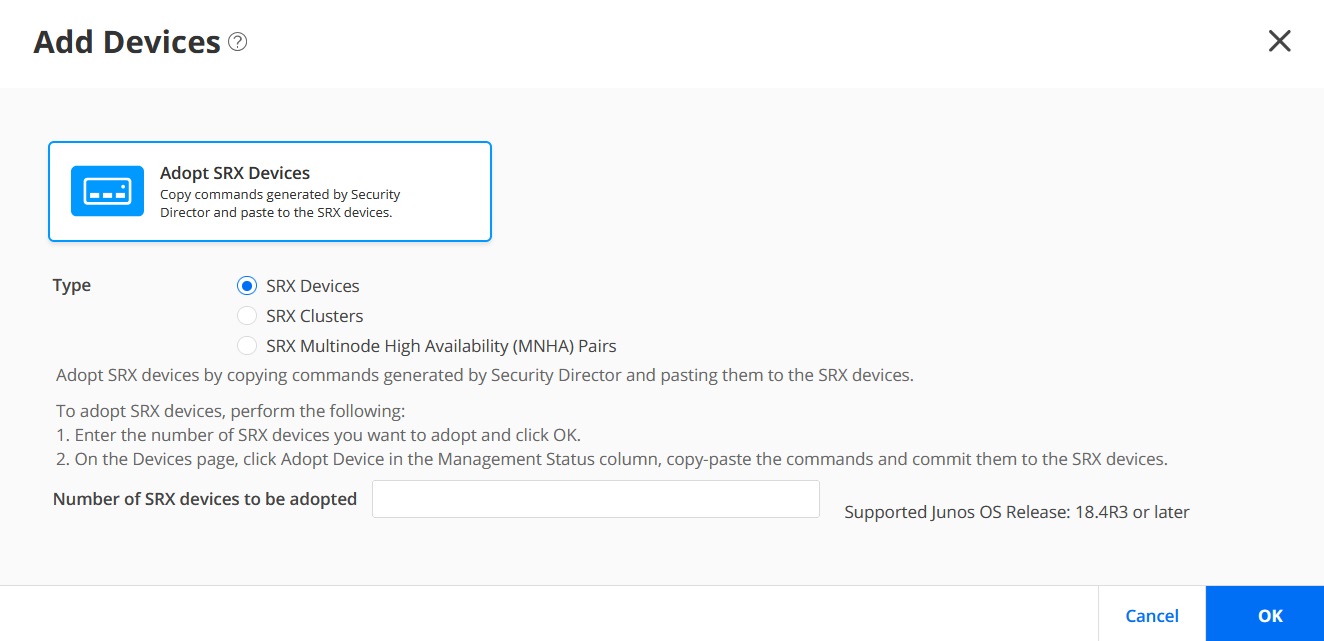 Follow the on-screen instructions to continue. For more information, see Add Devices.
 -
-
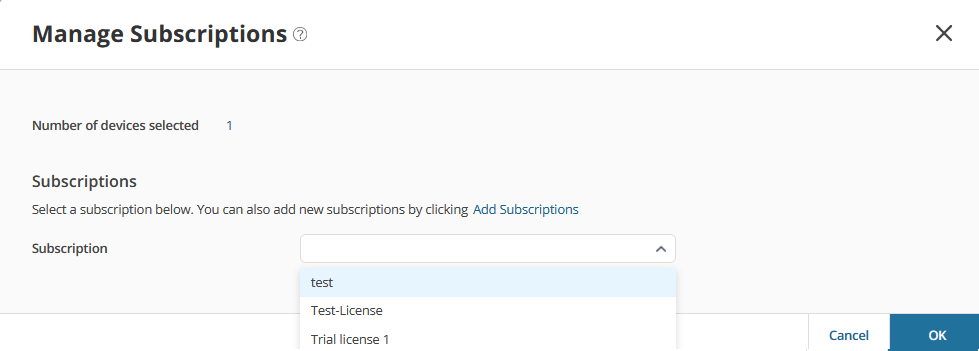
Go to select the device, and click Manage Subscriptions.
Follow the on-screen instructions.
-
Verify that Subscriptions column displays the subscription name
for your device.
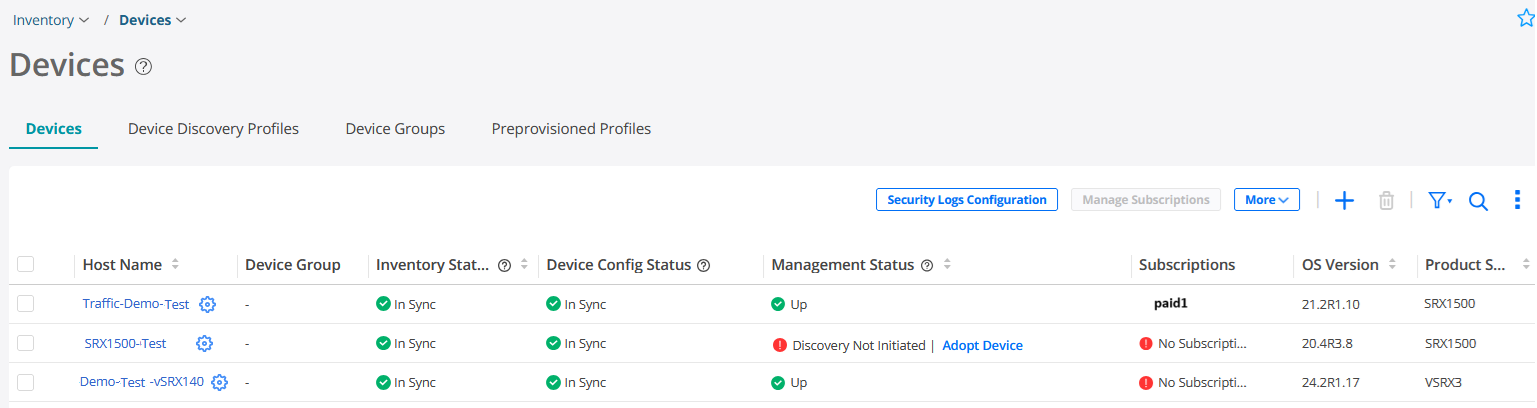
Congratulations! You've successfully onboarded your SRX Series Firewalls to Juniper Security Director and associated these devices to the subscriptions.
You can now verify the configurations on your onboarded devices.
Verify Configurations on Adopted Devices
-
Go to and verify the imported security policies.
-
Go to and verify the imported NAT policies.
-
Go to , click Security Logs Configuration, and verify the security log configurations.
If you've set up security policy, NAT, IPSec VPN, and logs on the device, these configurations will be imported into Juniper Security Director.
You can now manage your devices, device discovery profiles, device groups, security policies, NAT policies, and so on.