
Security Director Copilot Overview (Beta)
Get started with Security Director Copilot, your AI-powered chat assistant designed to quickly find information and perform day-to-day tasks using a single chat interface.
Meet Security Director Copilot
Security Director Copilot is an AI-powered chat assistant embedded directly within the Juniper Security Director Cloud UI. It acts as your in-product assistant, helping you quickly find information, understand workflows, and take action through simple conversations.
By combining product guidance and task execution in one place, Security Director Copilot simplifies how you interact with Juniper Security Director Cloud while supporting security operations by automating complex workflows aligned with industry best practices.
Security Director Copilot provides the following capabilities:
-
Product guidance and personalized assistance—Ask questions and get answers from curated documentation based on what you’re doing in the current session. For example:
How do I onboard a device using ZTP?
Show me how to configure a security policy.
List all active threats in my environment.
-
Guided workflows and task automation—Complete day-to-day operations such as device onboarding, policy configuration, and lifecycle management through step-by-step conversational workflows with recommended next actions.
-
Real-time insights and operational intelligence—Analyze security events, query logs, and retrieve structured outputs such as threat summaries and recommended actions in real time.
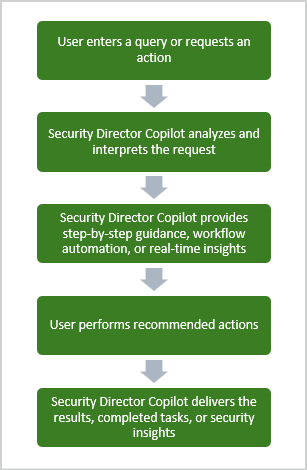
With these capabilities, you can move beyond basic troubleshooting through step-by-step assistance and on-demand configuration guidance. Here’s an illustration of the interaction flow between you and Security Director Copilot:
Benefits
-
Enhanced productivity and operational efficiency—Improve productivity and efficiency by following guided, step-by-step assistance tailored to your needs and accessing on-demand configuration guidance when you need it.
-
Faster issue resolution and workflow continuity—Understand issues faster, apply recommended actions with confidence, and streamline complex tasks so you can resolve problems efficiently and keep your workflows moving without interruption.
Access Security Director Copilot
Before you begin, ensure:
-
You are signed in to Juniper Security Director Cloud.
-
Your network allows access to the required chat and authentication services.
-
Your browser supports Server-Sent Events (SSE) and session storage to maintain your chat session and display responses in real time.
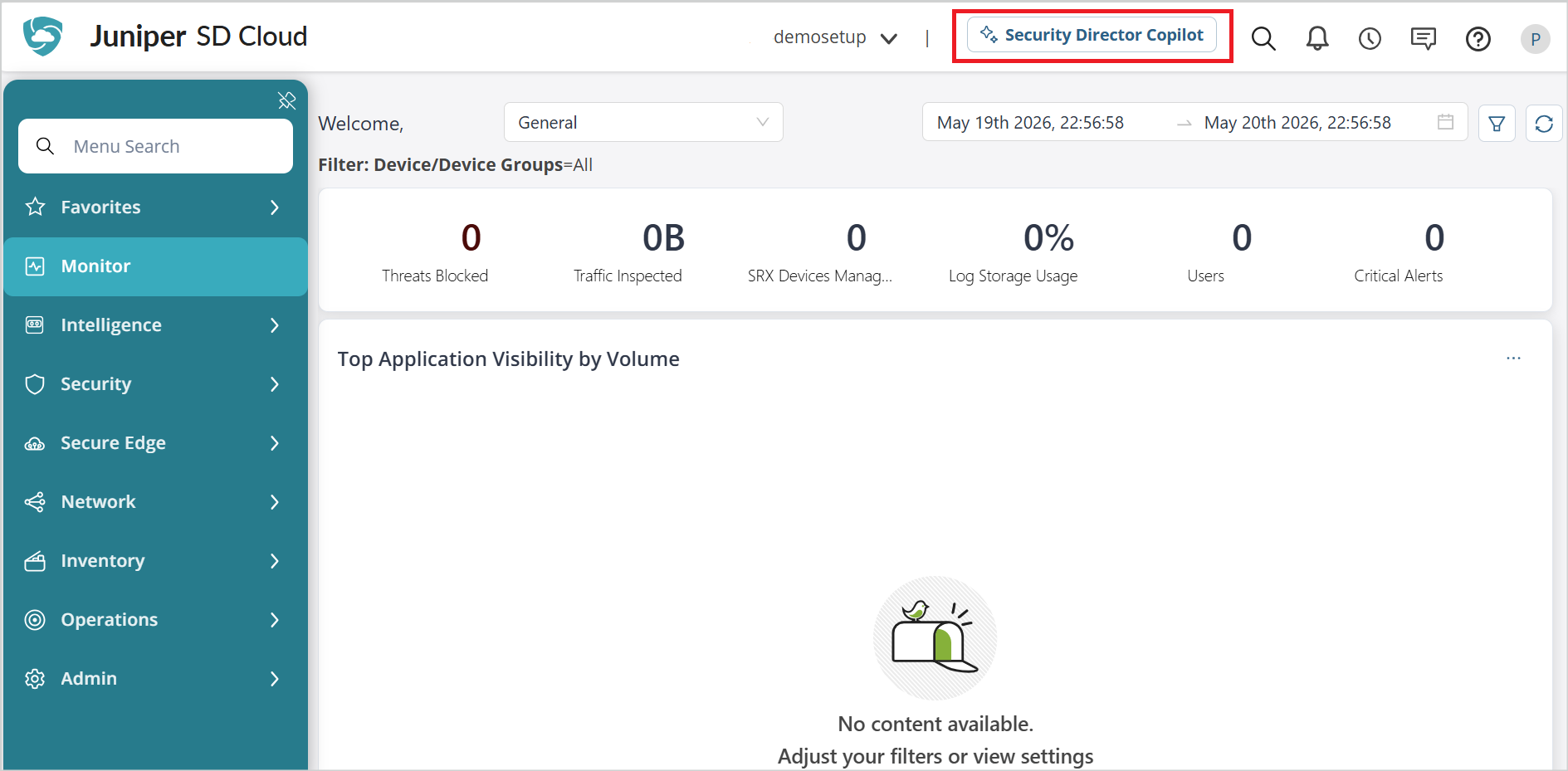
To access Security Director Copilot, click Security Director Copilot on the top-right of the banner in Juniper Security Director Cloud.
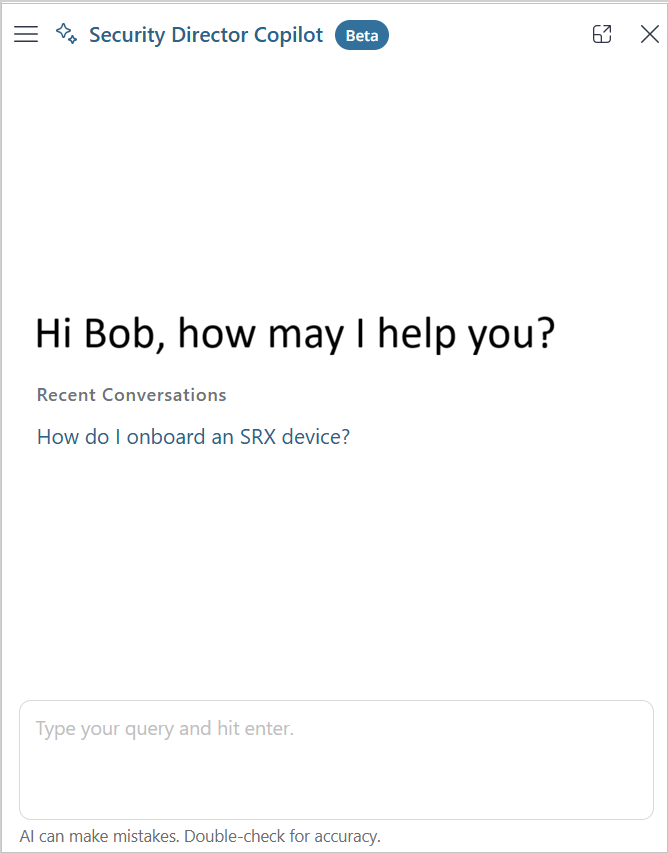
In the Security Director Copilot window, type your questions in the text box at the bottom of the screen and press Enter.
What Do You Want to Do?
| If you want to... | See... |
|---|---|
|
Interact with Security Director Copilot to get real-time information. |
Get Personalized Help |
|
Use Security Director Copilot's guided actions to quickly complete day-to-day tasks such as onboarding devices, configuring devices, and creating security policies. |
Perform Day-To-Day Tasks Using Guided Workflow |
|
Explore Security Director Copilot' s recommended actions for current network issues. |
View Real-Time Insights |
|
Organize and manage your conversations in Security Director Copilot' s chat history. |
Manage Your Copilot Chats |