
Upgrade the Firmware on a Juniper AP
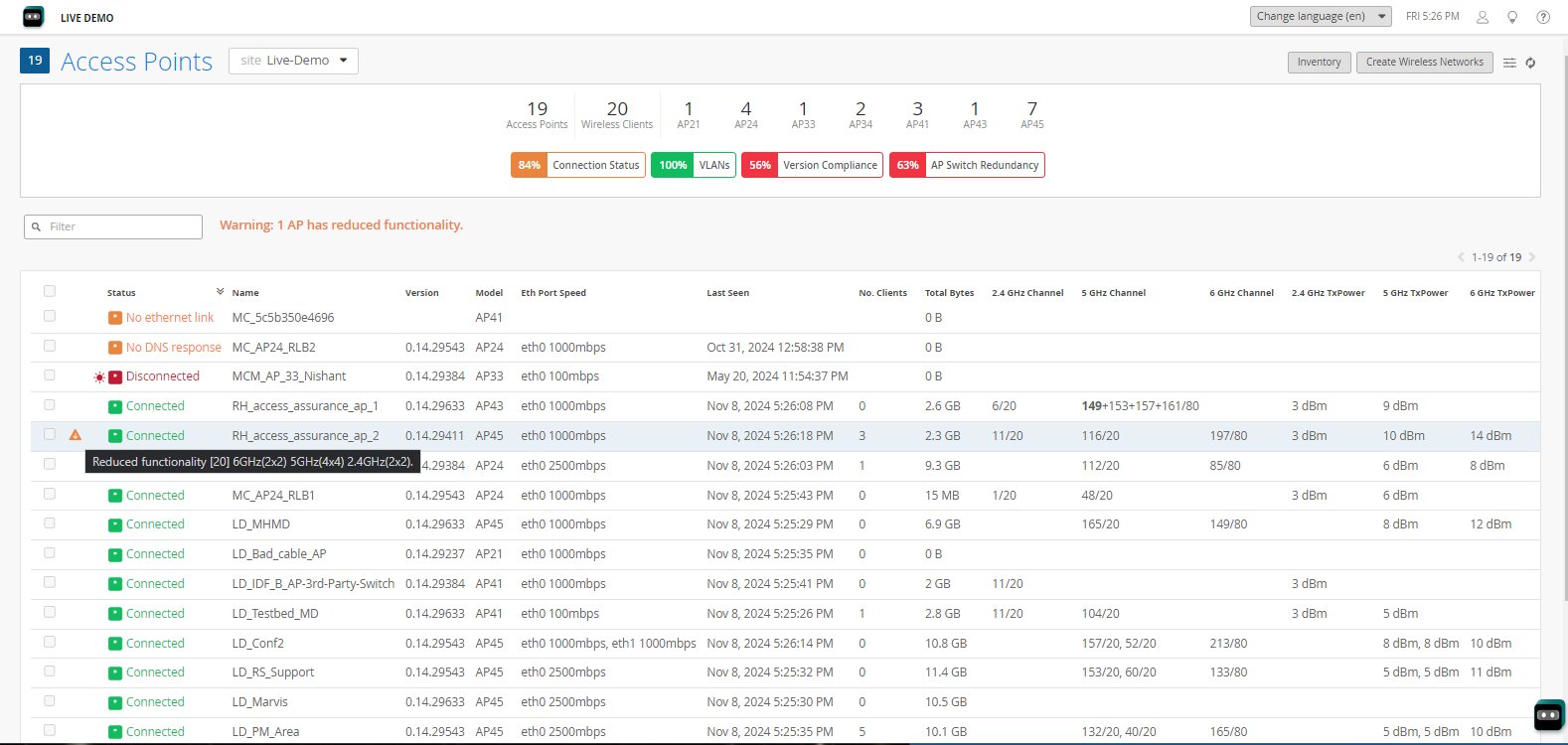
From the Access Points page in the Mist dashboard, you can see a list of all APs on the site, the firmware they're running, and upgrade status, if any.
We recommend that you keep the firmware on your Juniper access points (APs) up to date. The version compliance icon gives a quick idea of the overall AP status on the site. Green indicates that 98.5% or more of the APs are running their recommend firmware version, while orange indicates a level of 80-98.5%, and red a level of less than 80%.
Figure 1: The Access Points page.
What Do You Want to Do?
|
If you want to... |
Use these resources: |
|---|---|
|
Learn about Juniper version tags |
Firmware Version Tags for Juniper Mist Access Points |
|
See what updates are available |
|
|
Schedule automatic updates |
|
|
Manually update the firmware |
Manually Upgrade the Firmware on an AP |
|
Allow APs to get firmware updates from peers instead of the Cloud |