Help us improve your experience.

Let us know what you think.

Do you have time for a two-minute survey?


Create Your Account and Organization

For any new Juniper Mist™ organization, the first Mist account is automatically assigned the Super User role, which has full access to all features and sites.

Start by creating a Juniper Mist account in the region nearest you. This account will be local to the regional cloud you selected. Your user name will automatically be a Super User for any organizations created under the account. Note that if you are going to be responsible for multiple organizations as a Managed Service Provider, or are part of an operation that will span multiple regional clouds, there are different account types which may better meet your needs.

For more information, see User Roles and Access and

  1. Go to: https://manage.mist.com
  2. At the bottom of the window, click Create Account.
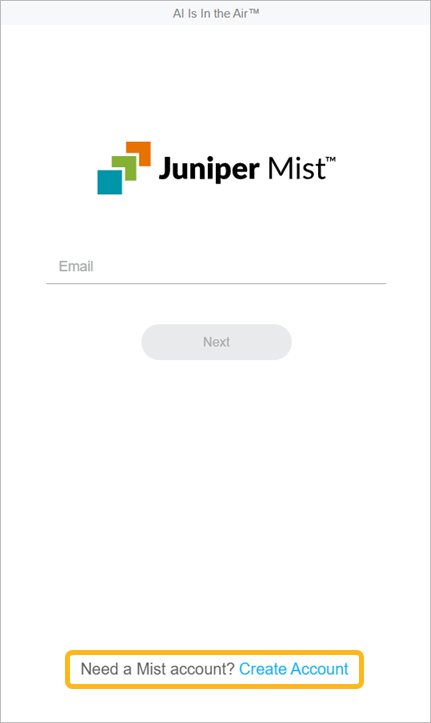
    Create Account button at manage.mist.com
  3. Select your region.

    By selecting your region, you are selecting the location of your Juniper Mist cloud instance. For more information, see Juniper Mist Clouds and Accounts.

  4. Enter the required information.
  5. Read the information about privacy, and accept or decline.
    • Select the check box if you want to allow Mist to analyze information about your interactions with the product.

    • Clear the check box to prevent Mist from conducting this analysis.

      Click the Privacy Notice link for more information.

  6. Click Create Account.
    You will receive a link in your email to finalize the account setup.
  7. Go to your email inbox, open the email from Mist.com, and then click the validation link.
  8. Follow the on-screen prompts to log in.
  9. Click Create Organization.
  10. Enter a name for your organization.
    The organization name will appear in various places, such as the Juniper Mist login screen, the Juniper Mist portal, and any emails that Juniper Mist sends to new portal users.
    Note:

    You can always change the name if needed. See Rename an Organization.