
Mist Global Login Options
A global Mist account lets you access organizations on any regional cloud without having to sign in again.
Juniper Mist administrators who operate across multiple regional Mist clouds can create a global login account. With global login, you log in once and can then access all your Mist organizations without having to log in again. Creating the global login won't change your underlying Mist architecture. Your organizations and data will remain in the same regional cloud where they were created. Likewise, Mist user roles and organization settings are unchanged.
See Global Login FAQs for more information.
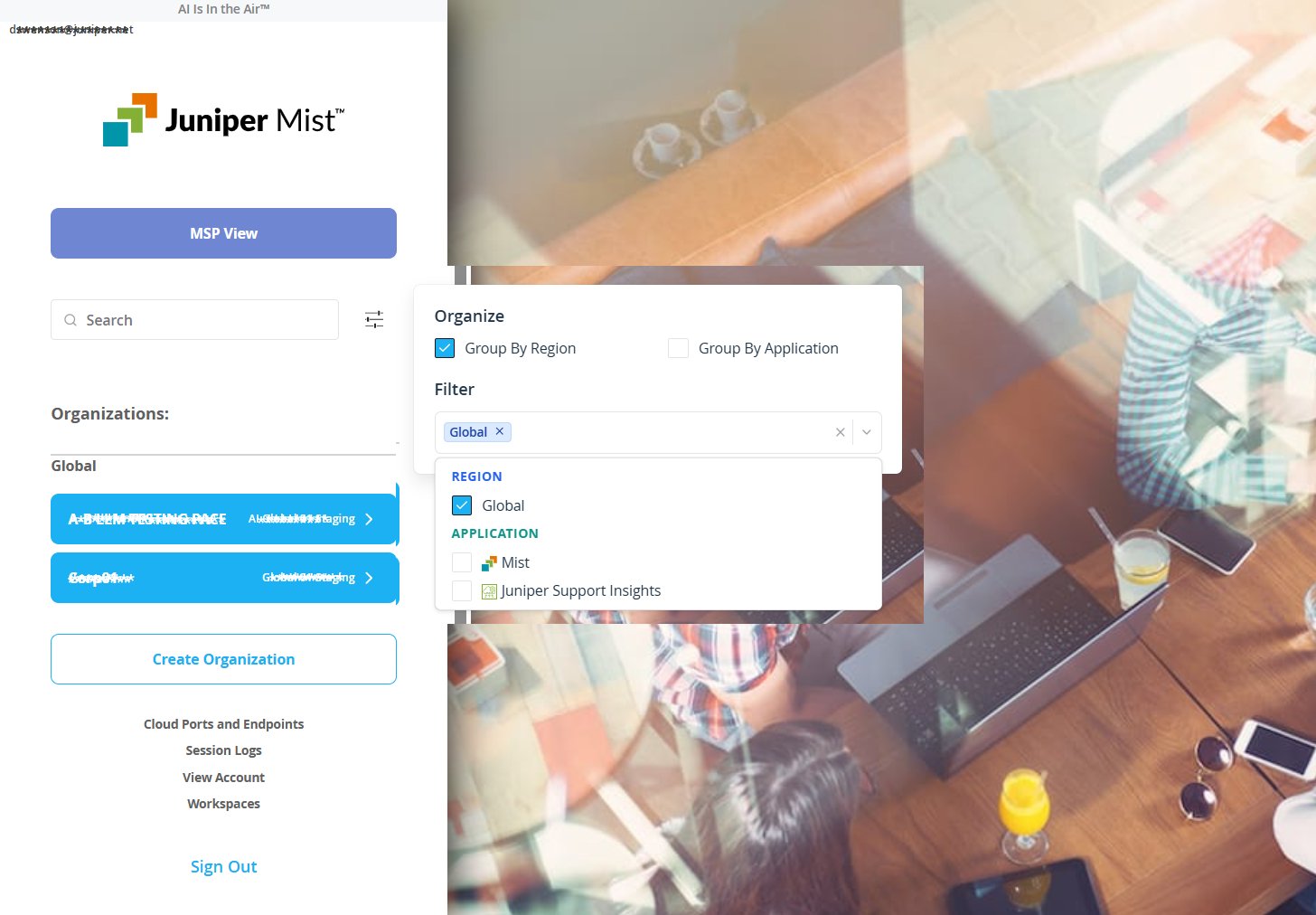
To set up global login, start by creating a global account, which is separate and different from any regional accounts you may have.
For the global account, you can sign in using a Mist username and password (best for individual users), use a Google account (best for individual users who don't want to create a new account), or, you can set up a domain-based, single sign-on (SSO) account (best for multiple users from the same company). The three options are further explained here:
- Mist Account—Global logins require multi-factor authentication (MFA), that is, a
second proof of identity, in order to access the Mist dashboard. Mist supports two options
for MFA. You can use the MFA app of your choice to receive time-based codes or push
notifications on your phone, or your can opt to have a one-time password emailed to you
each time you log in.
-
Existing Mist User If you already have a regional Mist account, you can use it to create the global account by linking the two.
- Click the User icon in the upper right corner of the Mist dashboard, (
 ),
and then open the My Account screen where you'll see a
Link button in the Link to Global Account section.
(You'll need to verify your email address and create a password for the global
account, after which you'll be automatically redirected to sign in to your global
account rather than a regional account.)
),
and then open the My Account screen where you'll see a
Link button in the Link to Global Account section.
(You'll need to verify your email address and create a password for the global
account, after which you'll be automatically redirected to sign in to your global
account rather than a regional account.)
- Click the User icon in the upper right corner of the Mist dashboard, (
-
New Mist Users. If you're a new Mist user, you'll need to create a new Mist account in the Mist login page. Once you are verified and authenticated, you'll be redirected to the Mist dashboard where you can link this new regional account to a global account as explained above.
-
- Sign in with Google—If you have a Google account, you can link it with the global
account and thereby sign in without entering a password. Do this by clicking the User icon
in the upper right corner of the Mist dashboard, (), and
then opening the My Account screen where you'll see an option to Sign in with
Google. Click the Enable button, and then follow the on-screen instructions.
- Global SSO—This option lets you associate the global account with a domain, so
multiple users from the same, registered, domain can login using the same method and
security standards. In addition, global SSO preserves your existing Mist user roles as a
part of the authentication process.
- To set up a Global SSO account, you start by creating a Mist workspace, which is a container where you can associate your domain, IdP(s), and Mist user roles. See Setting Up Mist Global SSO for complete instructions.