
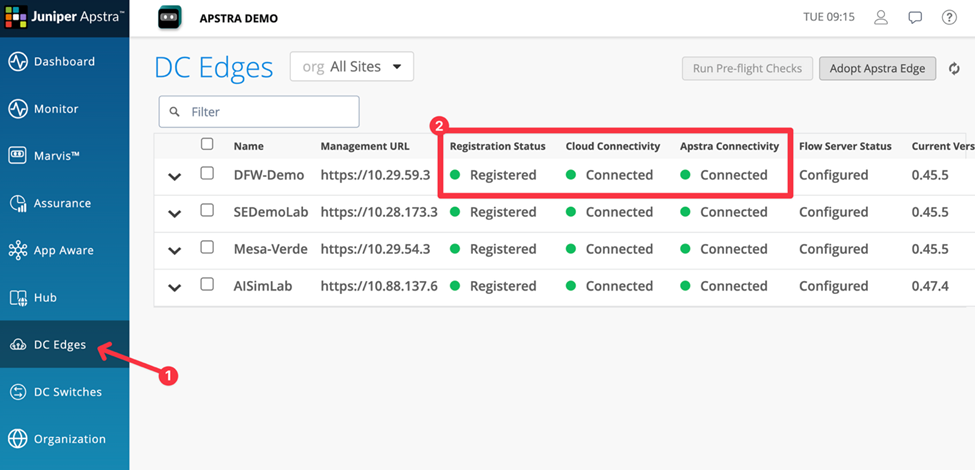
Step 4 Confirm Apstra Edge Connection Status
After Apstra Edge is adopted in DC Assurance and registered in Apstra Data Center
Director, verify that Edge is connected to Apstra instance and has established cloud
connectivity.
-
Confirm that the Cloud Connectivity and Apstra Connectivity
columns show the Apstra Edge status as Connected.
 Note:
Note:If the Edge does not show as Connected within a few minutes, review the credentials entered in Step 2a Adopt Apstra Edge in DC Assurance and confirm network connectivity between the Apstra VM and DC Assurance. For troubleshooting information, see Apstra Edge Not Showing as Connected.