
Terminating Ongoing Fabric Jobs
In Contrail Networking Release 1910, you can use Contrail Command user interface (UI) to terminate an ongoing fabric job.
You can terminate an ongoing fabric job in the following workflows:
-
Provisioning fabric devices using Zero-touch-provisioning. For more information, see Provision Fabric Devices Using End-to-End ZTP.
-
Importing existing brownfield devices and deploying new greenfield devices. For more information, see Create a Fabric.
-
Initiating auto-configuration job. For more information, see Assign a Role to a Device.
-
Device image upgrade job. For more information, see Performing Hitless Software Upgrade on Data Center Devices.
-
Activating or deactivating Maintenance Mode job. For more information, see Activating Maintenance Mode on Data Center Devices.
-
Discovery of servers. For more information, see Onboarding and Discovery of Bare Metal Servers and Fabric Discovery and ESXi Discovery by Using Contrail Command.
In releases prior to release 1910, you could not terminate an ongoing fabric job.
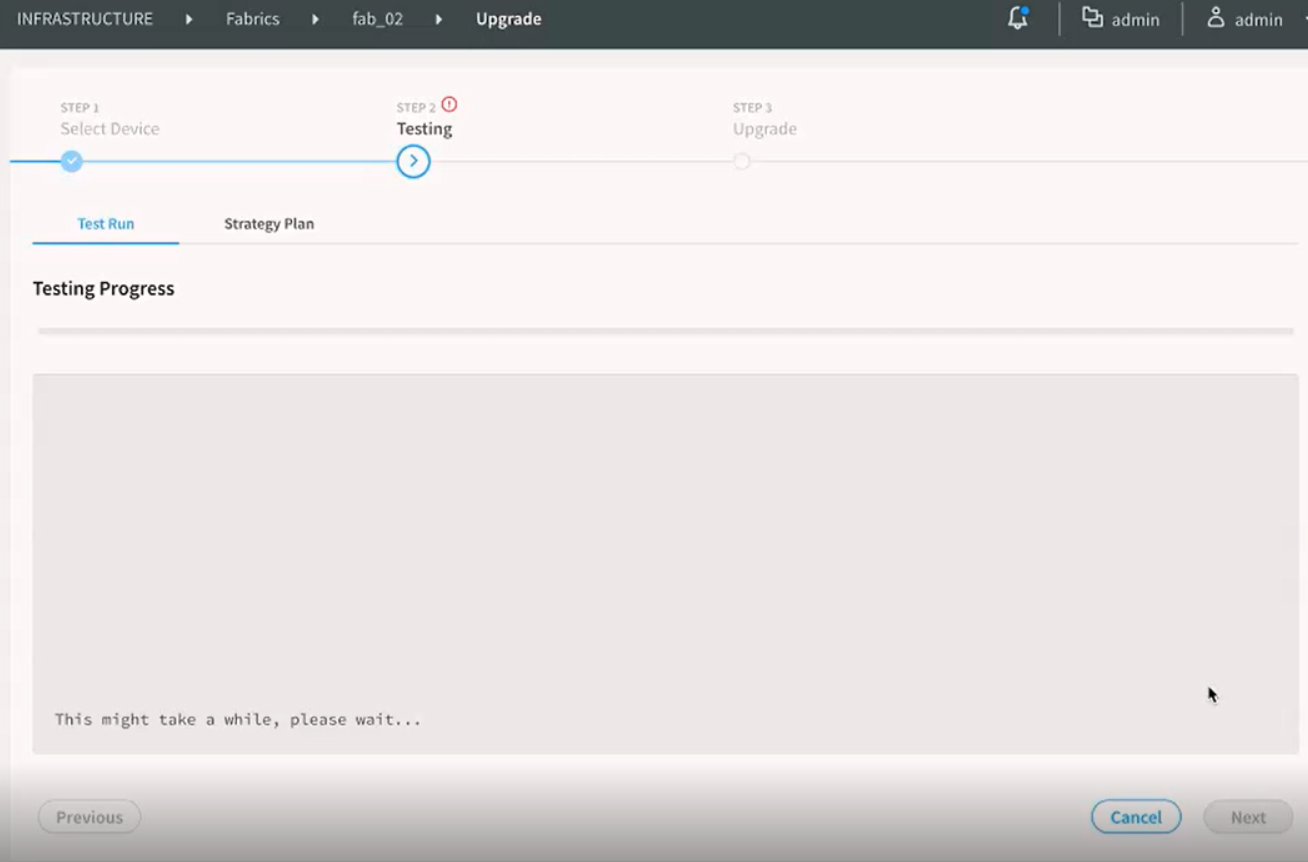
For example, you can terminate an ongoing device image upgrade job while upgrading a device image in a fabric. The following steps provide instructions on how you can terminate the device image upgrade job:
-
Figure 1 displays
that the image upgrade job is in progress.
Figure 1: Image Upgrade Job In Progress
The image upgrade job is terminated.
Change History Table
Feature support is determined by the platform and release you are using. Use Feature Explorer to determine if a feature is supported on your platform.