
Onboarding Overview
This topic walks you through the essential steps for getting started with Juniper ATP Cloud. You can perform key tasks needed to set up your account, configure core services, and prepare your environment so you can begin using ATP Cloud effectively.
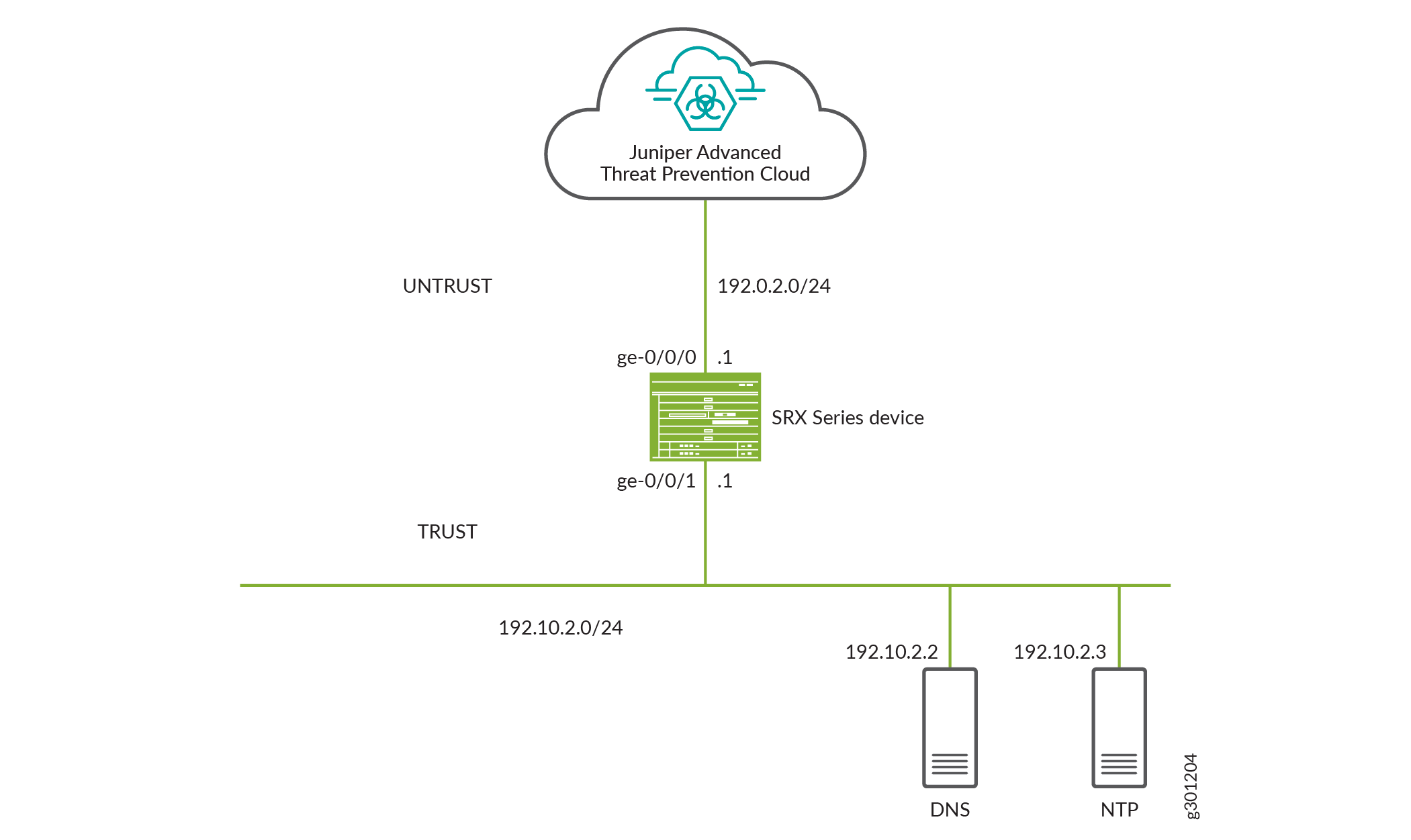
Juniper ATP Cloud Topology
Here’s an example of how you can deploy Juniper ATP Cloud to protect a host in your network against security threats.
Get Your Juniper ATP Cloud License
You’ll need to get your Juniper ATP Cloud license before you can start configuring Juniper ATP Cloud on your SRX Series Firewall. For information about Juniper software license lifecycle, see Juniper License Lifecycle.
To know about Juniper ATP Cloud licenses, see Software Licenses for ATP Cloud. For further details, see the product Data Sheets or contact your Juniper Account Team or Juniper Partner.
To obtain the license:
-
Go to https://license.juniper.net and log in with your Juniper Networks Customer Support Center (CSC) credentials.
-
Select SRX Series Devices or vSRX from the Generate Licenses list.
-
Using your authorization code and SRX Series serial number, follow the instructions to generate your license key.
-
If you are using Juniper ATP Cloud with SRX Series Firewalls, then you don't need to enter the license key because it is automatically transferred to the cloud server. It can take up to 24 hours for your license to be activated.
-
If you are using Juniper ATP Cloud with vSRX Virtual Firewall, the license is not automatically transferred. You'll need to install the license. For more details, see Software Licenses for vSRX Virtual Firewall.
-
Congratulations! You have successfully activated your Juniper ATP Cloud license.