
Apply Your License
Apply Your License in Apstra
By now, you should have received your activation code
and activated your license from the Juniper Agile Licensing Portal (see the Juniper Licensing User Guide for
activation instructions). You now need to apply your license in the Apstra GUI.
To apply your license:
-
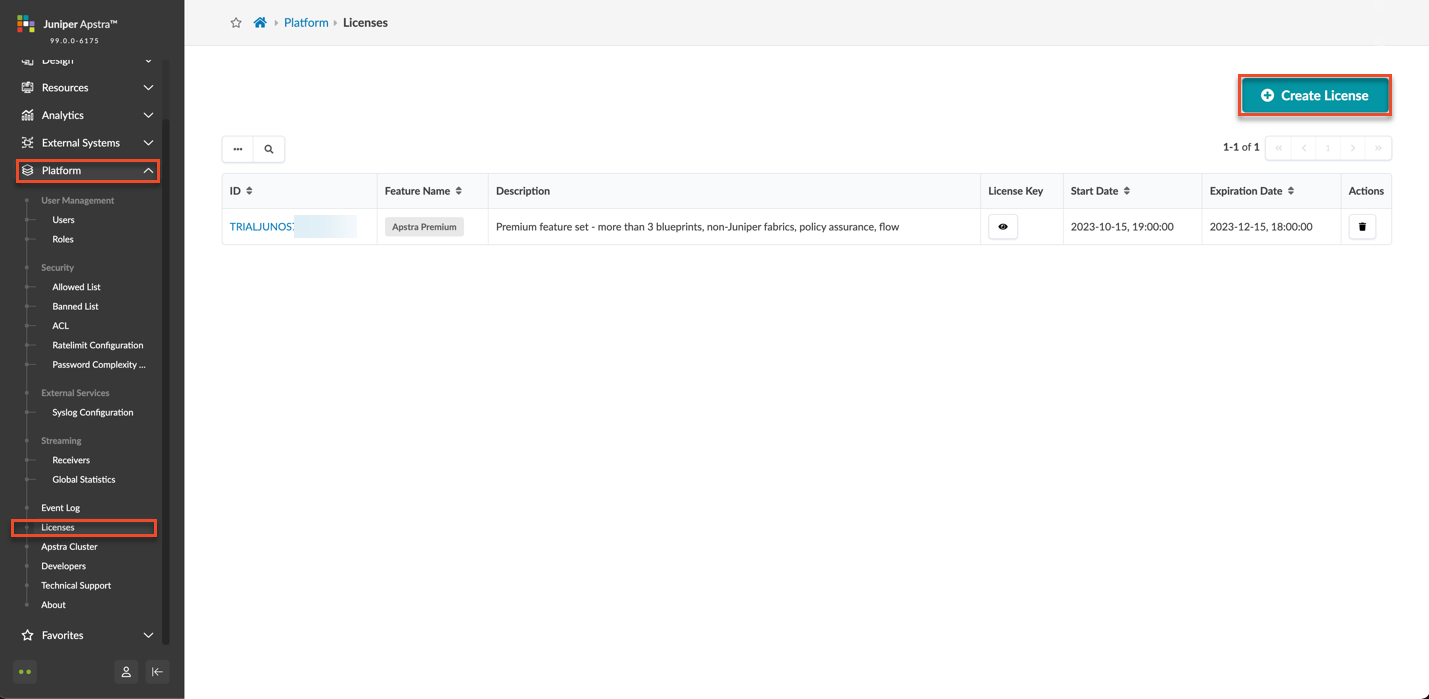
From the left navigation menu, select Platform >
Licenses and click Create
License.
-
Copy your license key into the License Key text box
and click Create.

-
Verify your license.
If the license was applied successfully, the Feature Name displays Apstra Premium.

Restart the Flow Services
After you apply your license in Apstra, restart
your flow services so that the services can pick up the license.
Note: You can restart the flow services using the Apstra
Server Configuration tool
8 Restart the Apstra Flow Service
                            (flowcoll)
. Alternatively, you can restart the services
through SSH. This option restarts only the Flow Collector, not the
opensearch or opensearch-dashboards.To restart the flow services using SSH:
Continue to Import the Junos OS Apstra Flow Configlet.