
Import the Junos OS Apstra Flow Configlet
Import the Configlet
Juniper provides a Junos sFlow configlet with your product. You'll want to clone this default configlet, modify it to your needs, and then import it into your blueprint from the Apstra GUI. See Example: Junos OS Apstra Flow Configlet.
To import the Flow Data configlet:
-
From the Catalog tab, select Configlets and click
Import Configlet.

-
From the Configlet drop-down menu, select
Flow Data for Optional Flow Analytics and click
Next.
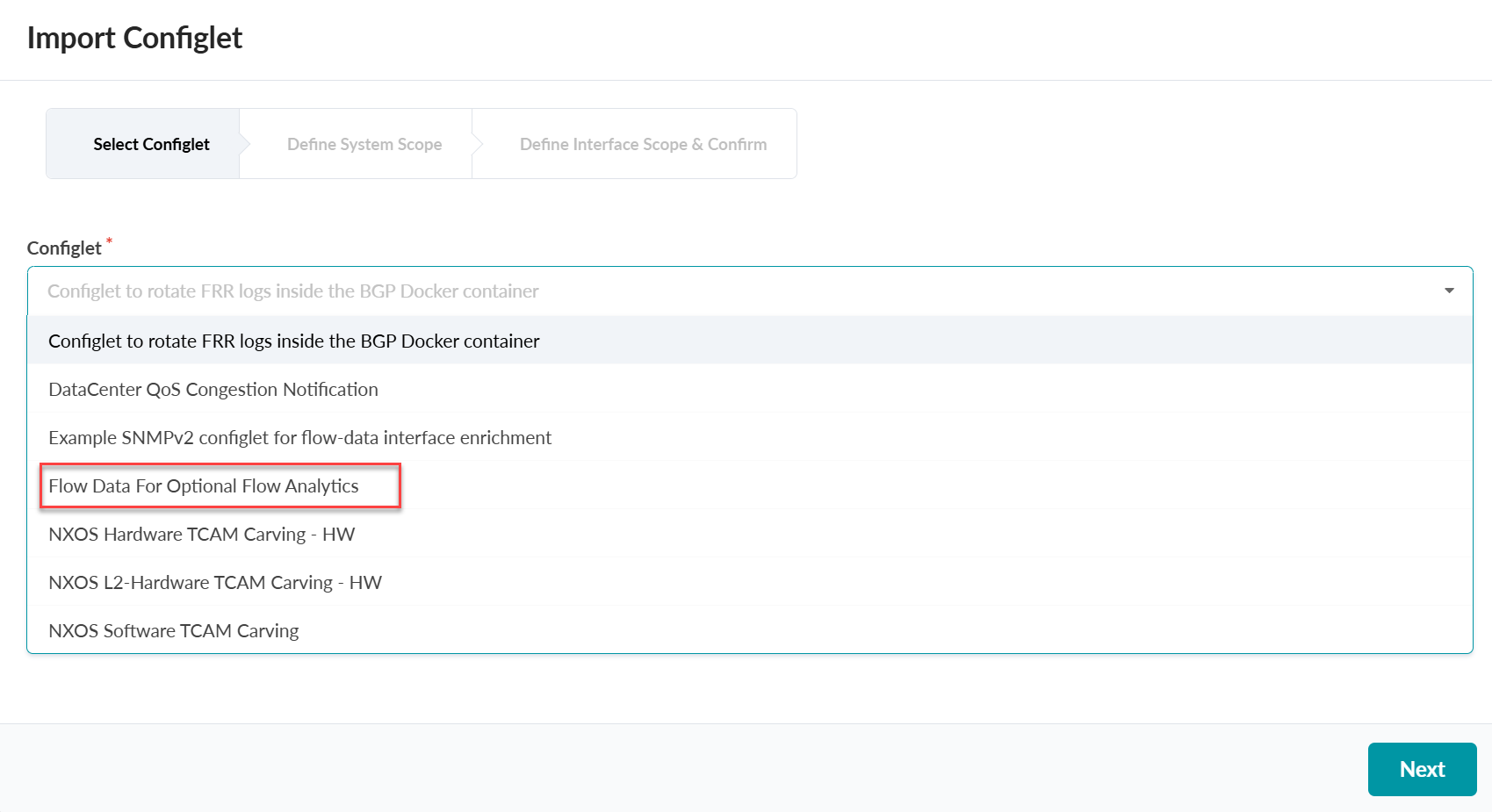
-
Select the devices for the configlet, such as spine, and click
Next.
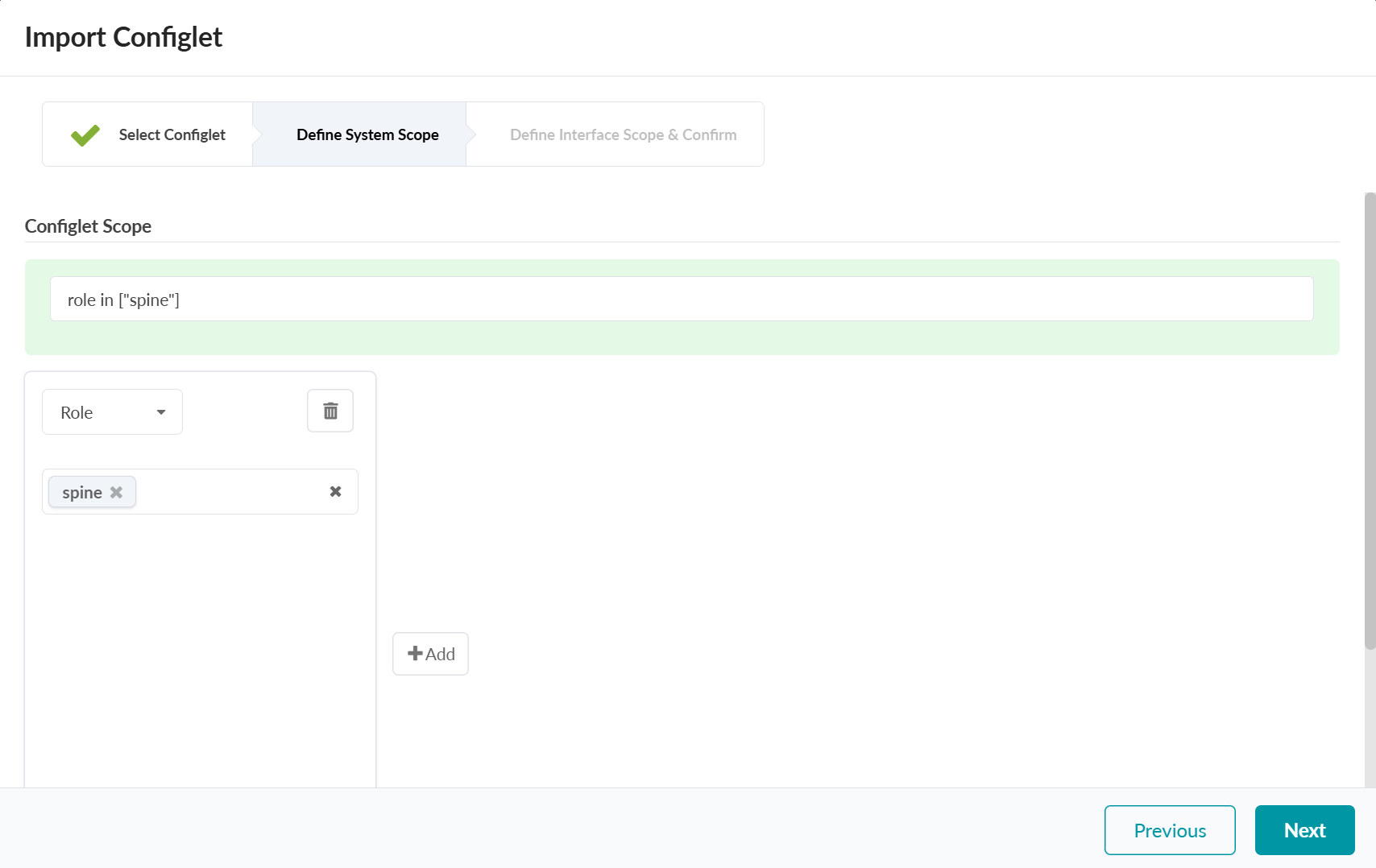
-
Import the property set.
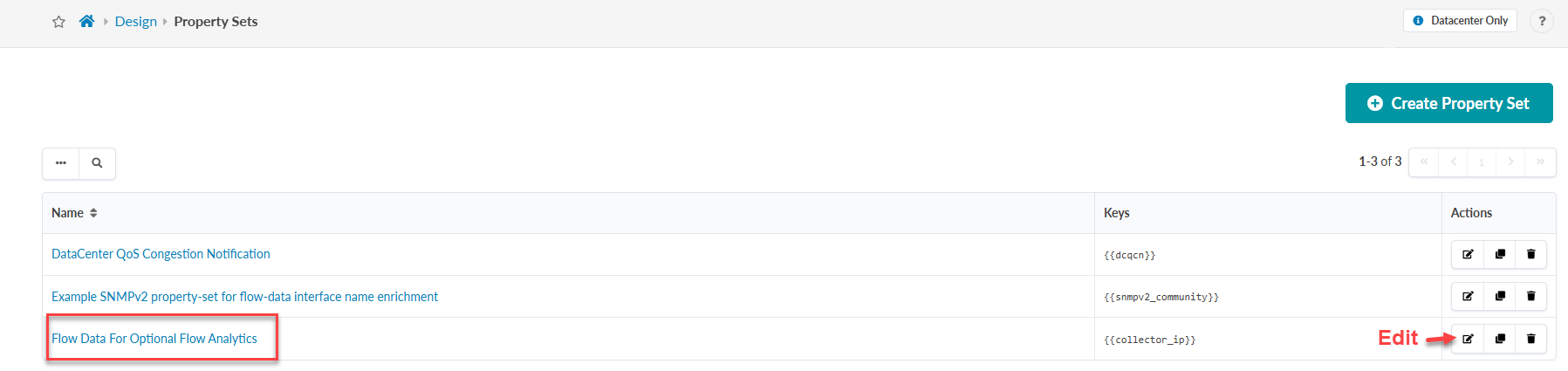
From the left navigation menu, navigate to Design > Property Sets.
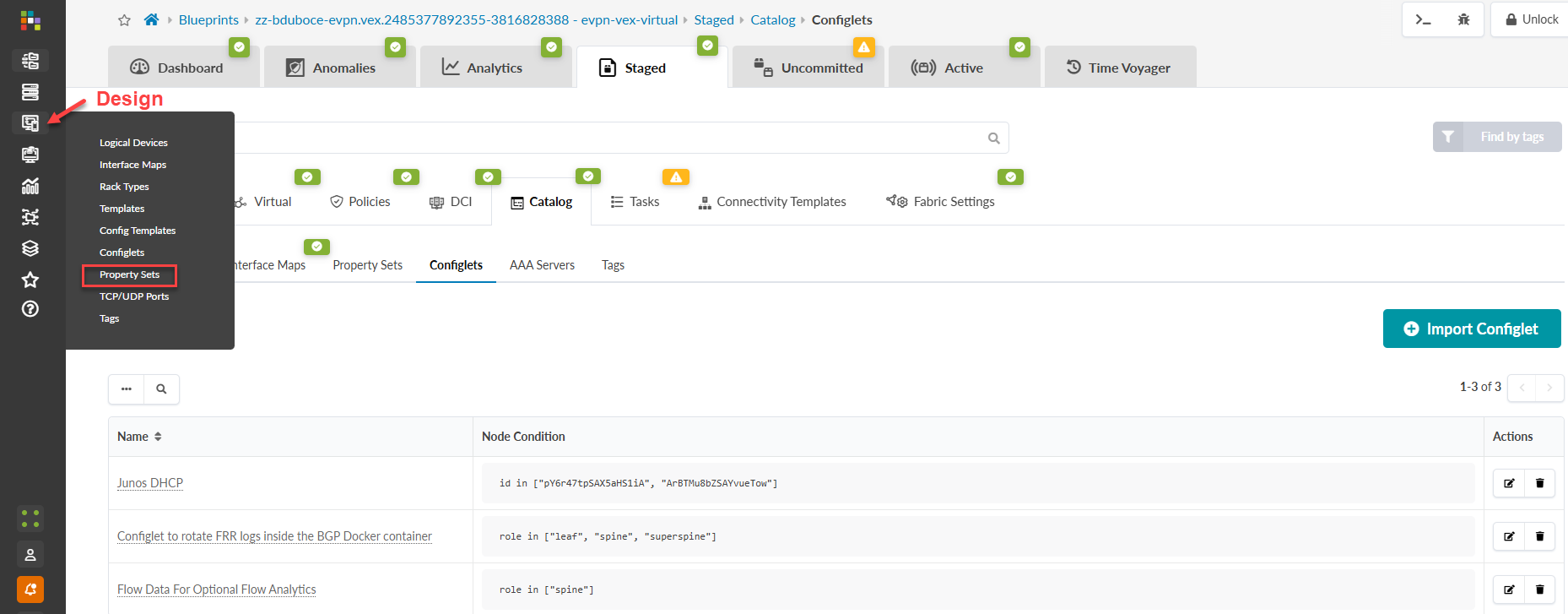
-
From the table, select the Flow Data for Optional Flow
Analytics configlet and click the Edit button.
-
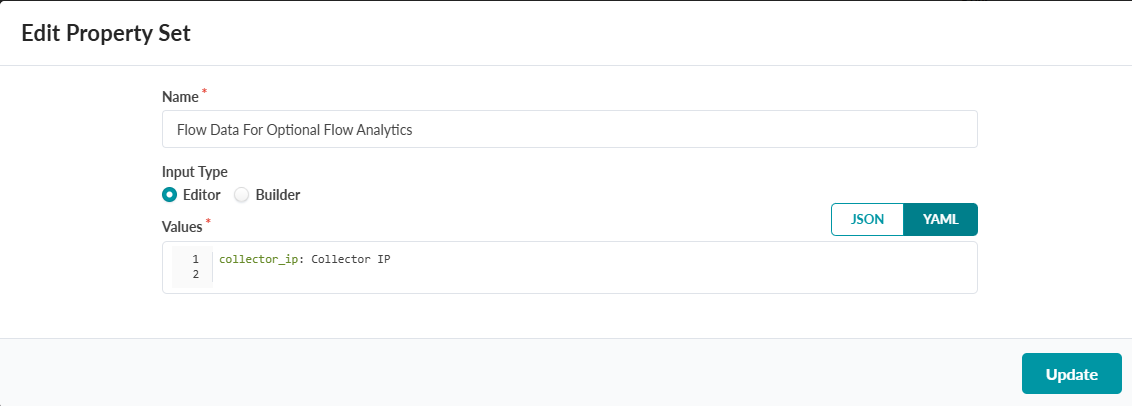
Edit the property set.
Add the collector IP address of your Flow Data VM and click Update.
-
To import the configlet, go to Blueprint > Staged >
Catalog > Property Sets and click Import
Property Set. Afterward, commit your changes.
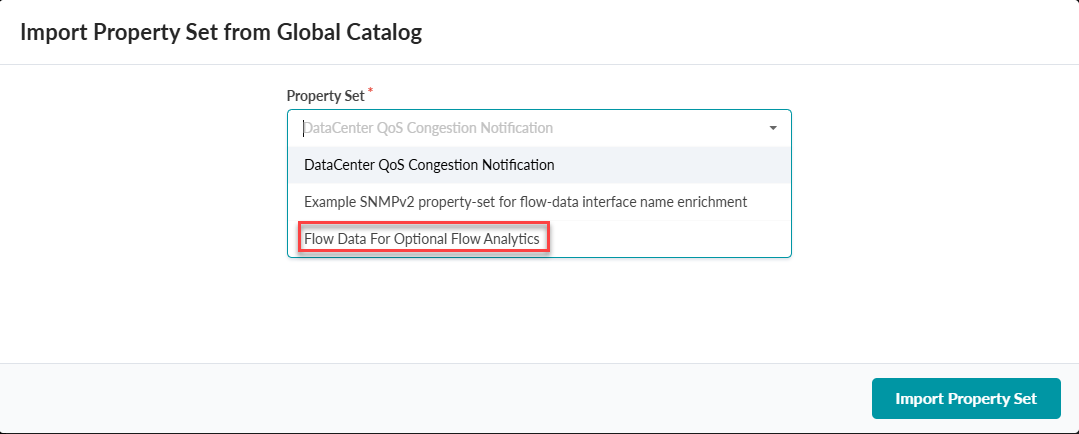 The property set was successfully imported into your blueprint.
Example: Junos OS Apstra Flow Configlet
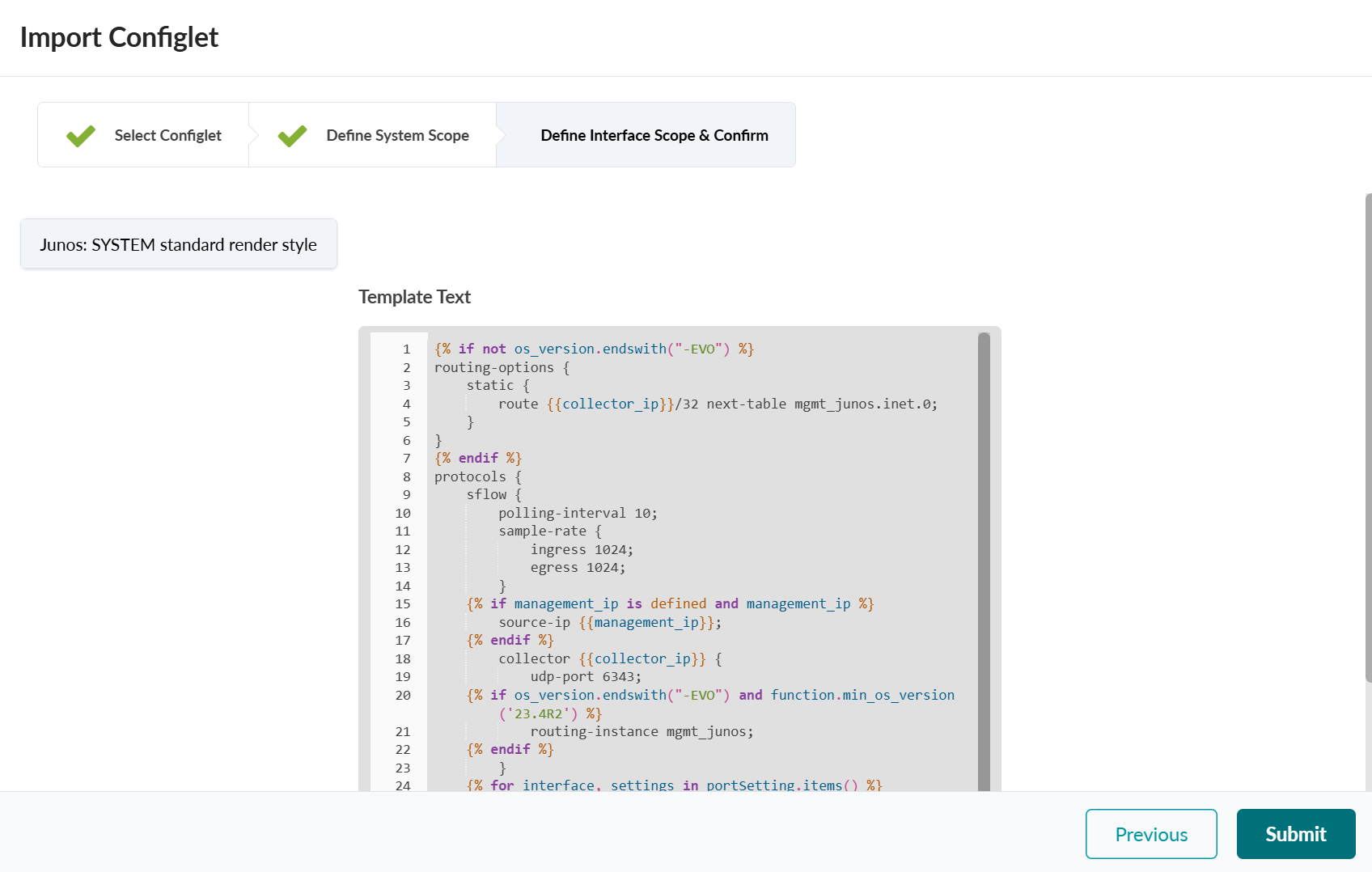
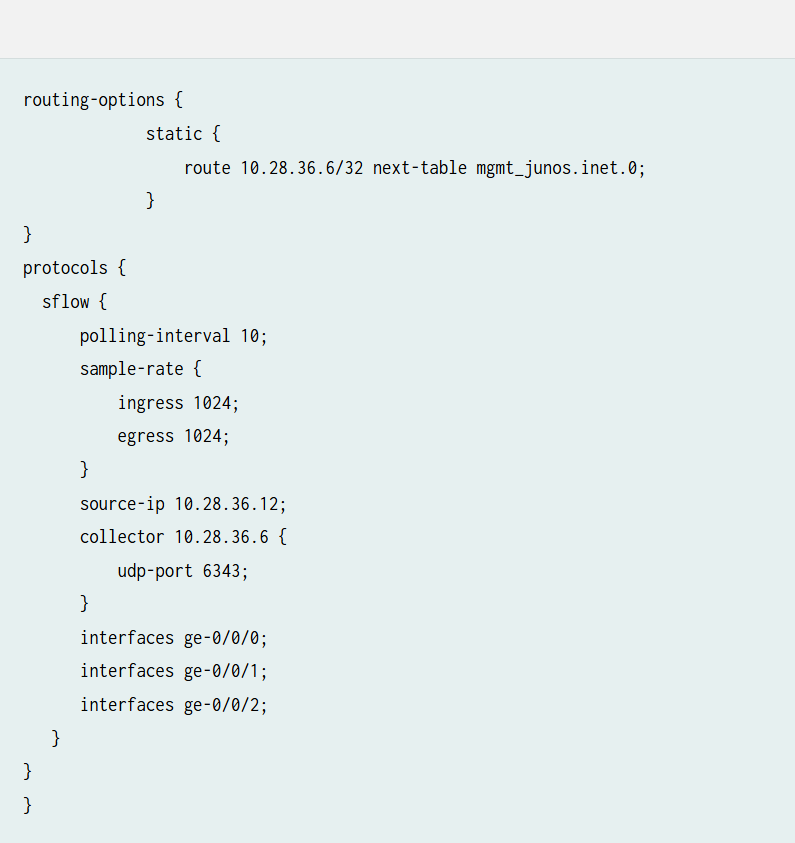
The following example shows the Junos OS Apstra Flow configlet that is provided with your product.
The configlet includes settings for sFlow polling and sampling intervals, Collector IP address, UDP port, and Interfaces for data collection. It also includes a static routing option for traffic flow over the management Junos RPF interface.
Import the SNMP Configlet for Interface Name Enrichment
If you prefer to see actual interface names such as xe-0/0/1 over interface indexes, Apstra Flow must query the devices using SNMP.
Follow the same steps specified in the Import the Configlet section but choose Example SNMPv2 configlet for flow-data interface enrichment when importing the configlet.