
ON THIS PAGE
RMA Overview
The Return Material Authorization (RMA) process enables you to replace faulty devices. Use the RMA process to:
-
Mark devices for replacement.
-
Manage the device life cycle through RMA states.
-
Deploy the saved configuration from your old device to the replacement device to restore service and minimize downtime.
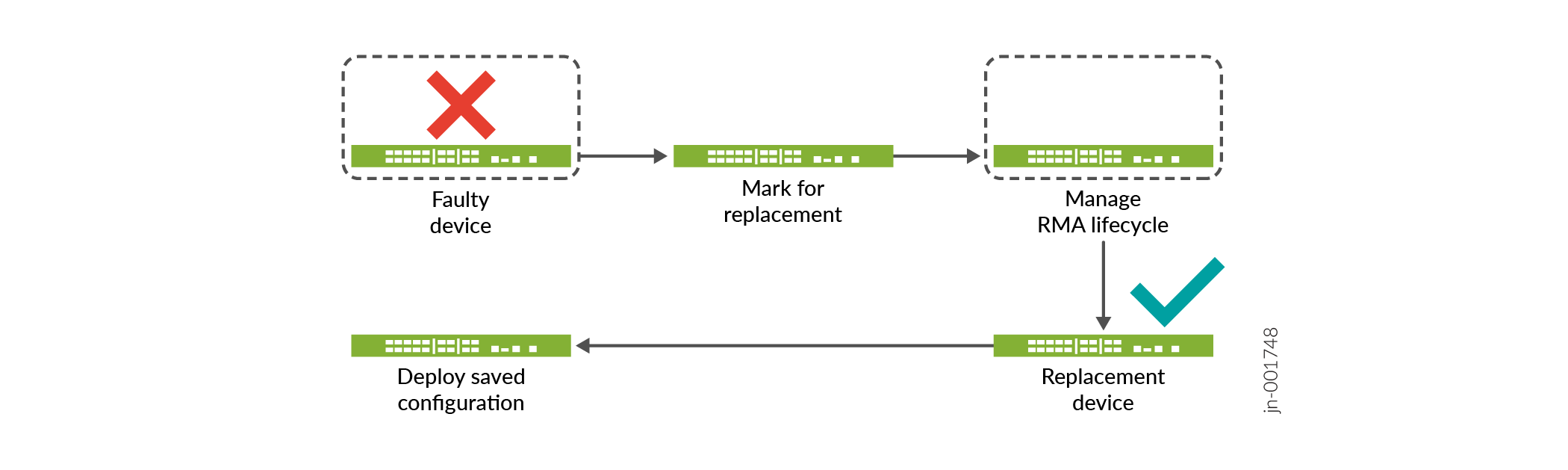
You can place up to 10 standalone devices in the RMA state simultaneously.
Juniper Security Director supports RMA only for devices that are already onboarded and managed in Juniper Security Director. You can't place your device in RMA state if:
-
The device is faulty before it is onboarded to Juniper Security Director.
-
The device can't be discovered by Juniper Security Director due to hardware failure.
To start the RMA process for such devices, contact Juniper Networks support on the Web or by telephone.
-
Visit https://support.juniper.net/support/requesting-support/.
-
Call 1-888-314-JTAC (1-888-314-5822 toll-free in US and Canada).
For international or direct-dial options in countries without toll-free numbers, see https://support.juniper.net/support/requesting-support/.
Benefits of RMA
-
Rapid device replacement—Streamlined RMA workflows enable quick device replacement, minimizing downtime and operational impact.
-
License continuity—Replacement devices retain the original licenses, eliminating re-licensing overhead.
-
Fast configuration restoration—Juniper Security Director preserves device configurations, allowing seamless restoration with minimal manual effort.
How RMA Works
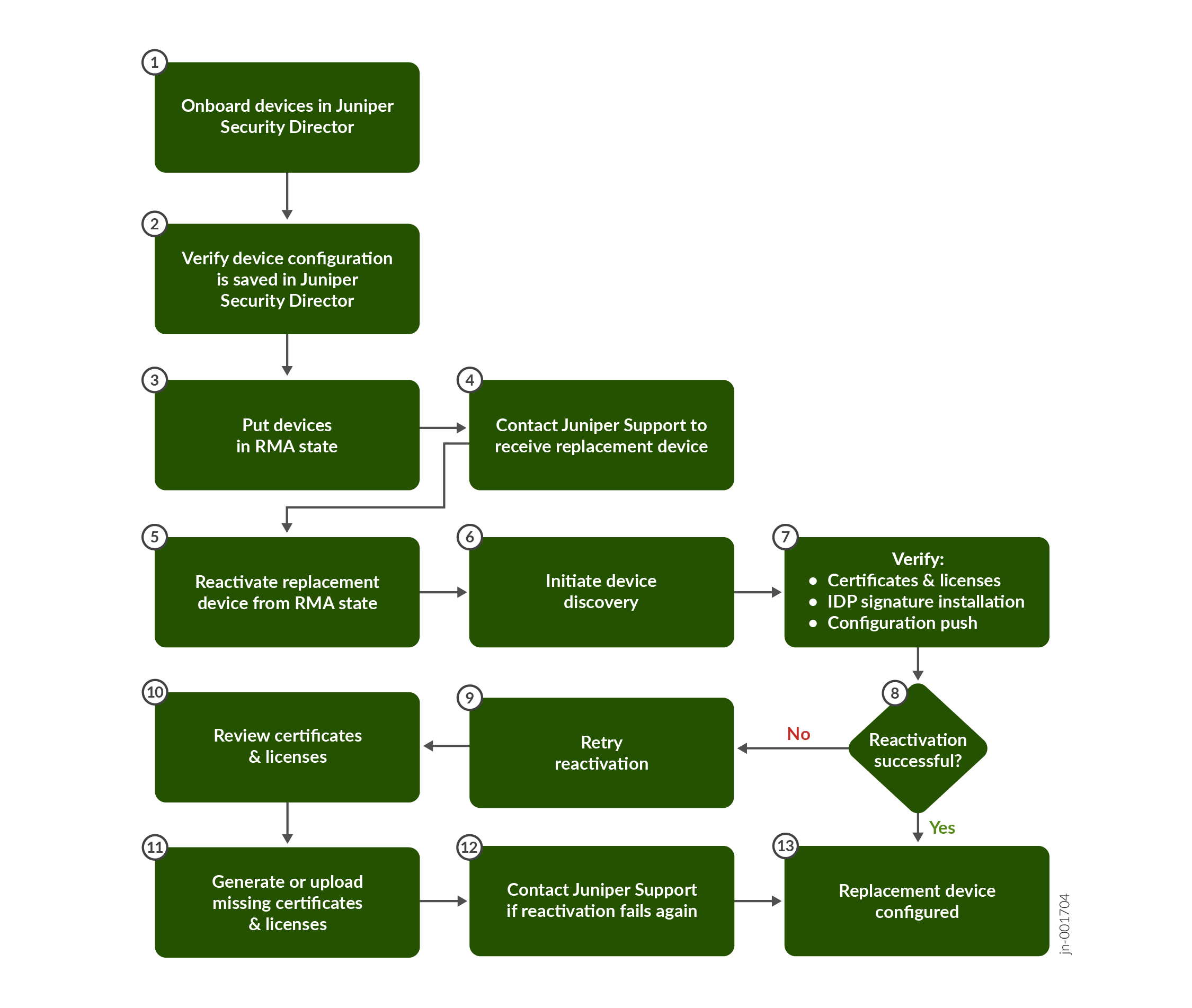
Figure 1 shows the high-level workflow for the RMA process.
What’s Next?
| If You Want To | Then |
|---|---|
| Place the faulty device in RMA state to request a replacement device. | See Place Devices in RMA State |
| After you receive the replacement device, reactivate the device from the RMA state. | See Reactivate Replacement Device from RMA State |