Zigbee Settings
Understand the Zigbee radio capabilities on supported Mist APs and configure the settings to support IoT device connectivity for your organization.
Some Mist APs have a built-in Zigbee radio that enables the AP to function as a Zigbee gateway. This allows IoT devices—such as wireless door locks—to connect directly to the Mist network without requiring dedicated third-party Zigbee gateways. Zigbee is a low-power, low-data-rate wireless communication protocol based on the IEEE 802.15.4 standard that operates in the 2.4 GHz ISM band (channels 11–26).
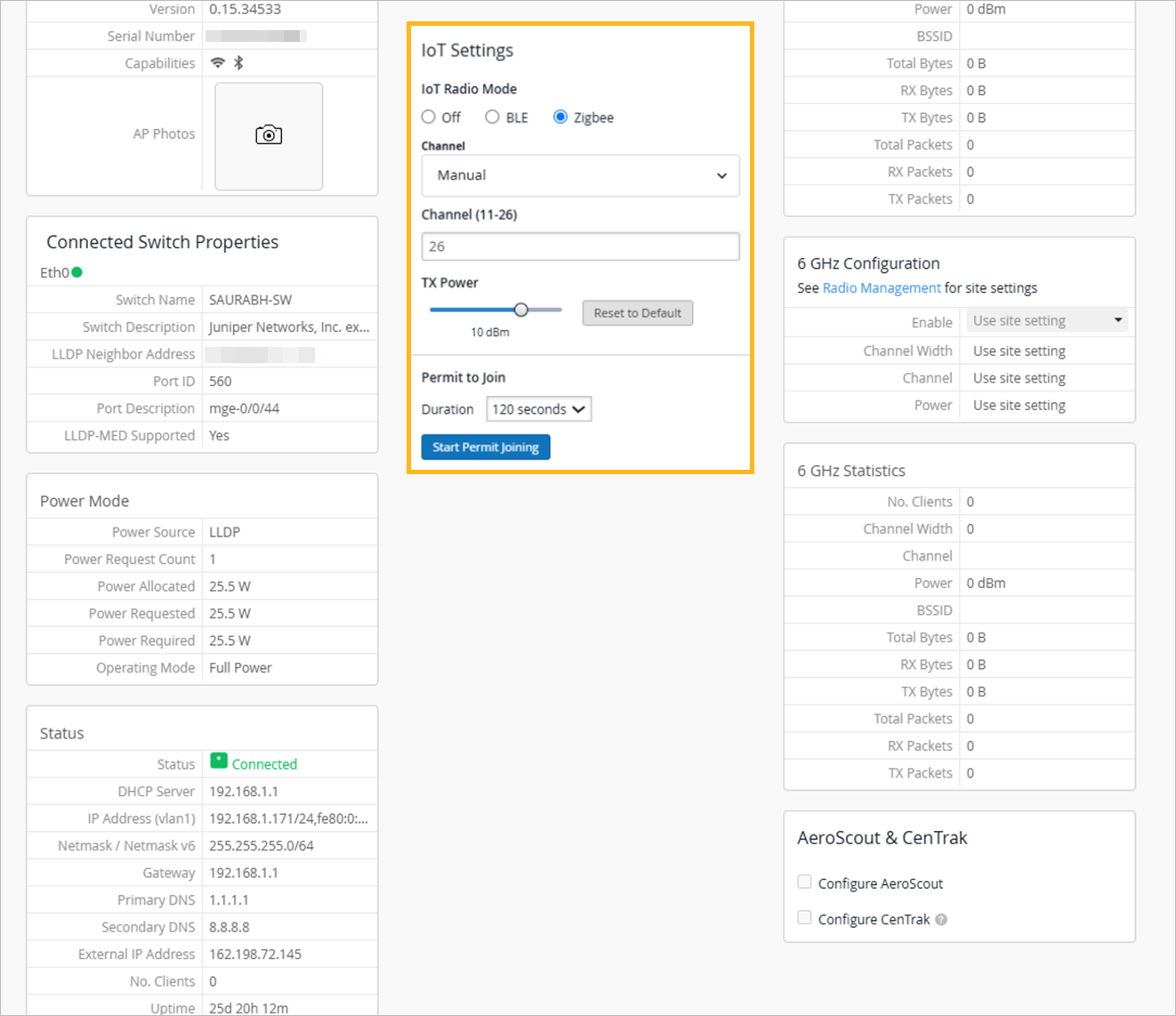
You can configure Zigbee settings at the AP level or through device profiles. To configure the settings for an AP, go to the details page for the AP and navigate to the IoT Settings section.
To configure the settings in a device profile, from the Mist portal, select Organization > Device Profiles, click a device profile, and scroll down to the IoT Settings section.
-
Enable Zigbee—Select the Zigbee option to enable the Zigbee radio on the AP. The AP forms a Personal Area Network (PAN) that Zigbee end-devices can join. Note that enabling Zigbee automatically disables BLE on the same AP.
-
Zigbee Channel—Select the Zigbee channel for the AP radio. Zigbee supports channels 11 through 26 in the 2.4 GHz band. If you do not specify a channel, the AP auto-scans all available channels and selects the best one.
Consider the following when selecting a channel:
-
Zigbee channels 25 and 26 have the least overlap with Wi-Fi channels 1, 6, and 11.
-
In dense RF environments, manually selecting a channel that avoids Wi-Fi interference can improve Zigbee reliability.
-
If you are deploying Zigbee for a specific integration (such as ASSA ABLOY Visionline door locks), see ASSA ABLOY Vingcard Visionline Integration with Mist for recommended channel settings.
-
-
Zigbee Tx Power—Set the transmit power for the Zigbee radio in dBm. Adjust the TX power based on the environment and the distance between the AP and the Zigbee end-devices.
Higher Tx power increases range but might cause interference in dense deployments whereas lower Tx power reduces range but can improve coexistence in environments with many APs.
-
Permit to Join duration—Set the duration for the join window (120–600 seconds) to allow new Zigbee devices to join the network. After the window closes, no new devices can join unless the join window is reopened.
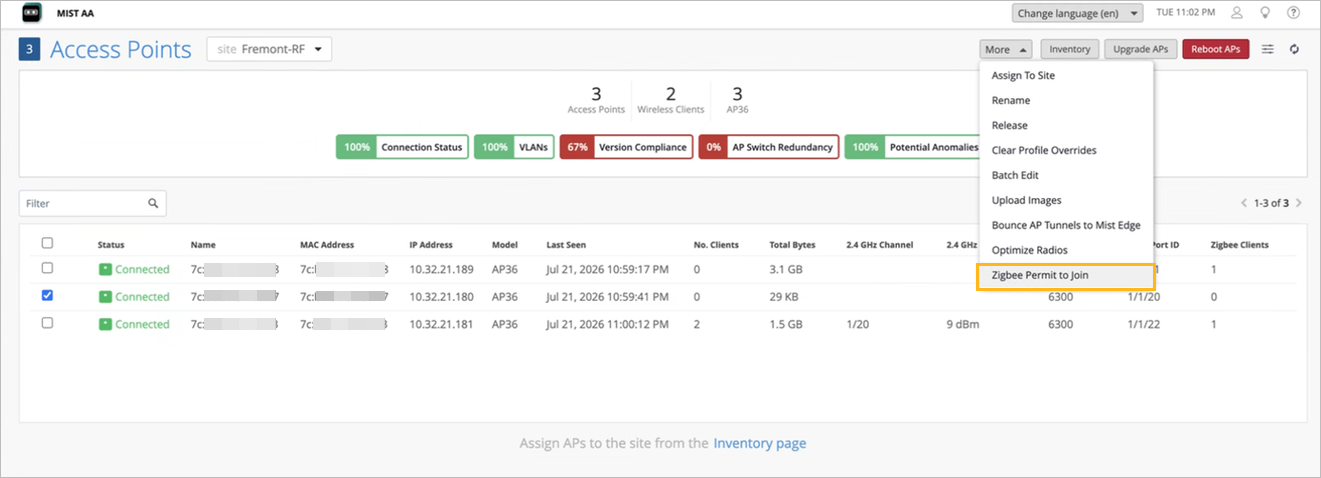
Note:The Permit to Join option is not available in the Device Profile. If you configured the Zigbee settings in a device profile, then you must initiate the join process from the Access Points page. To do this, select the AP, choose Zigbee Permit to Join from the More menu, and specify the duration for the join window.