Personal WLANs
Set up personal WLANs to enable communication between clients who share a preshared key (PSK) or RADIUS-based SSID.
Personal WLANs are secure micro-segmented networks within a WLAN for a group of users.
You can use personal WLANs in a couple of ways:
-
Use personal WLANs with multi passphrase WLANs (MPSK SSIDs), forming groups per PSK. Clients within a key can talk to other clients in the same key, but clients can't talk to other clients in different keys. The personal WLAN groups are automatically formed using the PSK.
-
Use personal WLANs across multiple SSIDs that use RADIUS-based SSIDs. This can be helpful in a dormitory or university campus, where students bring their own devices and connect to MPSK-based SSID, while their laptops are on 802.1X enabled Eduroam network. When personal WLAN is enabled, clients with the same username are placed in the same group, regardless of the SSID they are connected to. These clients can communicate only with other clients that have the same username. There is no connectivity between devices with different usernames.
Note:To use personal WLANs with RADIUS-based SSIDs, your access points need firmware version 0.14.x or later.
Personal WLAN works across SSIDs and security types:
-
WPA2 or WPA3 + Enterprise (802.1X)
-
WPA2 or WPA3 + RADIUS PSK
-
Open Access + MAC address authentication by RADIUS lookup
-
OWE + MAC address authentication by RADIUS lookup
How to Configure Personal WLANs
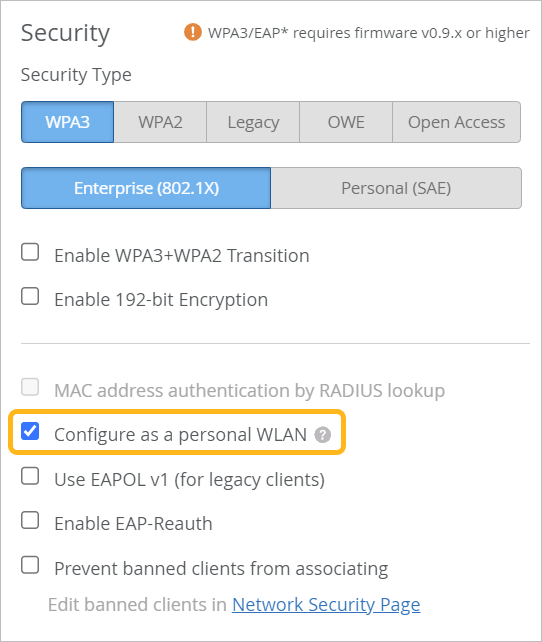
When adding or editing a WLAN, select a supported security type, and then select Configure as a personal WLAN.