
Wired Visibility for Switches not Connected to Mist Cloud
Mist Wired Assurance provides visibility into Juniper and third-party switches that are not connected to the Mist cloud but are present in your wired network. This visibility helps you see how those switches connect to access points (APs) and clients, and identify common wiring issues.
Support for non-connected switches is visibility‑only. Mist doesn’t onboard, configure, or push policies to these switches. Analytics are limited to what the device and the wired edge expose (through LLDP) and what APs can observe.
In the following sample image of the Switches page, the switch named byong-5 is discovered by (but not connected to) the AP connected to the Mist cloud, while other switches are manually adopted into the Mist cloud. To access the Switches page, click Switches on the left navigation menu in the Mist portal.
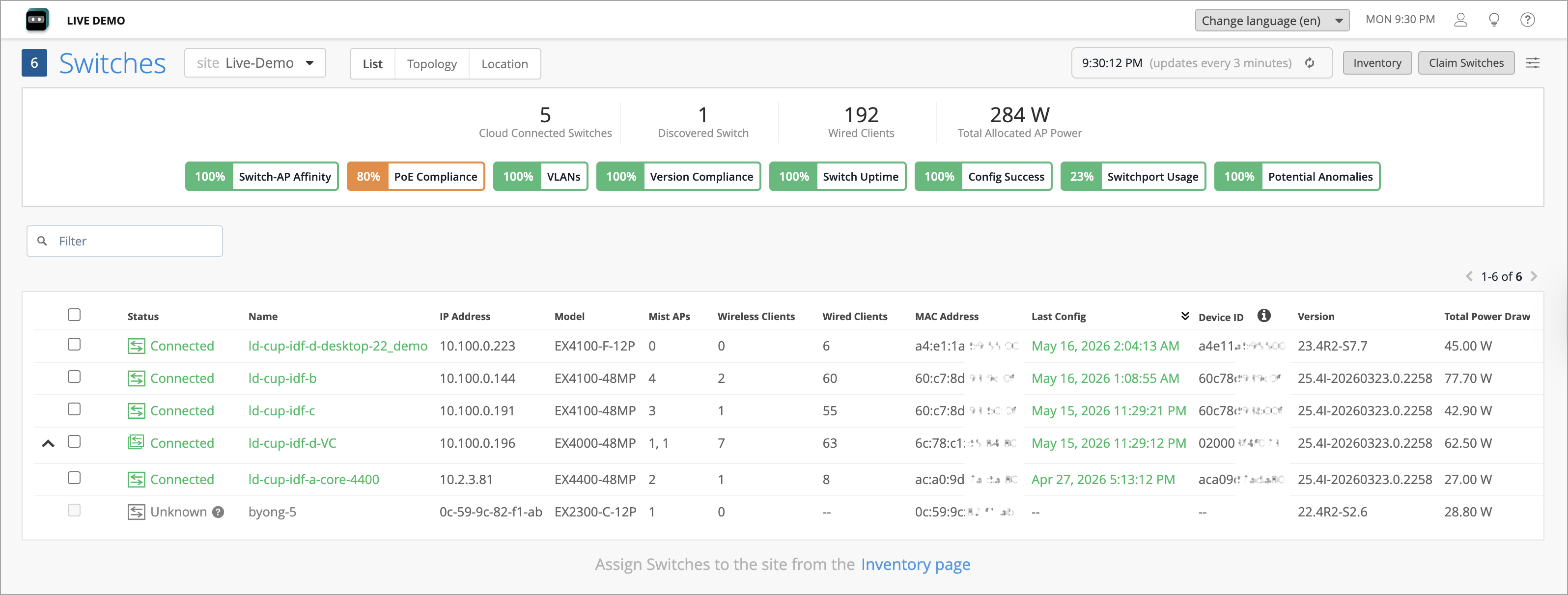
When a switch and connected APs expose the required data, the Switches Page can display:
-
Inventory and software details—Vendor, model, and software or firmware version (as reported by the device).
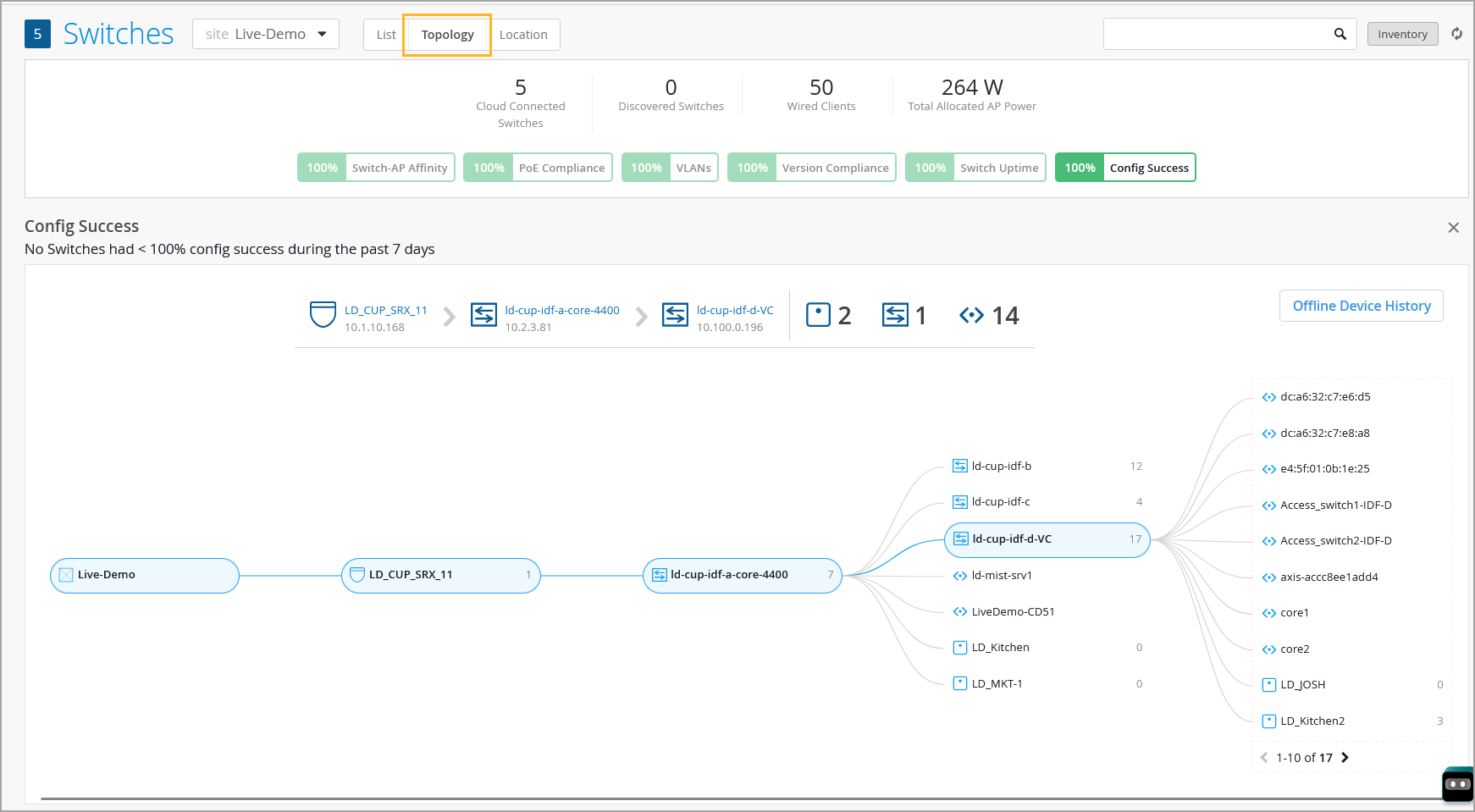
Topology view—A visual map that shows how switches, APs, and clients are connected; hop‑by‑hop paths to clients. You can use this view to review the downstream devices that would lose connectivity if the associated switch or link fails. This helps plan redundancy and accelerates incident triage.
-
Switch metrics— Metrics that help you track the switch performance against certain compliance parameters. For more information, refer to Switch Metrics.
Mist Wired Assurance gives you unified, topology‑driven visibility for mixed environments. For third‑party switches, you get inventory, connectivity, AP‑to‑port mapping, basic PoE and VLAN context (when exposed), and API‑driven alerts and integrations—without configuration control of the switch itself.