Onboard Session Smart Routers with Static IP Address
Follow these steps if your routers need static IP addresses.
Dynamically assigned IP addresses are recommended, but in some cases you might need static addresses instead. For example, consider a situation when you're deploying sites that are connected solely through WAN circuits.
To onboard your WAN Edge devices, you can take various approaches:
- Lightweight Field ZTP
- One-Time Static Device Provisioning
Before You Begin
-
Get your WAN Edge device up and running in the Mist cloud. See SSR Series Devices.
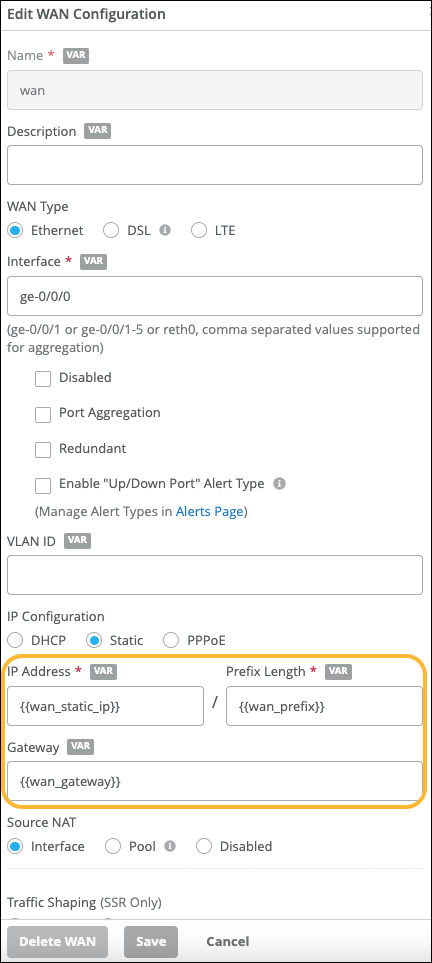
Set up your WAN Edge templates. In the WAN section of the template, add a WAN, select the static IP configuration option, and enter the IP address, prefix length, and gateway.
Here's an example using variables to represent the information. You'd then enter the static IP addresses in the variable definitions in the site configuration.
For help with templates, see Configure WAN Edge Templates.
Onboard Devices with Lightweight Field ZTP
The lightweight field ZTP method for device onboarding in a static WAN scenario requires temporarily connecting the Session Smart Router device to onsite connectivity. This connection provides dynamic address assignment through DHCP and temporary connectivity to Mist cloud. For example, connect the WAN port of the Session Smart Router device to a mobile wireless router carried by the installer. Alternatively, connect it to the LAN port of a site router about to be decommissioned.
To onboard a WAN Edge device with lightweight field ZTP:
-
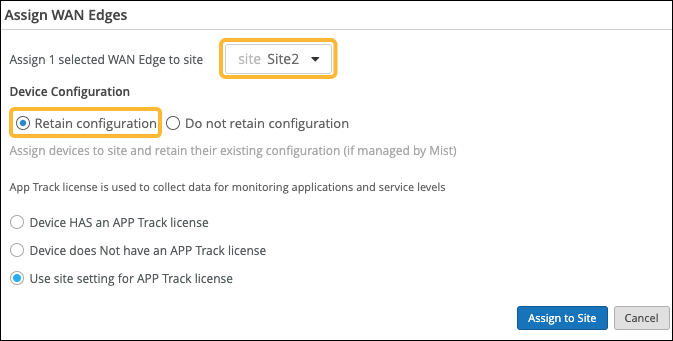
In the Assign WAN Edges pop-up window, select a site and keep the default
Device Configuration options.
Onboard Devices with One-Time Static Device Provisioning
This method involves connecting to the local console of the device, and pasting in some one-time provisioning information including the static address.
-
Assign Session Smart Router to an individual site using the
Assign to Site option.
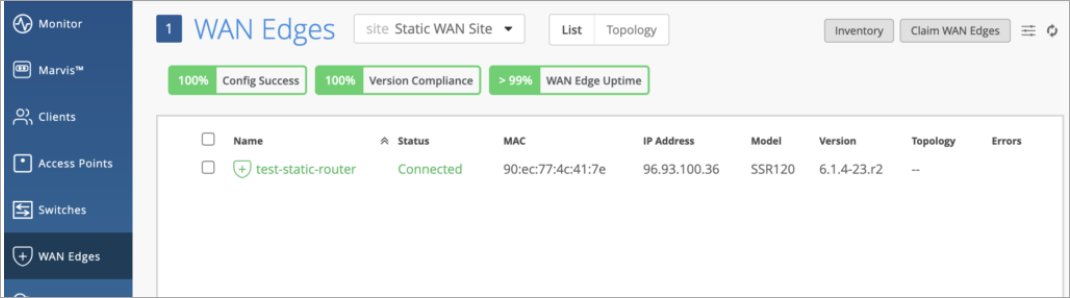
On the WAN Edges page, you can view the status of the onboarded device.
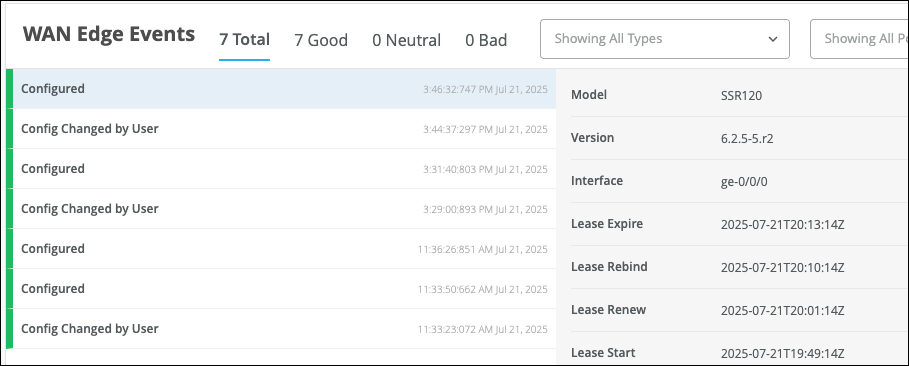
On the Insights page, you can see more information under WAN Edge Events.