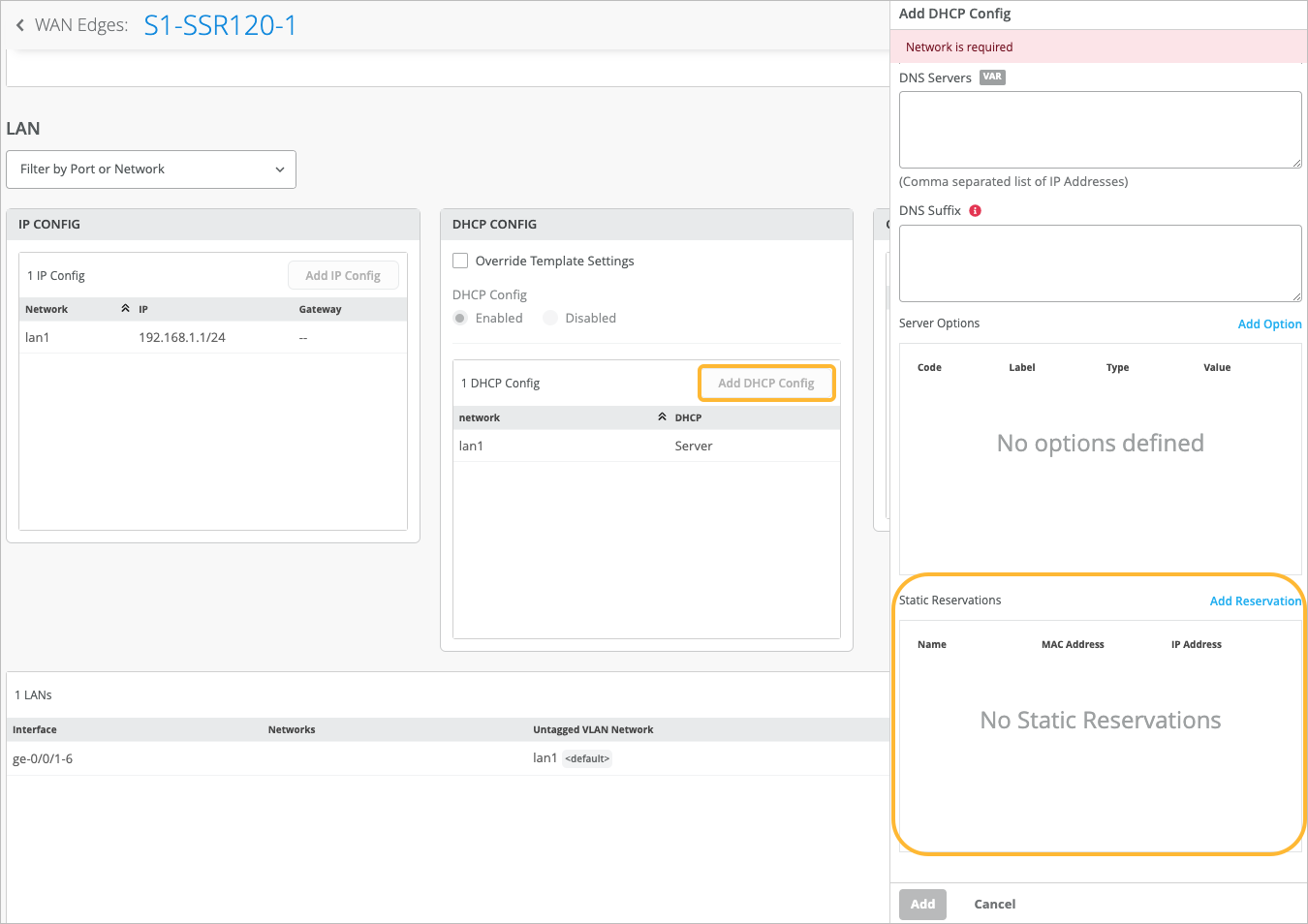
Follow these steps to reserve an IP address for exclusive use by a single
device.
To reserve a static IP address for a device:
-
Navigate to the WAN Edge template, hub profile, or device configuration.
-
Scroll down to the LAN configuration section.
-
In the DHCP Config section, click the configuration that you
want to modify.
Or, to create a DHCP configuration, click Add DHCP Config. For
help with the settings, see LAN Interfaces.
-
In the Static Reservations section of the side panel, click
Add Reservation.
-
Enter the settings:
Table 1: Reservation Settings
| Field |
Description |
| Name |
Enter a descriptive name to identify the use or purpose of this static IP
address. |
| MAC Address |
Enter the MAC address of the device that needs the static IP
address. |
| IP Address |
Enter an address or a variable that represents an address within the DHCP
range. Refer to the IP Start and IP
End fields in this DHCP Config. |
-
Click the blue checkmark in the Add Static Reservation title bar.
-
Click Add at the bottom of the Add DHCP Config side panel.
-
Click Save at the top-right corner of the WAN Edge Template
page.