
Configure an In-Band IP Address and Traffic Steering (SSR Only)
Take this approach if you host your management services in data centers that are accessible only through the overlay.
When no source NAT rules are applied, sessions for management services such as DNS, NTP, and Mist traffic from the device will use the in-band IP address when exiting through the hub LAN.
To provide granular control over routing of management traffic that originates from the WAN Edge device, you can enable traffic steering. Choose from various options (ordered, ECMP, or weighted) across both overlay and underlay.
You can also use traffic steering to define backup paths, such as a cellular WAN link, which ensures uninterrupted management connectivity.
This feature applies only to SSR Series Routers. For SRX Series Firewalls, the IP is auto generated.
Before You Begin: Create your WAN Edge template, hub profile, or standalone device configuration. For help, see WAN Assurance Configuration Overview.
To configure an in-band IP address and traffic steering:
-
In the IP Configuration (In-Band) section, enter the IP address.
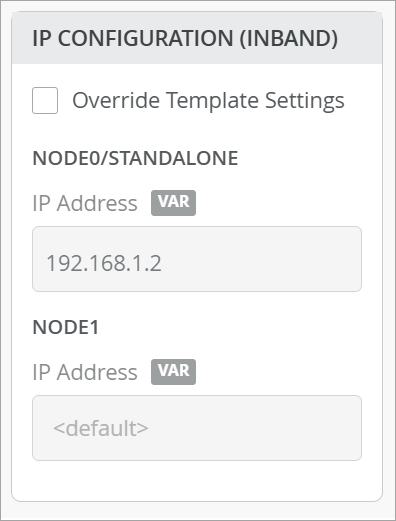 Note: In the case of a high availability cluster, enter two unique IP addresses (one for each node).
 -
In the Traffic Steering section, click Add Traffic Steering, and
then enter the settings.
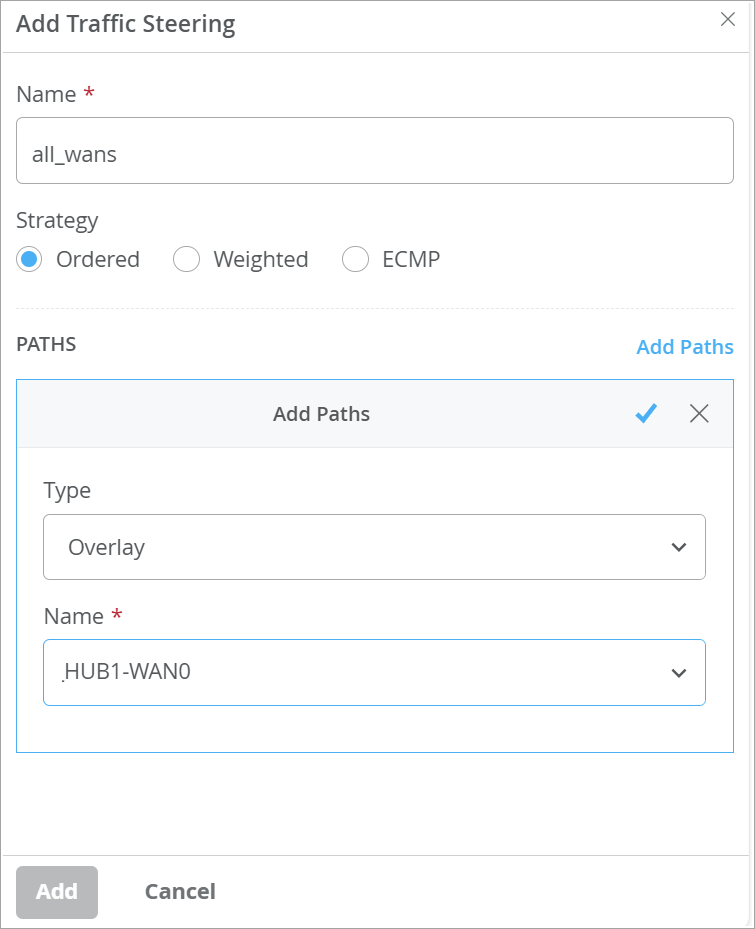
- Name—Enter a name for the traffic steering rule.
- Strategy—Select the strategy (Ordered or ECMP or Weighted).
- Paths—Click Add Paths, select Overlay as the type, and select the previously created hub.
Note: An Overlay Hub Endpoint must be defined in the WAN configuration prior to adding paths. This enables you to make a selection in the overlay Name field. -
In the Application Policies section, complete these steps:
-
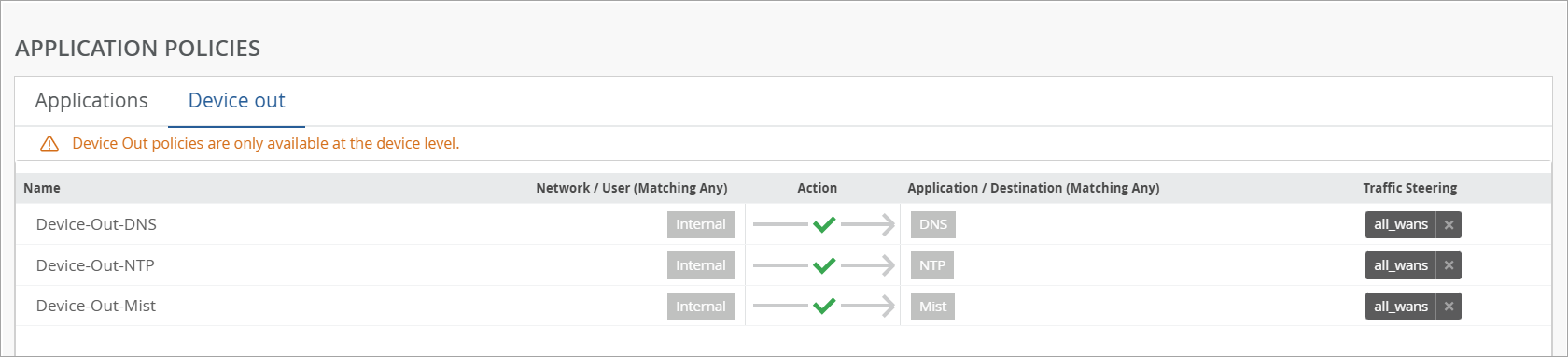
Click the Device Out tab.
You'll see built-in network policies provided by Juniper Mist that are configured by default.
-
Click the Device Out tab.