
Configure Alerts for Cradlepoint Devices in Mist
Configure alerts in Mist for the Cradlepoint devices you've integrated with Juniper Mist.
The Alerts Dashboard gives you visibility into issues with Cradlepoint devices. You enable the desired alerts on the Alerts Configuration page, and the dashboard displays information for any of those alerts you've configured. You can also enable e-mail notifications for issues that you want to monitor closely. For information about configuring alerts, see Configure Alerts and Email Notifications.
Configure Alerts for Cellular Edge Devices
To configure alerts in the Mist portal for your integrated Cellular Edge devices, such as Cradlepoint devices:
From the left menu, select Monitor > Alerts.
At the top-right corner of the Alerts page, click the Alerts Configuration button.
You can configure alerts for issues such as:
- Cellular Edge Disconnected from NCM
- Cellular Edge Firmware Upgraded
- Cellular Edge Login Failure
- Cellular Edge WAN Cellular Service Type Changed
For a list of alerts that you can enable, including those for your Cellular Edge device, see Juniper Mist Alert Types.
Here is a sample that displays the alerts for a Cradlepoint device:
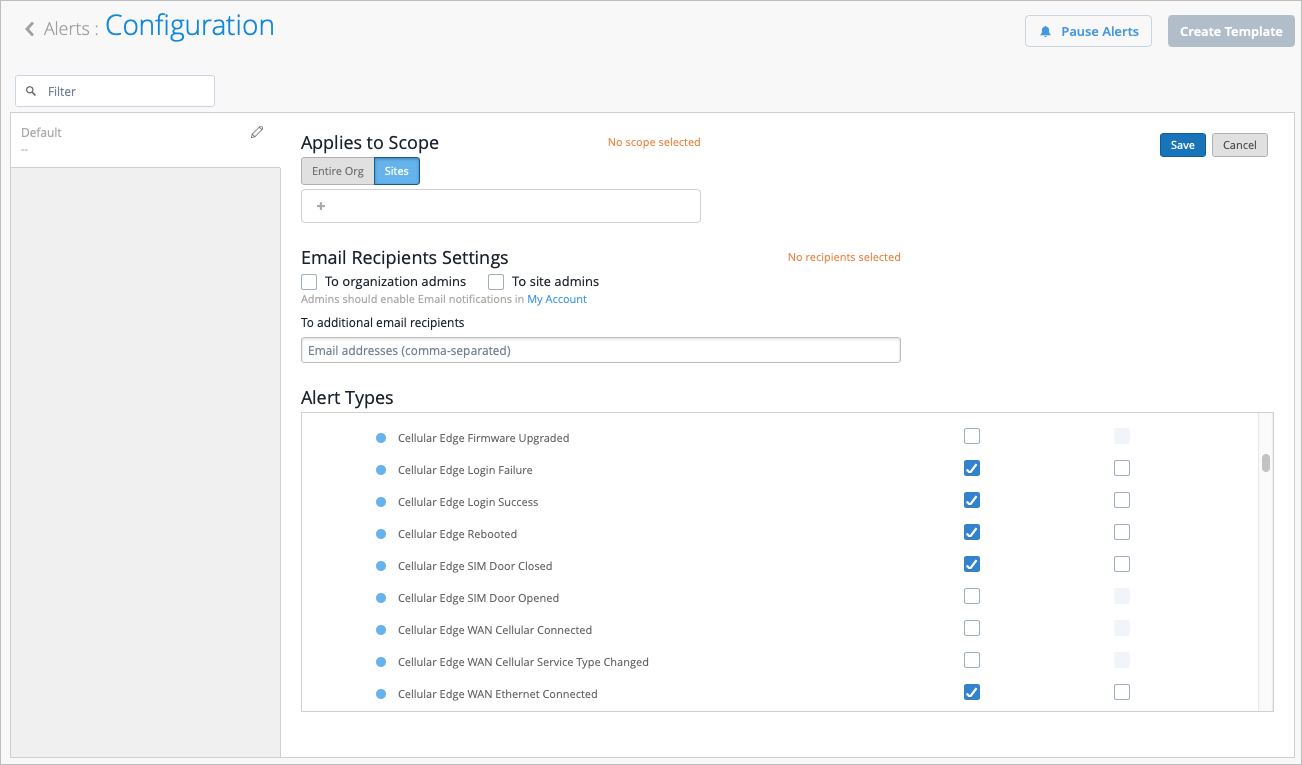
The alerts are based on the events generated by NetCloud Manager (NCM). When you integrate the Cradlepoint NetCloud Account with Juniper Mist, Mist configures the list of events that will be sent as webhooks to the Mist cloud. The ingest service consumes these webhooks and generates events and alerts. These alerts can be forwarded as e-mails or webhooks from the Mist cloud to an external destination.
View Alerts and Logs in NetCloud
You can view the list of events in the Alert & Logs > Set Up Alerts page in NetCloud Manager. You can also see the webhook listed on the right.
On the NetCloud Manager, you can also view the complete webhook URL on the Alert & Logs > Set Up Alerts > Manage Destinations page. For help, see Creating Alerts and Viewing the Activity Log.