
Automatically Assign Devices to Sites
Speed up onboarding and configuration by using auto-provisioning to dynamically assign devices to sites based on the device attributes.
You can automatically assign APs and Cellular Edge Devices to sites.
For example, a university has different subnets for each dorm. They set up auto-provisioning to assign devices on 10.1.0.0/16 to the Dorm 1 site, devices on 10.2.0.0/16 to the Dorm 2 site, and so on.
This feature applies to devices that are in a connected state, and claimed or adopted into your organization, but not yet assigned to a site.
This process will not reassign a device that is already assigned to a site.
Device Attributes for APs
For APs, HPE Mist can automatically assign a site based on these device attributes:
-
The device name. For this option, you need to configure each device name to include the site name.
After an administrator creates an auto-provisioning rule, an installer must configure the device name using the following PUT operation:
PUT: /installer/orgs/:org_id/devices/:device_mac
See https://www.juniper.net/documentation/us/en/software/mist/api/http/api/installer/overview.
If you have already provided a name for your AP through the HPE Mist management portal, you’ll need to rename the AP using the API for the auto-provisioning to work.
-
The Link Layer Discovery Protocol (LLDP) system name of the switch that the device is connected to. For this option, you need to preconfigure the LLDP system name to include the site name.
-
The Domain Name System (DNS) suffix. For this option, you need to preconfigure the DNS suffix on the WAN Edge or router to include the site name.
-
The subnet within which the IP address of the AP falls. You can view the IP address of the AP under the Status section on the AP Details page. For this option, you'll create a list of subnets and their corresponding sites when you configure the auto-provisioning rule.
You might need to add multiple rules to match individual subnets to corresponding sites. This attribute is suitable for deployment across a small number of sites, each with a unique subnet.
To assign all APs to a single site, add a rule for the 0.0.0.0/0 subnet.
-
The device model. For this option, you'll create a list of models and their corresponding sites when you configure the auto-provisioning rule.
Device Attributes for Cellular Edge Devices
For Cellular Edge devices, HPE Mist can assign a site based on the device name or model.
To configure auto-provisioning for site assignments:
-
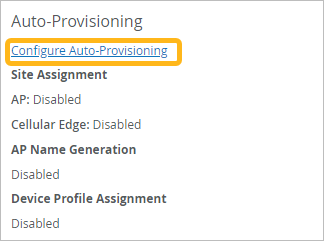
Click Configure Auto-Provisioning.
-
Based on the selected source, set the remaining options.
If you're on the AP tab, you can derive the site name from these attributes based on the rule you configure.
-
AP Name, LLDP System Name, or DNS Suffix—Use the various options to transform the attribute into a valid site name, and then test your rule by using the Preview box. For auto-provisioning to work, the extracted information must exactly match the site name configured in the HPE Mist management portal.
Note:If you want to use the AP Name attribute, you must use the installer API to preconfigure the AP name to include site identification information. See https://www.juniper.net/documentation/us/en/software/mist/api/http/api/installer/overview.
If you have already provided a name for your AP through the HPE Mist management portal, you’ll need to rename the AP using the API for the auto-provisioning to work
In addition, you can also select the Apply to Model check box if you want to assign specific AP models to the site.
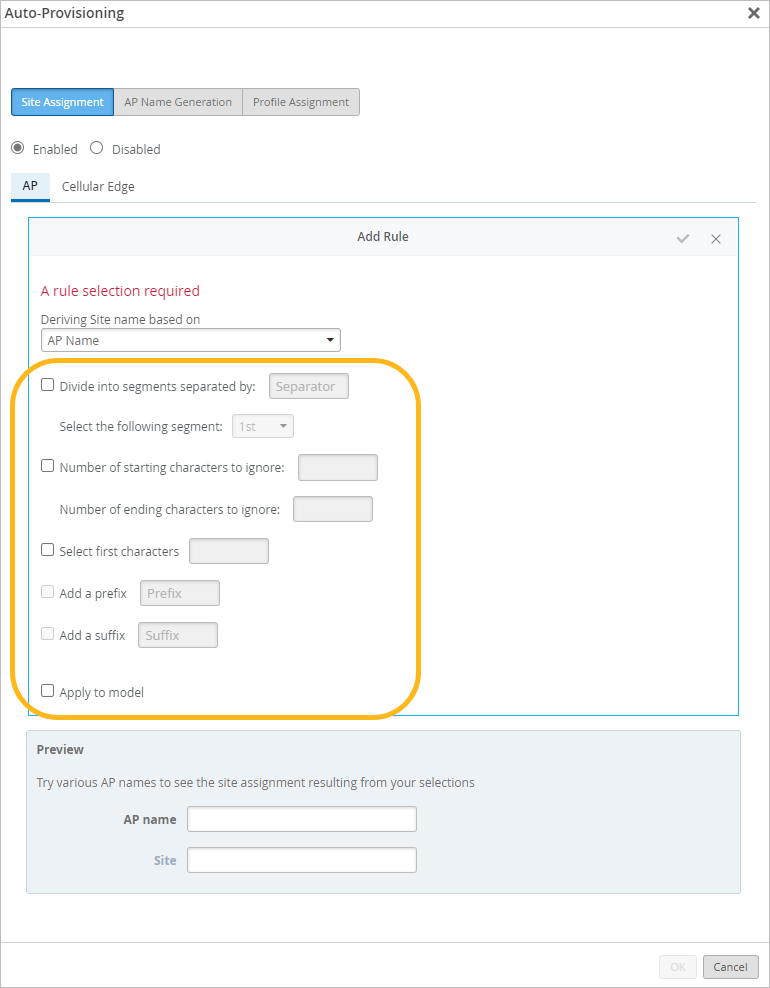
For information and examples, see Manipulate Source Strings for Auto-Provisioning.
-
Subnet or Model—Complete the table at the bottom of the Auto-Provisioning window to match each subnet or model to a site.


If you're on the Cellular Edge tab, you can derive the site name from the Cellular Edge Name or Cellular Edge Model. Use the various options to transform the attribute into a valid site name, and then test your rule by using the Preview box. For information and examples, see Manipulate Source Strings for Auto-Provisioning.
-
-
Click the check mark at the top of the Add Rule
area.
