
Use the Mist API Reference to Get Started with Webhooks
You can use the Mist API Reference to get started with various webhooks tasks.
The Mist API Reference is a useful tool for testing out any webhooks related tasks, as well as reviewing webhooks documentation. The API Reference connects to the Mist cloud, which allows you to submit a sample API request for your intended task. When you issue the request, you are returned a sample response.
See Create Webhook Configuration for general information you can use to get started with webhooks.
Learn how to perform various webhooks tasks by following the links in the Configure the Org Webhook from the API section:
- Create Org Webhook (API Call)
- Update Org Webhook (API Call)
- Delete Org Webhook (API Call)
- List Org Web hooks (API Call)
- Get Org Webhook (API Call)
If you need to learn how to perform various tasks regarding site webhooks, follow these links:
- Create Site Webhook (API Call)
- Update Site Webhook (API Call)
- Delete Site Webhook (API Call)
- List Site Web hooks (API Call)
- Get Site Webhook (API Call)
After navigating to the appropriate page, follow the prompts in the center of the screen. Fill in any required fields, as well as any other necessary fields for what you are trying to accomplish.
For any endpoints that require authentication, you will see an Authentication section in the center of the screen. Expand the Authentication section and enter your credentials.
When entering your API token, you must add the "Token" key word followed by a space in front of your token in order to perform authentication. You can also perform authentication using the basicAuth or basicAuth and csrfToken options. If you do not have an API token yet, you can use the basicAuth option and enter the same username and password that you use for the Mist UI.
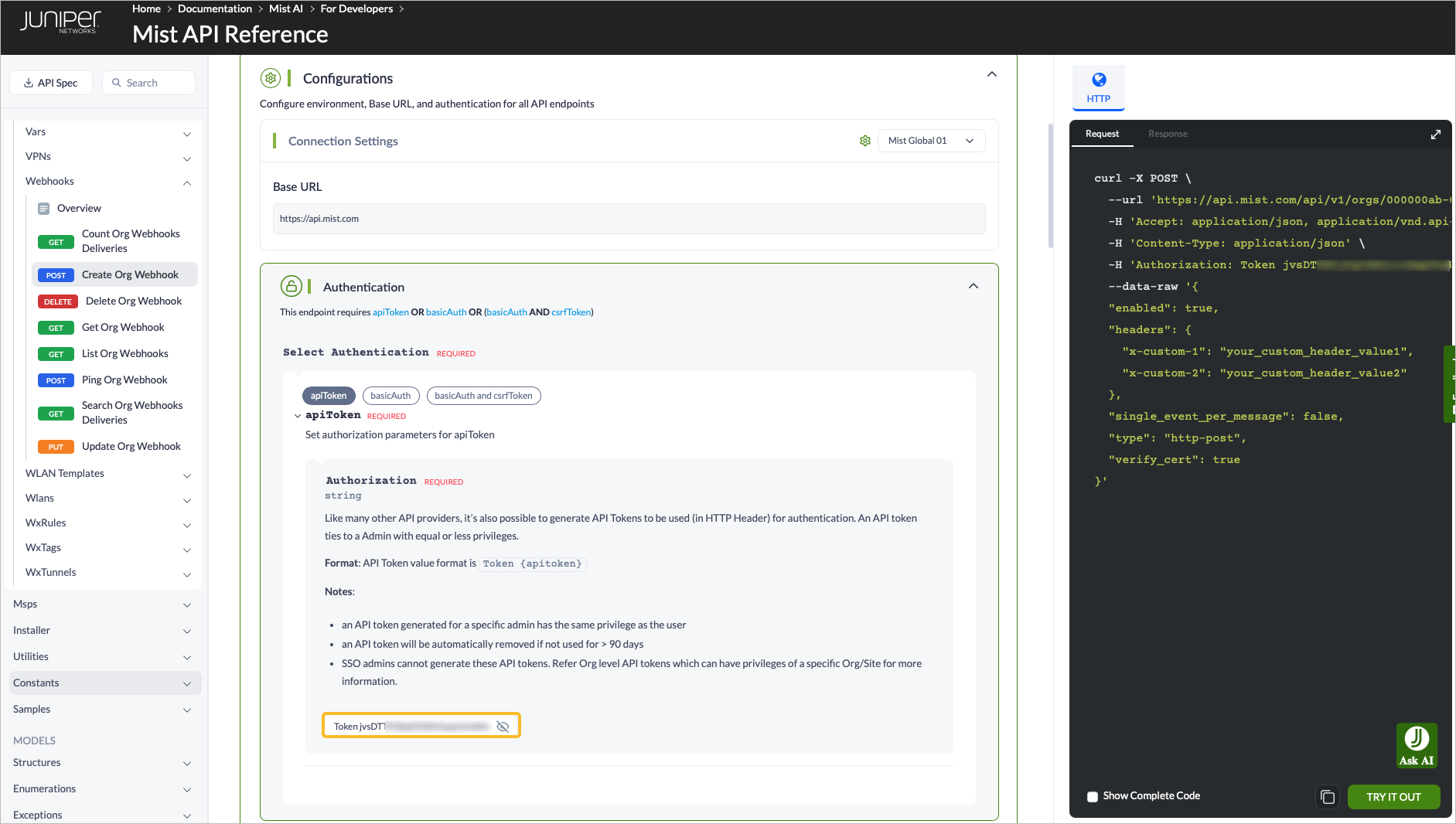
You will see request body fills out on the right as you fill in the fields in the center of the page.
Select the TRY IT OUT button to be returned a response.