
Create Template (Collapsed)
You can create blueprint templates based on spineless topologies using the GUI.
To create a collapsed template from the Apstra GUI:
-
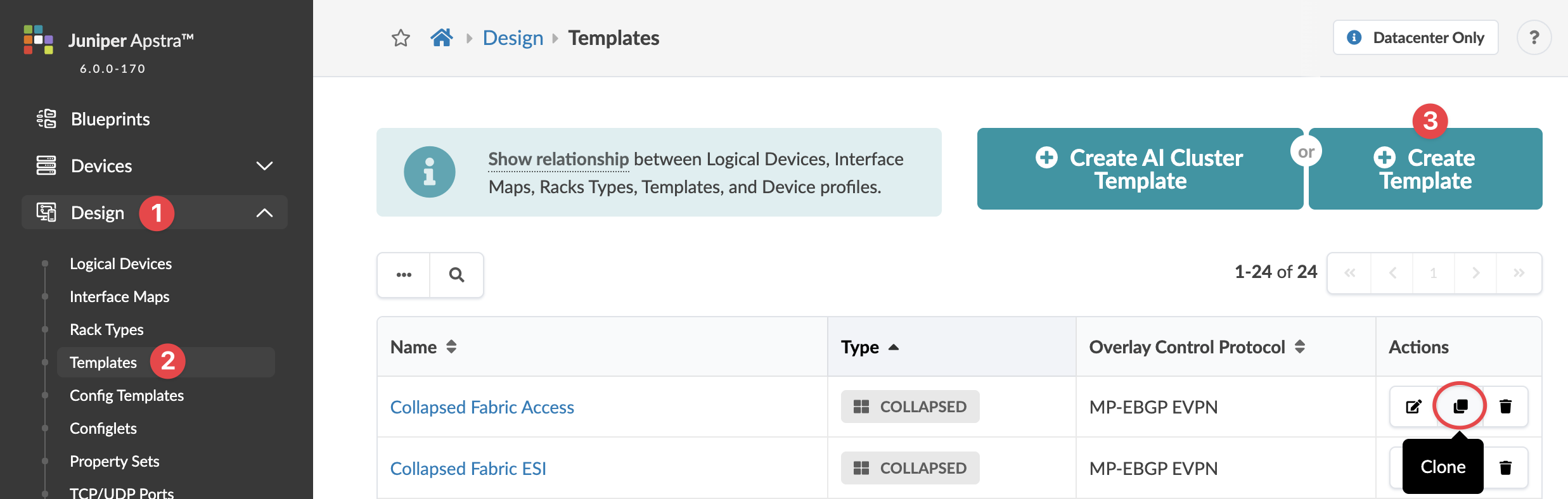
From the left navigation menu, navigate to Design > Templates
and click Create Template.
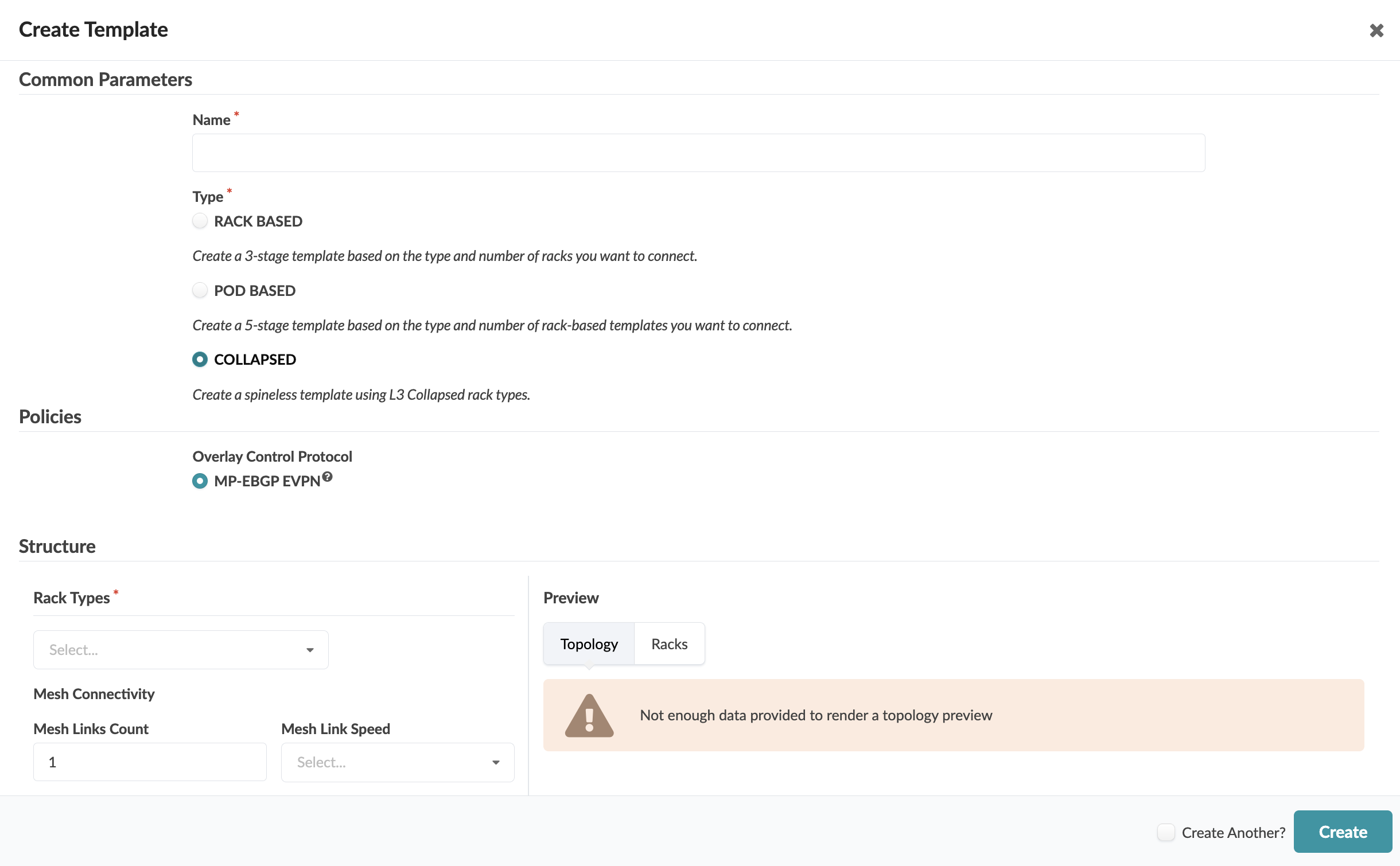
 The Create Template dialog opens (or the Clone Template dialog opens, as applicable).
 -
Enter a unique name (64 characters or fewer).
The template is created and you're returned to the
Templates table.
Next Steps: Create a blueprint from the template.