
Maintain the QFX5241-32OD Power System
QFX5241-32OD power supply units (PSUs) are hot-removable and hot-insertable FRUs. You can replace PSUs without powering off the switch or disrupting the switching function.
Remove a Power Supply Unit from QFX5241-32OD Switch
We ship both AC variant and DC variants of QFX5241-32OD switch from the factory with two power supply units (PSUs).
Before you remove a PSU from the QFX5241-32OD switch, ensure that you have taken the necessary precautions to prevent electrostatic discharge (ESD) damage.
Ensure that you have the following parts and tools available to remove a PSU from a QFX5241-32OD switch:
-
ESD grounding strap
-
Antistatic bag or an antistatic mat
To remove a PSU from the QFX5241-32OD switch:
-
Remove the power cord from the PSU faceplate.
AC PSU—Push the release tab on the AC power cord to detach it from the PSU faceplate. Then, gently pull out the socket end of the cord.
Figure 1: Remove the AC PSU Power Cord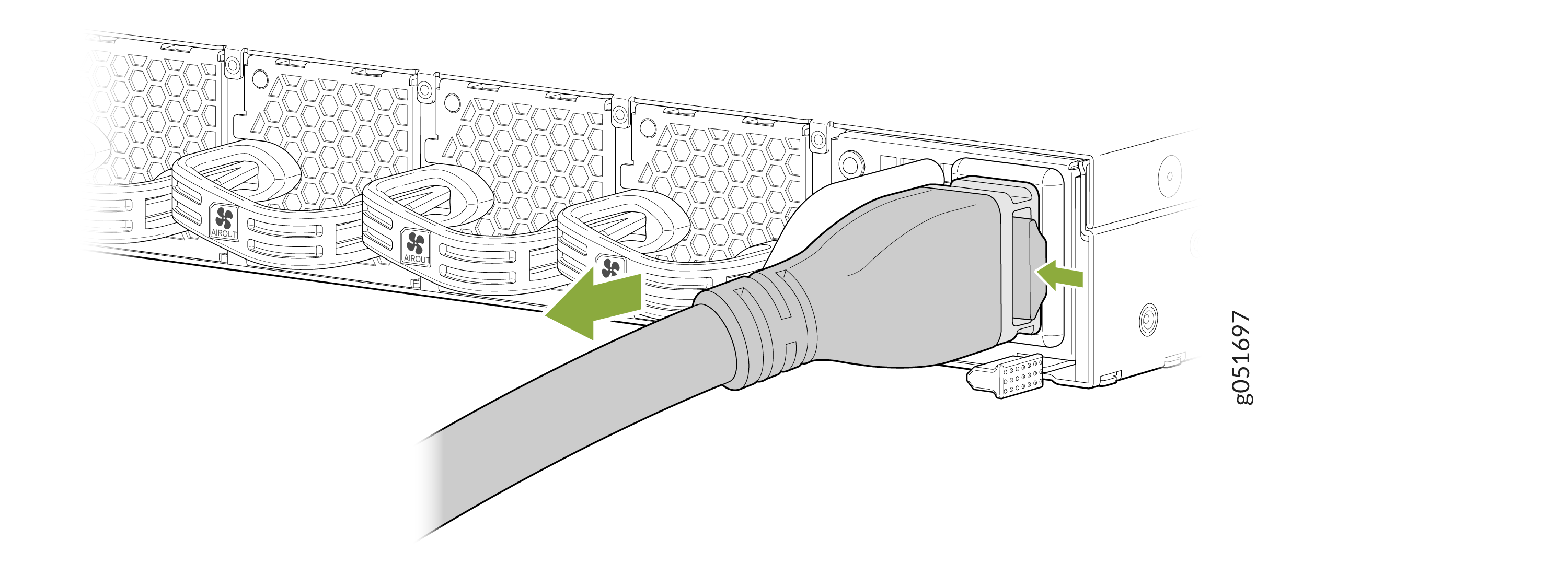
DC PSU—Gently pull the circular grip on the pull-tab latch of the power cord to release the lock on the PSU faceplate. Once the lock is released, pull the power cord to detach it from the PSU faceplate.
CAUTION:Do not pull the circular grip on the pull-tab latch and the DC PSU power cord simultaneously.Figure 2: Remove the DC PSU Power Cord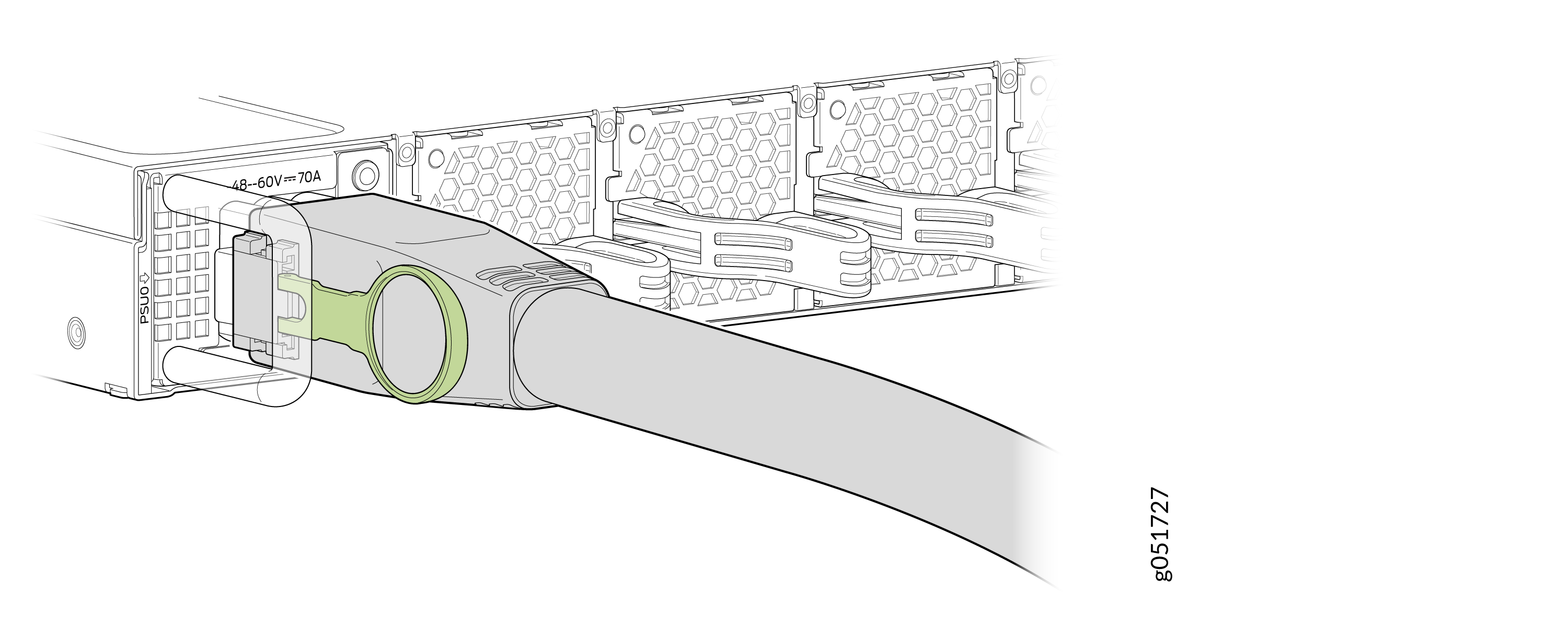
-
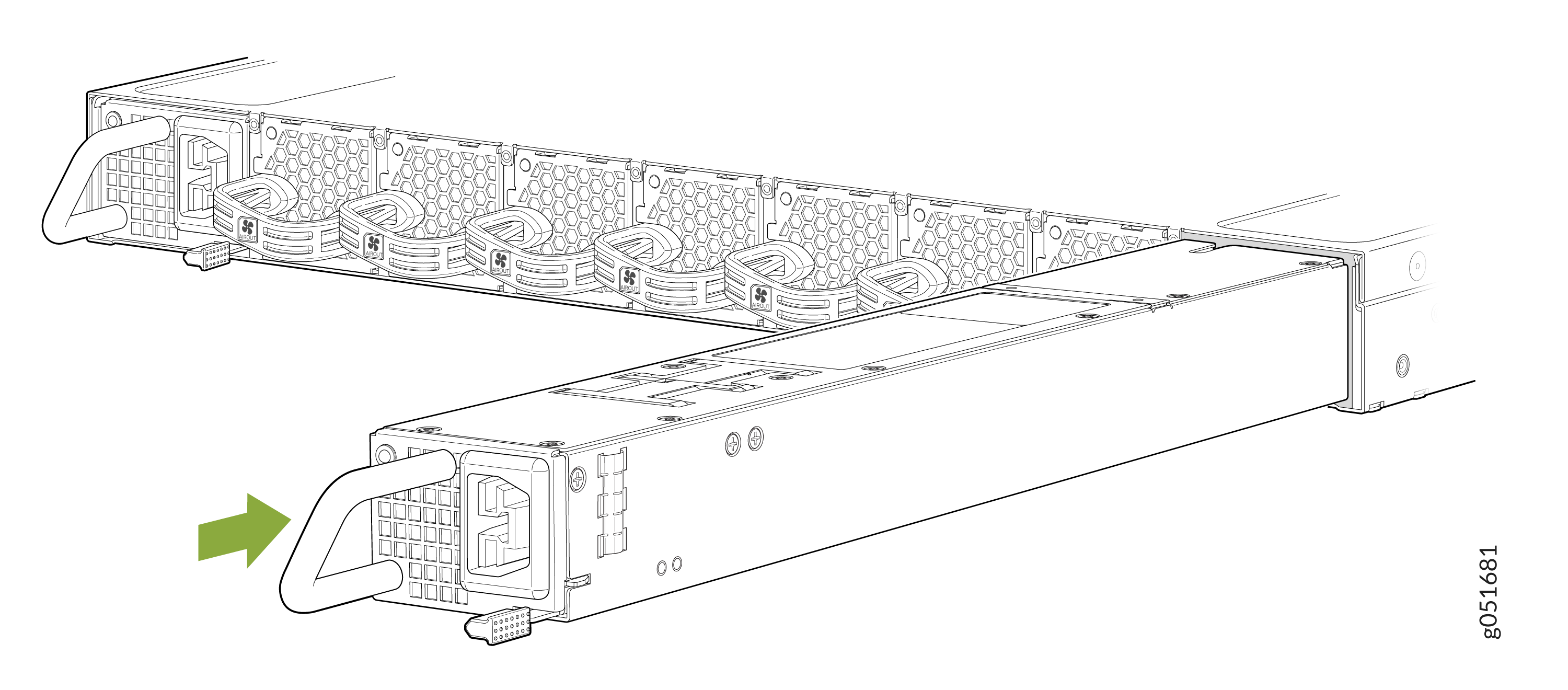
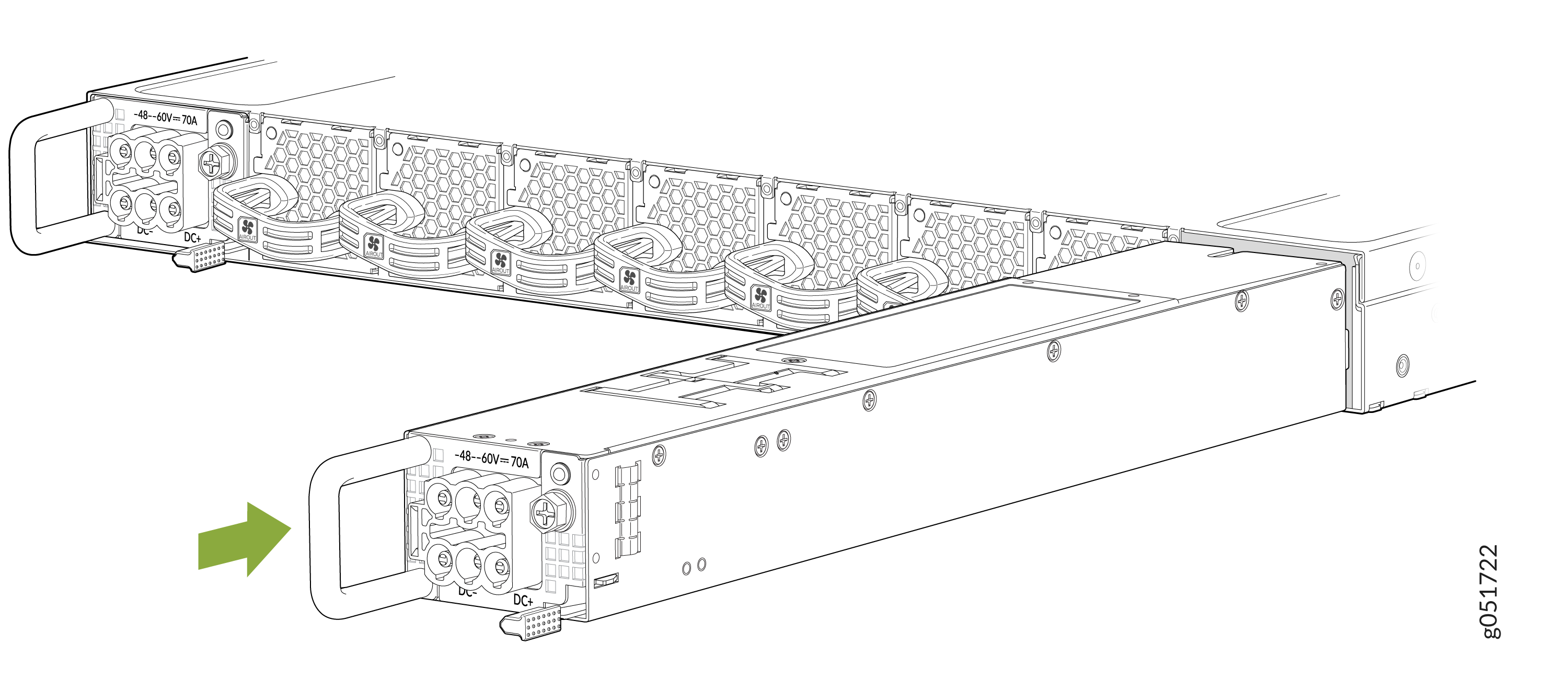
Grasp the PSU handle and pull firmly to slide the PSU halfway out of the
chassis.
Figure 3: Remove an AC PSU from a QFX5241-32OD Switch
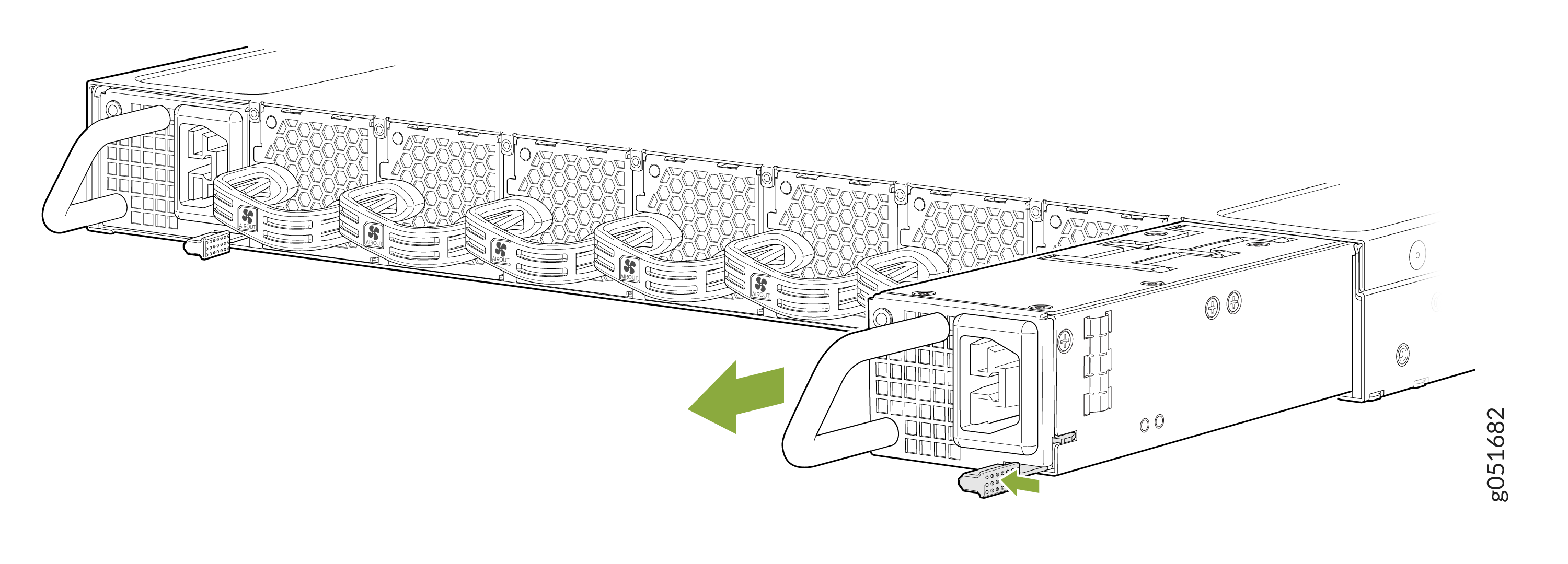 Figure 4: Remove a DC PSU from QFX5241-32OD Switch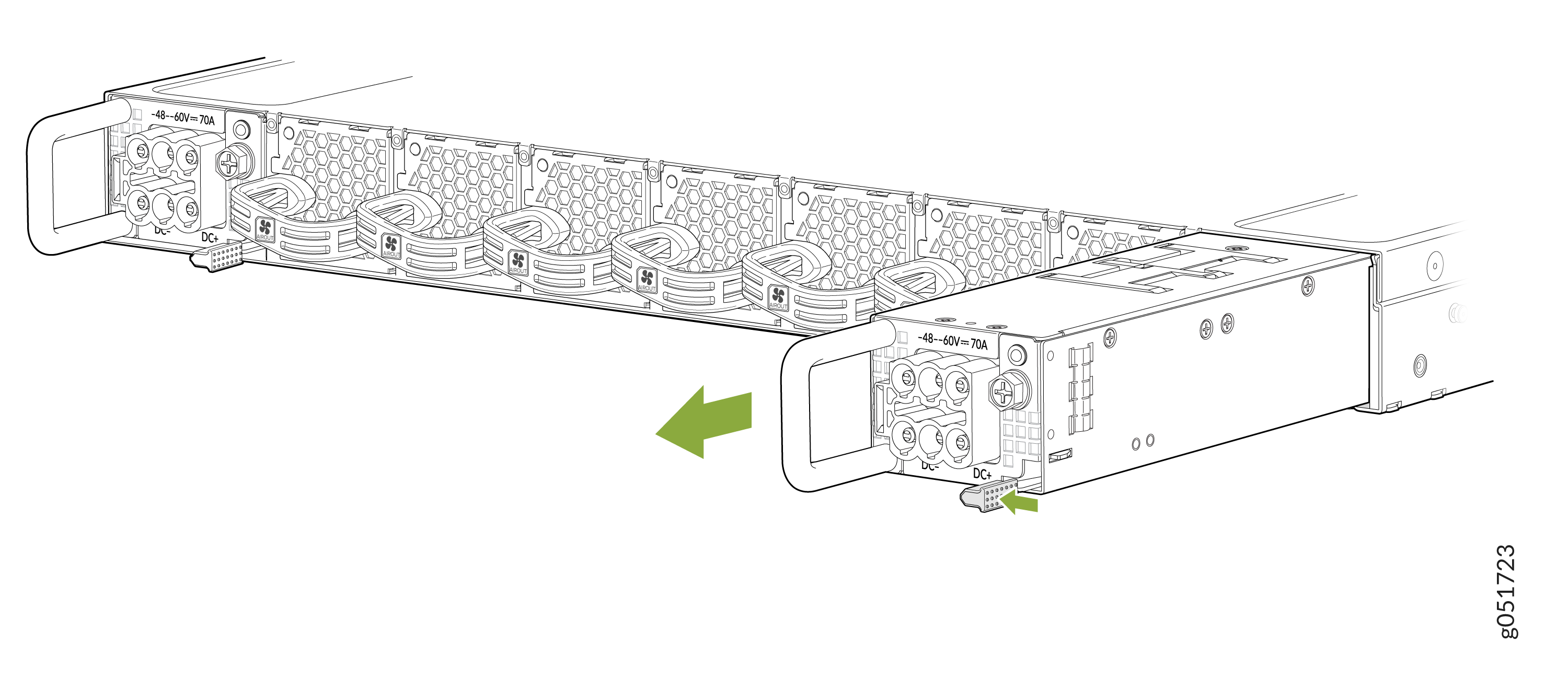
Install a Power Supply Unit in QFX5241-32OD Switch
-
Before you install a PSU (AC or a DC) in the QFX5241-32OD switch, ensure that you have taken the necessary precautions to prevent electrostatic discharge (ESD) damage.
-
Ensure that the airflow direction of the PSU is the same as the chassis. Labels on the PSU handle indicate the direction of airflow. See QFX5241-32OD Cooling System for more information.
To install a PSU in the QFX5241-32OD switch:
Each PSU must be connected to a dedicated power source outlet.
If you have a Juniper Care service contract, register any addition, change, or upgrade of hardware components at https://www.juniper.net/customers/support/tools/updateinstallbase/. Failure to do so can result in significant delays if you need replacement parts. This note does not apply if you replace existing components with the same type of component.