
Connect the QFX5241-32OD Switch to Power
Ground the QFX5241-32OD Switch
You must connect the QFX5241-32OD switch to earth ground before you connect it to power. Grounding helps your switch meet safety and EMI requirements and ensures that the switch functions properly.
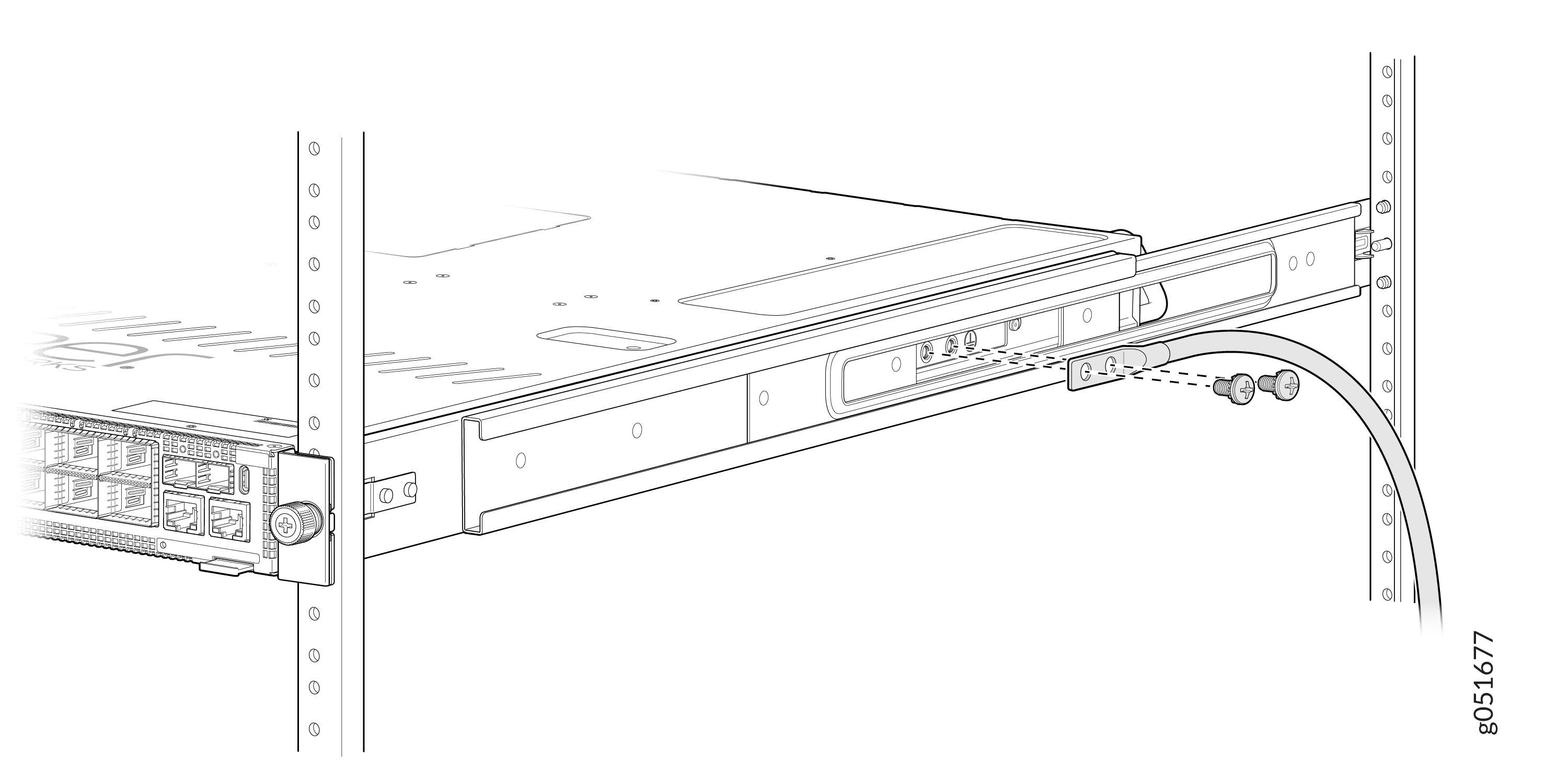
You must install the QFX5241-32OD switch in a restricted-access location and ensure that the chassis is always properly grounded. The QFX5241-32OD switch comes with a two-hole protective grounding terminal provided on the side of the chassis. See Figure 1. Under all circumstances, use this grounding connection to ground the chassis. For AC-powered systems, you must also use the grounding wire in the AC power cord along with the two-hole grounding lug connection. The system is tested to ensure that it meets or exceeds all applicable EMC regulatory requirements for the two-hole protective grounding terminal.
Ensure that you have the following parts and tools available:
-
A grounding cable (not provided)—6 AWG, minimum 90 °C wire, or as permitted by the local code.
-
A grounding lug (not provided)—Panduit LCD6-14A-L or equivalent grounding lug. The grounding lug attaches to the device chassis through the left-front mounting bracket, providing a protective earthing terminal for the device.
-
Two M6 screws, 6 mm length with star washers (not provided)
-
Phillips (+) screwdriver, number 2
-
ESD grounding strap (not provided)
To ground the QFX5241-32OD switch:
-
Secure the grounding lug to the protective earthing
terminal using the two M6 screws with star washers.
Figure 1: Connect a Grounding Cable to the QFX5241-32OD Switch
To gain additional grounding for the chassis of your QFX5241-32OD switch, connect the PSU in the switch into a grounded power outlet. Use a power cord appropriate for your geographical location.
Connect AC Power to QFX5241-32OD Switch
Ensure that you have a power cord appropriate for your geographical location available to connect AC power to the switch.
Before you begin connecting AC power to the switch:
-
Ensure that you have taken the necessary precautions to prevent electrostatic discharge (ESD) damage.
-
Ensure that you have connected the switch chassis to earth ground. See Ground the QFX5241-32OD Switch
CAUTION:Before you connect power to the switch, a licensed electrician must attach a cable lug to the grounding cables that you supply. A cable with an incorrectly attached lug can damage the switch (for example, by causing a short circuit).
To meet safety and electromagnetic interference (EMI) requirements and to ensure proper operation, you must connect the chassis to earth ground before you connect it to power. For installations that require a separate grounding conductor to the chassis, use the protective earthing terminal on the switch chassis to connect to the earth ground. For instructions on connecting earth ground, see Ground the QFX5241-32OD Switch. The switch gains additional grounding when you plug the PSU in the switch into a grounded power outlet by using the AC power cord appropriate for your geographical location.
-
Install the power supply units (PSUs) in the chassis. For instructions on installing the PSU in the QFX5241-32OD switch, see Install a Power Supply Unit in QFX5241-32OD Switch.
The QFX5241-32OD switch ships from the factory with two preinstalled AC PSUs. The PSUs offer 1+1 redundancy for the AC input voltage range of 200 V through 240 V (up to 2400 W). However, for the AC input voltage range of 100 V through 127 V (up to 1000 W), there is no redundancy support. The PSUs are hot-removable and hot-insertable field-replaceable units (FRUs). You can replace a PSU in the slots adjacent to the fan modules without powering off the switch or disrupting its operation.
Each PSU must be connected to a dedicated power source outlet.
To connect AC power to the QFX5241-32OD switch:
-
Locate the power cords shipped with the switch; the cords have plugs
appropriate for your geographical location. See AC Power Cord Specifications.
For each PSU:
-
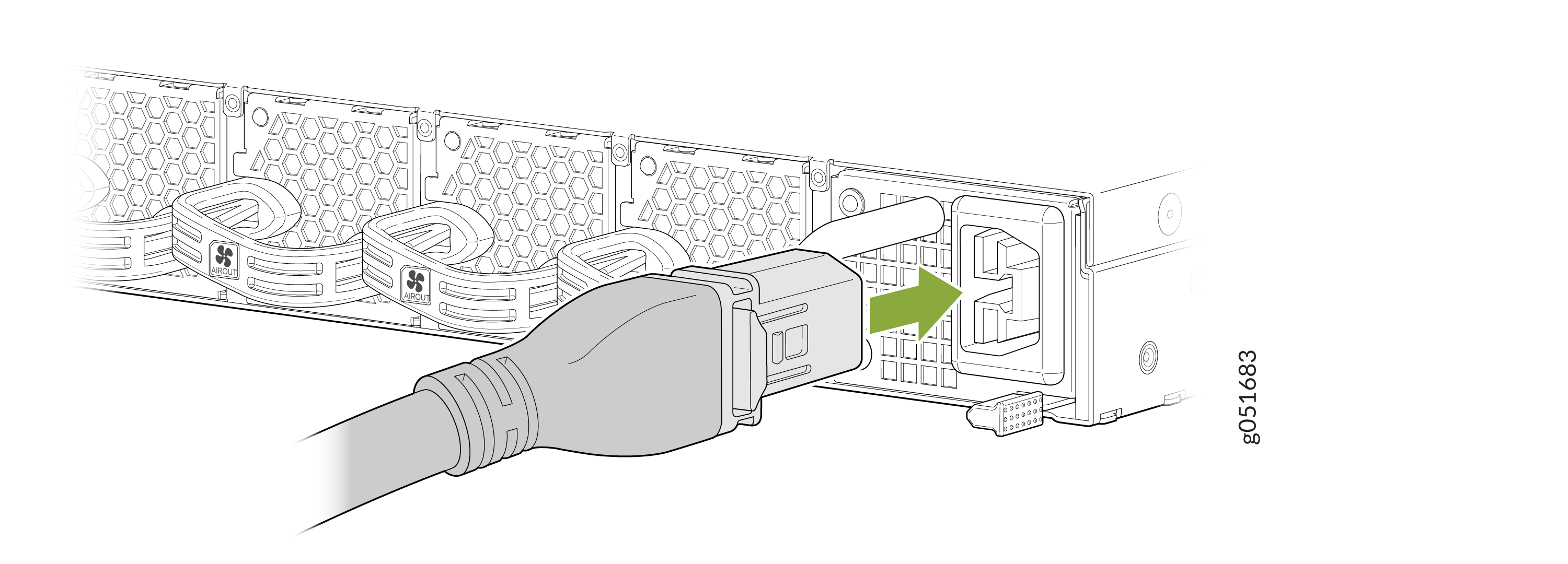
Connect the AC power cord. Insert the power cord coupler firmly
into the AC inlet on the PSU faceplate.
Figure 2: Connect the AC Power Cord
-
Connect the AC power cord. Insert the power cord coupler firmly
into the AC inlet on the PSU faceplate.
Connect DC Power to QFX5241-32OD Switch
Before you begin connecting DC power to the switch:
-
Ensure that you have taken the necessary precautions to prevent electrostatic discharge (ESD) damage.
-
Ensure that you have connected the switch chassis to earth ground. See Ground the QFX5241-32OD Switch.
CAUTION:Before you connect power to the switch, a licensed electrician must attach a cable lug to the grounding cable that you supply. A cable with an incorrectly attached lug can damage the switch (for example, by causing a short circuit).
To meet safety and electromagnetic interference (EMI) requirements and to ensure proper operation, you must connect the chassis to earth ground before you connect it to power. For installations that require a separate grounding conductor to the chassis, use the protective earthing terminal on the switch chassis to connect to the earth ground. For instructions on connecting earth ground, see Ground the QFX5241-32OD Switch. The switch gains additional grounding when you plug the PSU in the switch into a grounded power outlet by using the DC power cord appropriate for your geographical location.
-
Install the PSUs in the chassis. For instructions on installing DC PSUs in the QFX5241-32OD switch, see Install a Power Supply Unit in QFX5241-32OD Switch.
The QFX5241-32OD switch ships from the factory with two preinstalled DC PSUs. The DC PSUs offer 1+1 redundancy. One PSU powers the switch, while the other serves as a backup. If the primary PSU encounters an issue, the backup PSU powers the switch.
The PSUs are hot-removable and hot-insertable field-replaceable units (FRUs). You can replace a PSU in the slots adjacent to the fan modules without powering off the switch or disrupting its operation.
Each PSU must be connected to a dedicated power source outlet.
To connect DC power to the QFX5241-32OD switch:
-
Locate the power cords shipped with the switch; the cords have plugs
appropriate for your geographical location. See qfx5241-power-system.html#concept_mxb_sw1_rgc.
To connect each PSU to a power source:
-
Insert the power cord connector firmly into the DC inlet on the PSU
faceplate. See qfx5241-fast-track.html#task_ndn_f5r_bfc__fig_slm_fcd_dhc.
Figure 3: Connect the DC Power Cord
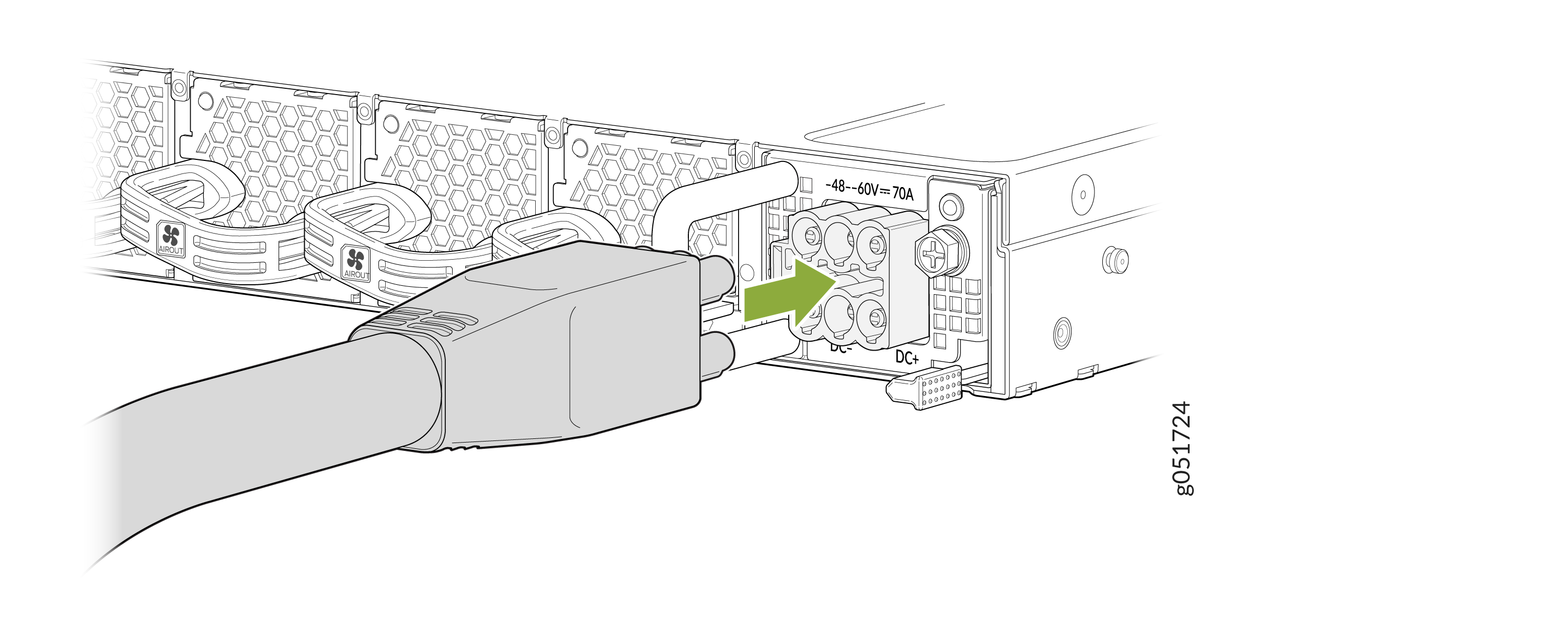
The latch on the power cord connector locks into the corresponding slot on the PSU faceplate.
-
Insert the power cord connector firmly into the DC inlet on the PSU
faceplate. See qfx5241-fast-track.html#task_ndn_f5r_bfc__fig_slm_fcd_dhc.