
Connect the PTX12008 to the Network
Connecting network cables to the PTX12008 involves the following steps and safety precautions to prevent equipment damage and personal injury.
The transceivers for Juniper Networks devices are hot-removable and hot-insertable field-replaceable units (FRUs). You can remove and replace the transceivers without powering off the device or disrupting the device functions.
We recommend that you use only optical transceivers and optical connectors purchased from Juniper Networks with your Juniper Networks device.
The Juniper Networks Technical Assistance Center (JTAC) provides complete support for Juniper-supplied optical modules and cables. However, JTAC does not provide support for third-party optical modules and cables that are not qualified or supplied by Juniper Networks. If you face a problem running a Juniper device that uses third-party optical modules or cables, JTAC may help you diagnose host-related issues if the observed issue is not, in the opinion of JTAC, related to the use of the third-party optical modules or cables. Your JTAC engineer will likely request that you check the third-party optical module or cable and, if required, replace it with an equivalent Juniper-qualified component.
Use of third-party optical modules with high-power consumption (for example, coherent ZR or ZR+) can potentially cause thermal damage to or reduce the lifespan of the host equipment. Any damage to the host equipment due to the use of third-party optical modules or cables is the users’ responsibility. Juniper Networks will accept no liability for any damage caused due to such use.
After you insert a transceiver or after you change the media-type configuration, wait for 6 seconds for the interface to display operational commands.
Install an OSFP or QSFP-DD Transceiver
Use the information in this topic to install OSFP or QSFP-DD optical transceivers and fiber-optic cables. Juniper Networks transceivers are hot-removable and hot-insertable field-replaceable units (FRUs). You can remove and replace them without powering off your device or disrupting device functions. To understand how to install or remove a transceiver and fiber-optic cables of your device, read the following sections.
Before you install a transceiver in a device, ensure that you have taken the necessary precautions for safe handling of lasers (see Laser and LED Safety Guidelines and Warnings).
We recommend that you use only optical transceivers and optical connectors purchased from Juniper Networks with your Juniper Networks device.
The Juniper Networks Technical Assistance Center (JTAC) provides complete support for Juniper-supplied optical modules and cables. However, JTAC does not provide support for third-party optical modules and cables that are not qualified or supplied by Juniper Networks. If you face a problem running a Juniper device that uses third-party optical modules or cables, JTAC may help you diagnose host-related issues if the observed issue is not, in the opinion of JTAC, related to the use of the third-party optical modules or cables. Your JTAC engineer will likely request that you check the third-party optical module or cable and, if required, replace it with an equivalent Juniper-qualified component.
Use of third-party optical modules with high-power consumption (for example, coherent ZR or ZR+) can potentially cause thermal damage to or reduce the lifespan of the host equipment. Any damage to the host equipment due to the use of third-party optical modules or cables is the users’ responsibility. Juniper Networks will accept no liability for any damage caused due to such use.
To install an OSFP or QSFP-DD transceiver:
-
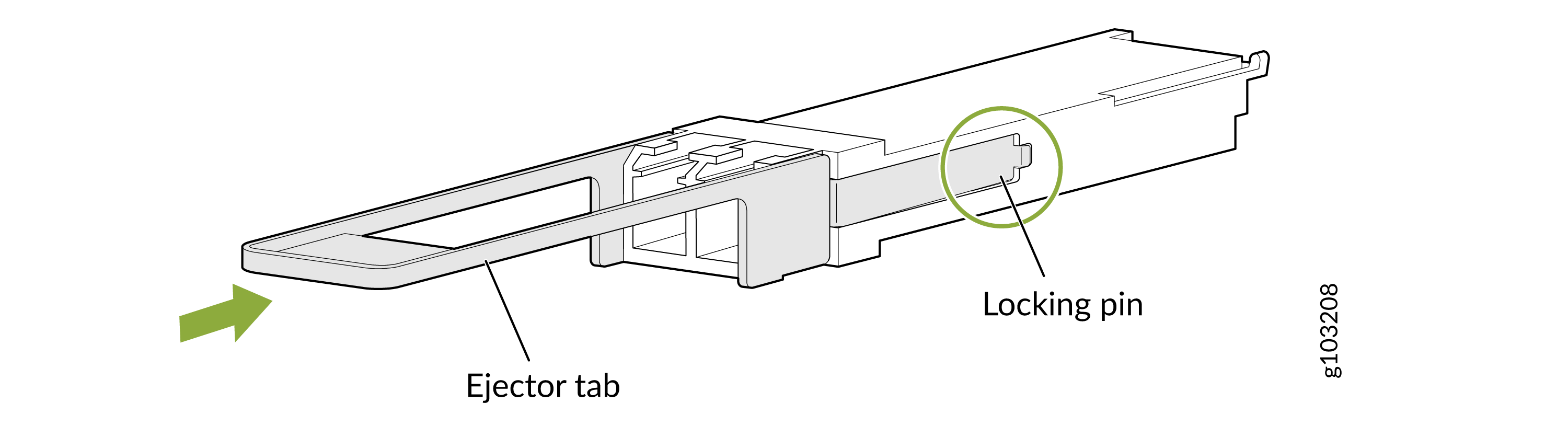
Orient the transceiver over the port so that the transceiver connector faces the
appropriate direction. Figure 1 shows how to
install a QSFP-DD transceiver. The procedure is the same for OSFP transceiver.
Figure 1: Install a QSFP-DD Transceiver
Connect a Fiber-Optic Cable
Before you connect a fiber-optic cable to an optical transceiver installed in a device, ensure that you have taken the necessary precautions for the safe handling of lasers (see Laser and LED Safety Guidelines and Warnings).
Do not look directly into a fiber-optic transceiver or into the ends of fiber-optic cables. Fiber-optic transceivers and fiber-optic cables connected to transceivers emit laser light that can damage your eyes.
To connect a fiber-optic cable to an optical transceiver installed in a device:
-
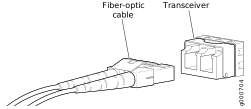
Insert the cable connector into the optical transceiver.
Figure 2: Connect a Fiber-Optic Cable to an Optical Transceiver Installed in a Device
Remove an OSFP or QSFP-DD Transceiver
Use the information in this topic to remove OSFP or QSFP-DD optical transceivers and fiber-optic cables. Juniper Networks transceivers are hot-removable and hot-insertable field-replaceable units (FRUs). You can remove and replace them without powering off your device or disrupting device functions. To understand how to install or remove a transceiver and fiber-optic cables of your device, read the following sections.
Before you remove a transceiver from a device, take the necessary precautions for safe handling of lasers (see Laser and LED Safety Guidelines and Warnings).
The Juniper Networks Technical Assistance Center (JTAC) provides complete support for Juniper-supplied optical modules and cables. However, JTAC does not provide support for third-party optical modules and cables that are not qualified or supplied by Juniper Networks. If you face a problem running a Juniper device that uses third-party optical modules or cables, JTAC may help you diagnose host-related issues if the observed issue is not, in the opinion of JTAC, related to the use of the third-party optical modules or cables. Your JTAC engineer will likely request that you check the third-party optical module or cable and, if required, replace it with an equivalent Juniper-qualified component.
Use of third-party optical modules with high-power consumption (for example, coherent ZR or ZR+) can potentially cause thermal damage to or reduce the lifespan of the host equipment. Any damage to the host equipment due to the use of third-party optical modules or cables is the users’ responsibility. Juniper Networks will accept no liability for any damage caused due to such use.
Ensure that you have the following parts and tools available:
-
An antistatic bag or an antistatic mat
-
Rubber safety caps to cover the transceiver and fiber-optic cable connector
-
A dust cover to cover the port or a replacement transceiver
To remove an OSFP or QSFP-DD transceiver:
-
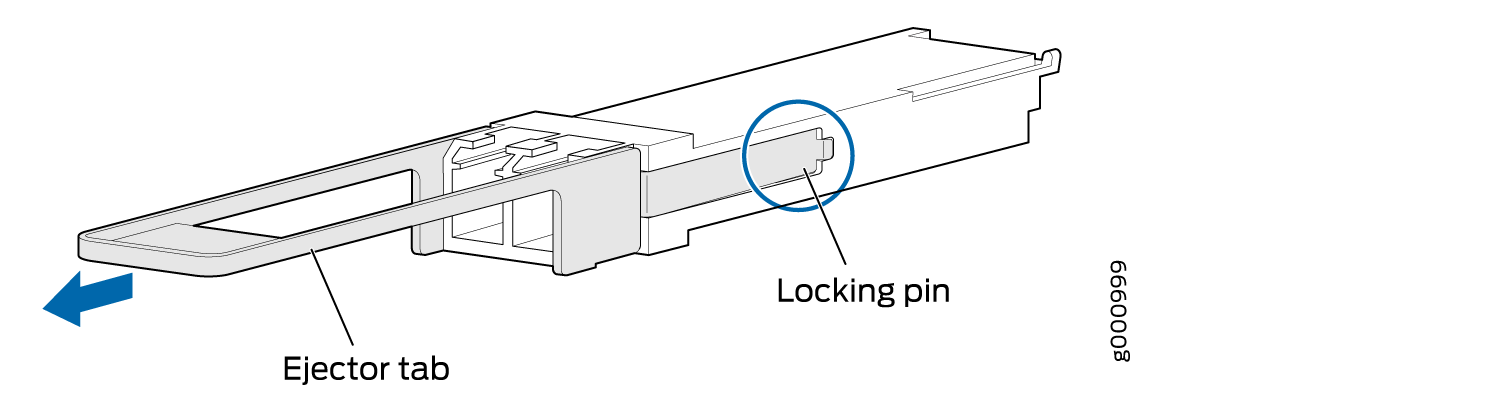
Gently slide the transceiver straight out of the port and place the transceiver on the
antistatic mat or in the electrostatic bag.
Figure 3: Remove a QSFP-DD Transceiver
 CAUTION:
To avoid ESD damage to the transceiver, do not touch the connector pins at the end of the transceiver.
Note:After you remove a transceiver or after you change the media-type configuration, wait for 6 seconds for the interface to display operational commands.
-
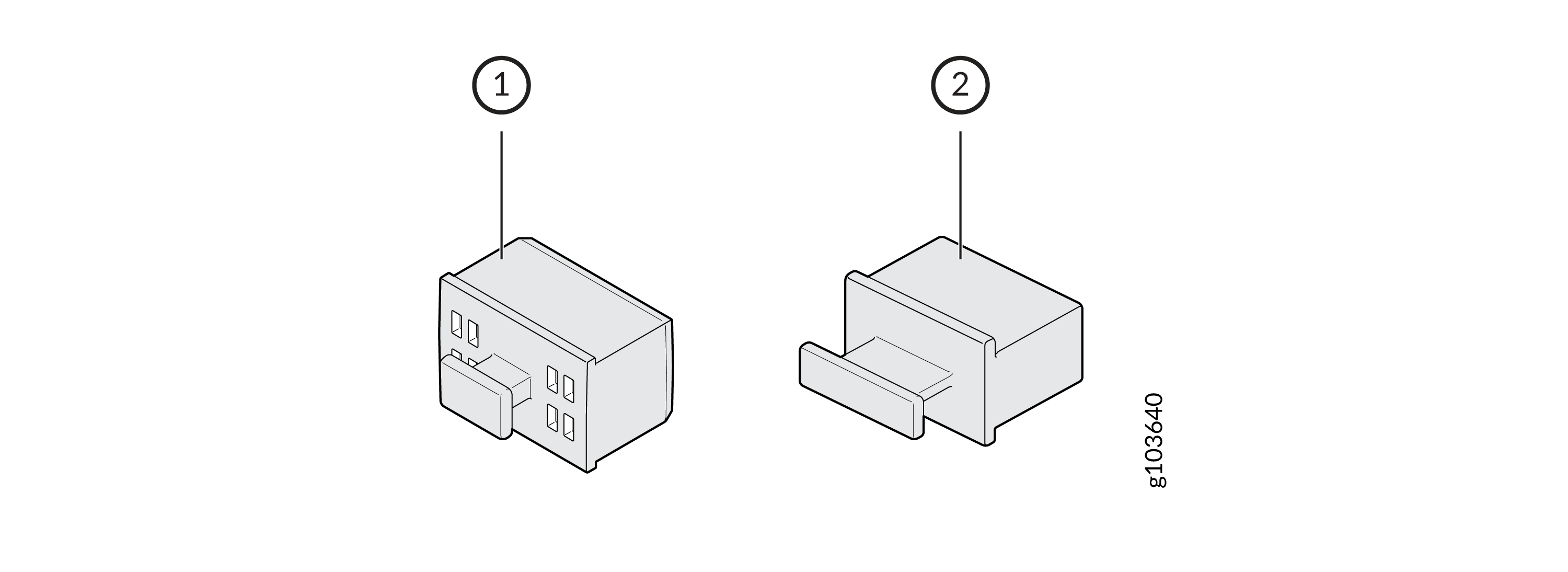
Insert a dust cover in the empty port.
Figure 4: Dust Covers
 1—
1—OSFP port dust cover. The dust cover for OSFP ports has air vents.
2—QSFP-DD port dust cover