Replace Power Supply Units on the MX301 and MX301-M
Maintaining the MX301 and MX301-M includes removing and installing the power supply units (PSUs).
The power supply units (PSUs) on the MX301 and MX301-M are hot-removable and hot-insertable field-replaceable units (FRUs) with support for 1+1 redundancy. You can remove and replace a PSU without powering off the MX301 and MX301-M or disrupting the device functions.
Do not mix AC, DC, and HVAC/DC PSUs in the same chassis.
Before you remove or install a PSU, ensure that you have taken the necessary precautions to prevent electrostatic discharge (ESD) damage.
Ensure that you have the following parts and tools:
-
An ESD grounding strap
-
An antistatic bag or an antistatic mat
-
A replacement PSU
-
A blank cover panel (in case you're not replacing the PSU)
-
(For DC power supply) Philips (+) screwdriver, number 2
Replace an AC PSU on the MX301 and MX301-M
Remove the JPSU-850W-AC-AFO
This topic guides you through the steps to remove the JPSU-850W-AC-AFO AC power supply from the MX301 and MX301-M routers.
Avoid leaving the PSU slot empty for more than 30 minutes when the device is operational. For optimal airflow, all PSUs must be installed in the chassis.
If you need to replace all the power supplies installed in your MX301 and MX301-M, you must power off the router before removing the power supplies.
To remove the JPSU-850W-AC-AFO PSU:
-
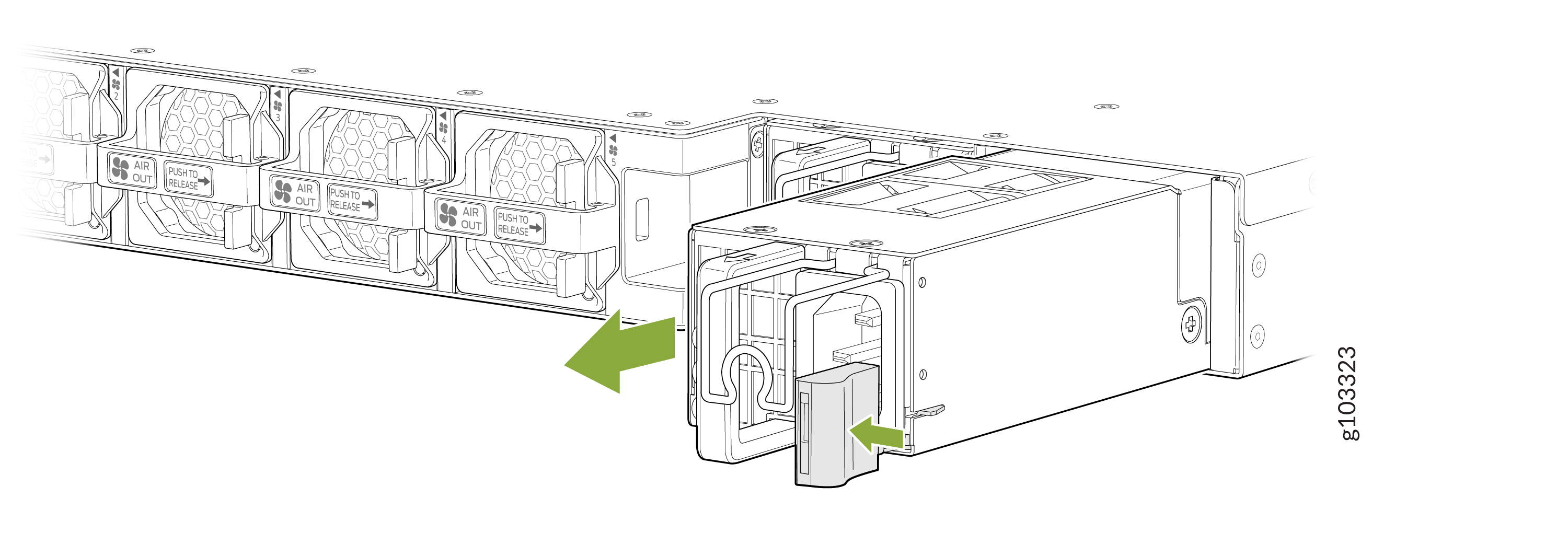
Pull the PSU straight out of the chassis.
Figure 1: Remove the AC PSU
Install the JPSU-850W-AC-AFO
This topic guides you through the steps to install the JPSU-850W-AC-AFO AC power supply in the MX301 and MX301-M routers.
To install the JPSU-850W-AC-AFO PSU:
-
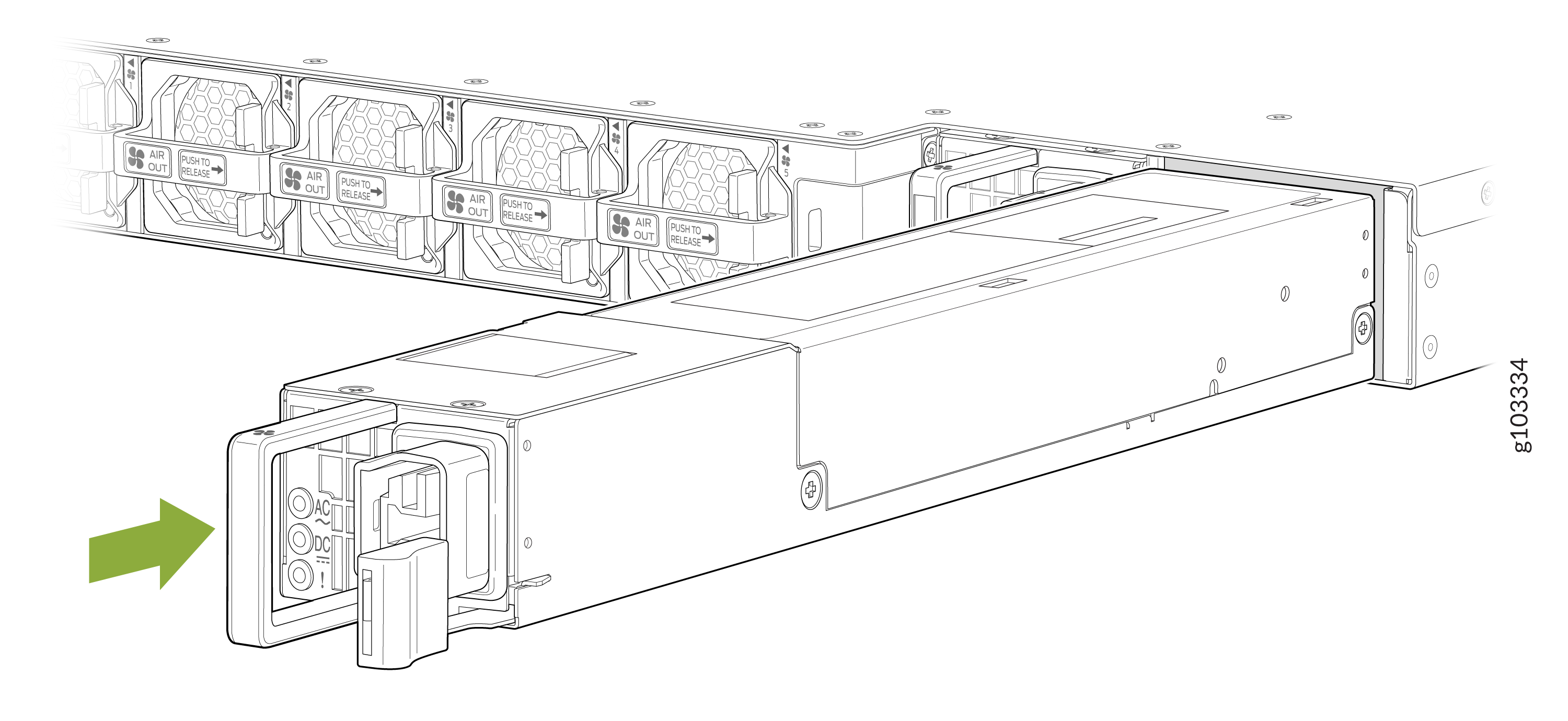
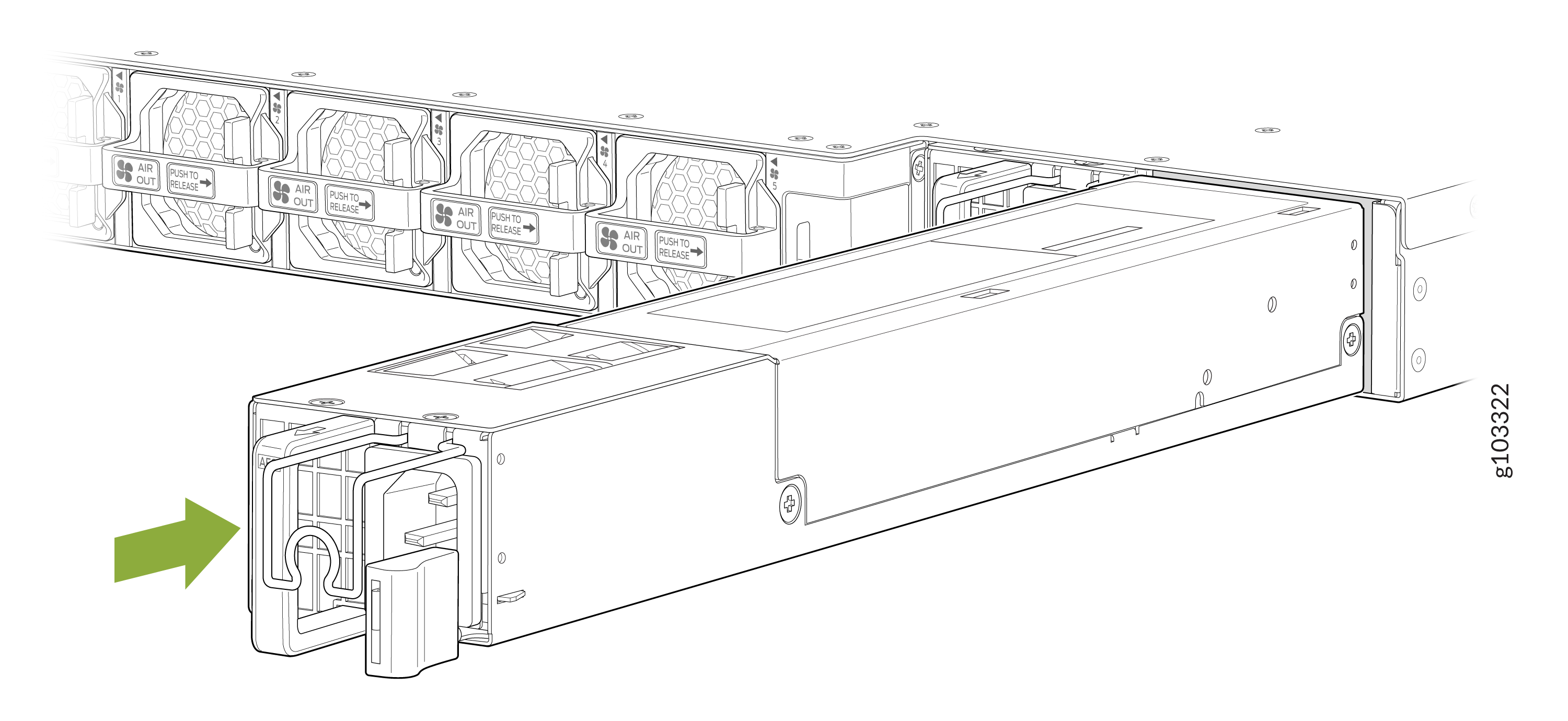
Using both hands, place the PSU in the PSU slot on the rear panel of the router. Slide
the PSU straight into the chassis until the PSU is fully seated in the chassis slot and
the release latch slides into place. Ensure that the PSU faceplate is flush with the
adjacent PSU faceplate.
Figure 2: Install the AC PSU
Replace a DC PSU on the MX301 and MX301-M
Remove the JPSU-850W-DC-AFO
This topic guides you through the steps to remove the JPSU-850W-DC-AFO DC PSU from the MX301 and MX301-M routers.
Avoid leaving the PSU slot empty for more than 30 minutes when the device is operational. For optimal airflow, all PSUs must be installed in the chassis.
If you need to replace all the power supplies installed in your MX301 and MX301-M, you must power off the router before removing the power supplies.
To remove the JPSU-850W-DC-AFO PSU:
-
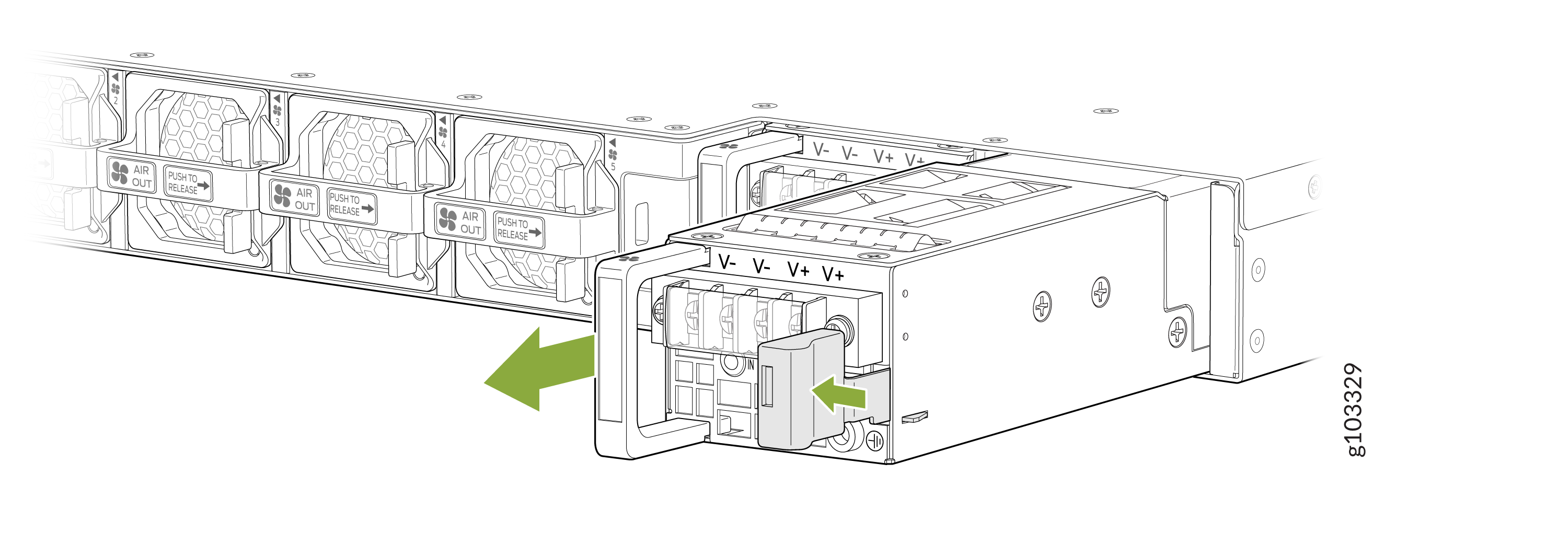
Pull the PSU straight out of the chassis.
Figure 3: Remove the DC PSU
Install the JPSU-850W-DC-AFO
This topic guides you through the steps to install the JPSU-850W-DC-AFO DC PSU in the MX301 and MX301-M routers.
To install the JPSU-850W-DC-AFO PSU:
-
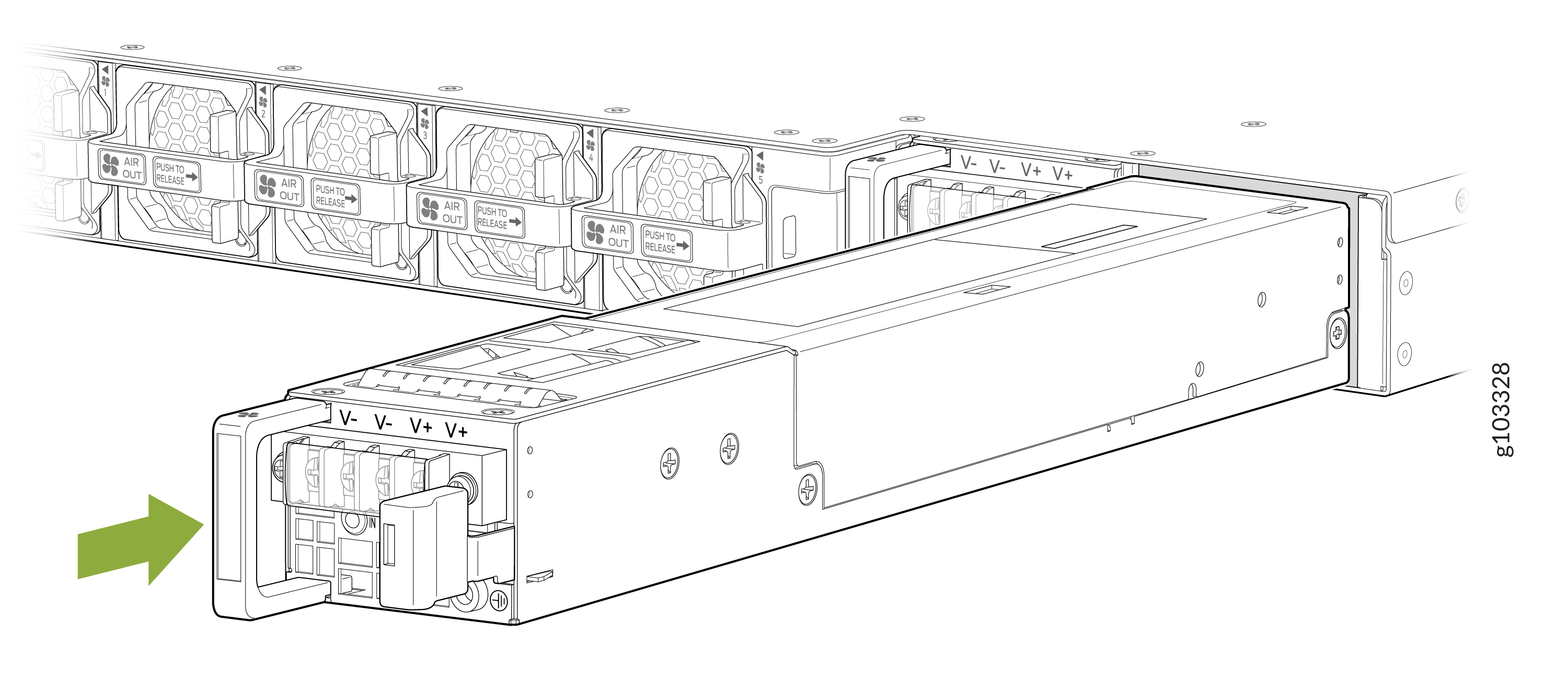
Using both hands, place the PSU in the PSU slot on the rear panel of the router. Slide
the PSU straight into the chassis until the PSU is fully seated in the chassis slot and
the release latch slides into place. Ensure that the PSU faceplate is flush with the
adjacent PSU faceplate.
Figure 4: Install the DC PSU
Replace an HVAC/DC PSU on the MX301 and MX301-M
Remove the JPSU-850W-HV-AFO
This topic guides you through the steps to remove the JPSU-850W-HV-AFO HVAC/DC PSU from the MX301 and MX301-M routers.
Avoid leaving the PSU slot empty for more than 30 minutes when the device is operational. For optimal airflow, all PSUs must be installed in the chassis.
If you need to replace all PSUs installed in your MX301 and MX301-M, you must power off the router before removing the PSUs.
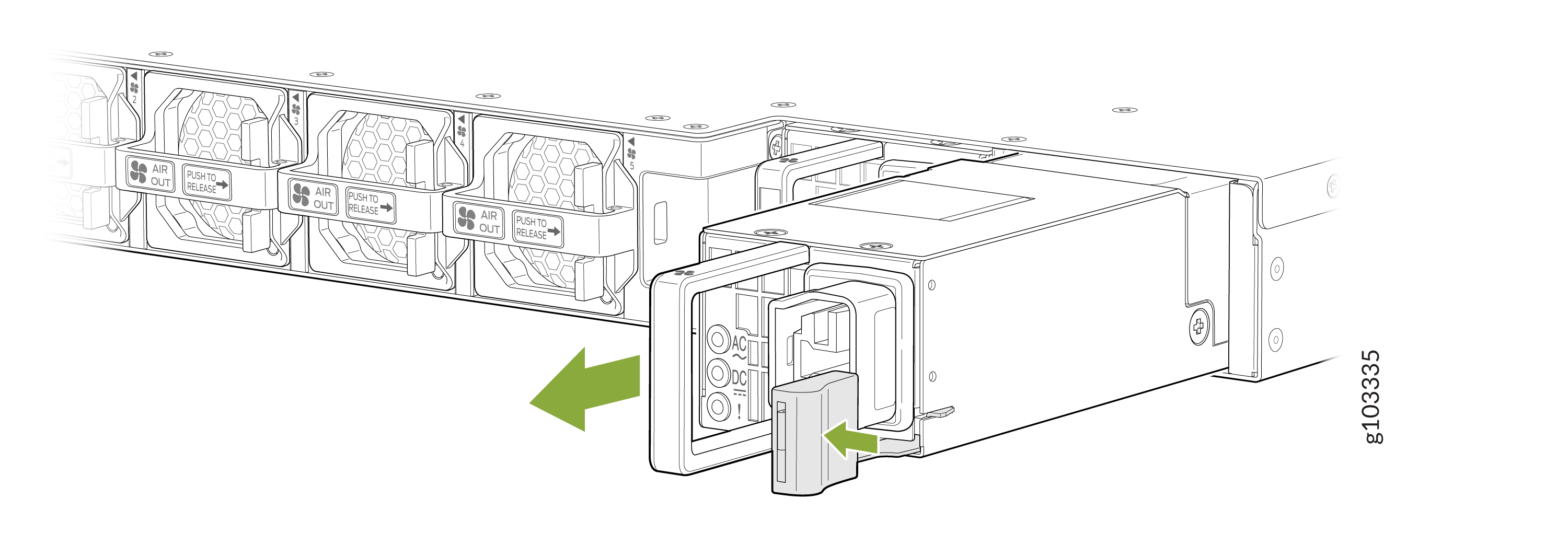
To remove the JPSU-850W-HV-AFO PSU:
-
Pull the PSU straight out of the chassis.
Figure 5: Remove the HVAC/DC PSU
Install the JPSU-850W-HV-AFO
This topic guides you through the steps to install the JPSU-850W-HV-AFO HVAC/DC PSU in the MX301 and MX301-M routers.
To install the JPSU-850W-HV-AFO PSU:
-
Using both hands, place the PSU in the PSU slot on the rear panel of the router. Slide
the PSU straight into the chassis until the PSU is fully seated in the chassis slot and
the release latch slides into place. Ensure that the PSU faceplate is flush with the
adjacent PSU faceplate.
Figure 6: Install the HVAC/DC PSU