
ON THIS PAGE
Reseat the Fan
CAUTION:
The fans on the ME-X2-M are not field-replaceable components. If the fan on your device needs to be replaced, follow the Return Material Authorization (RMA) procedure.
Remove a Fan
Before you begin, remove the cover panel as described in Remove the Cover Panel.
To remove the fan:
-
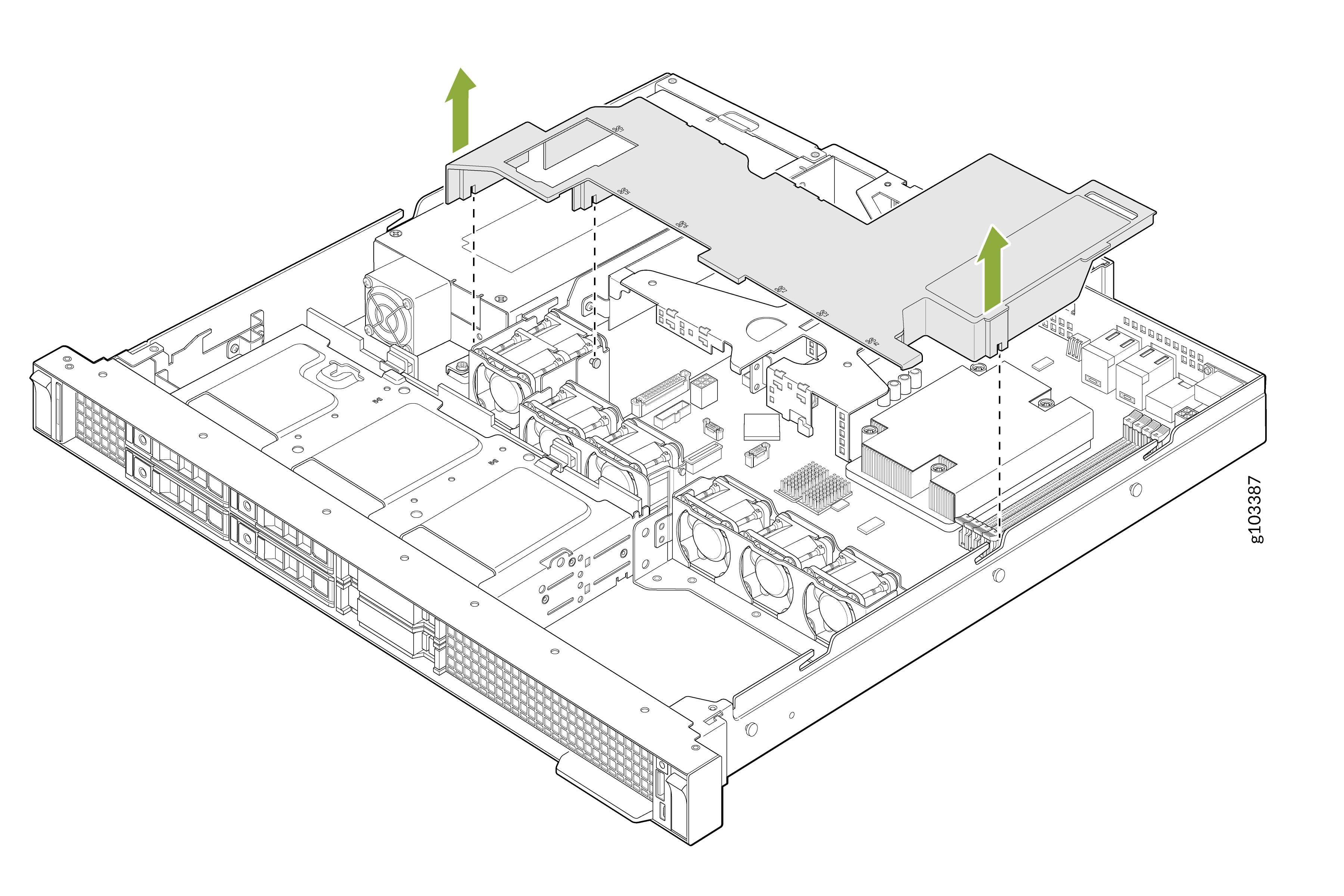
Remove the air shroud. Hold the air shroud at both ends and carefully lift it out of
the system.
-
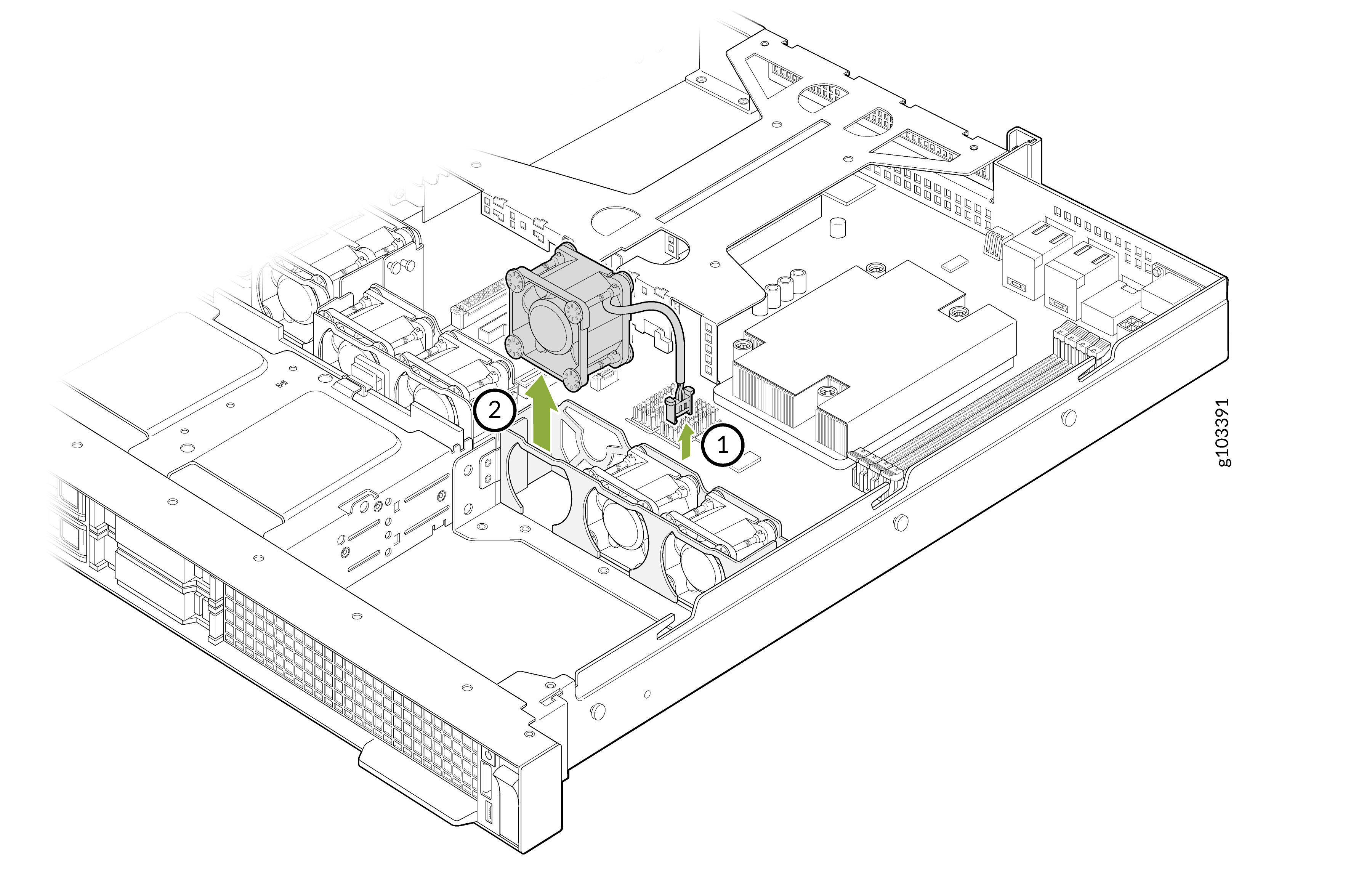
Lift the fan out of the fan cage.
Install a Fan
To install the fan:
-
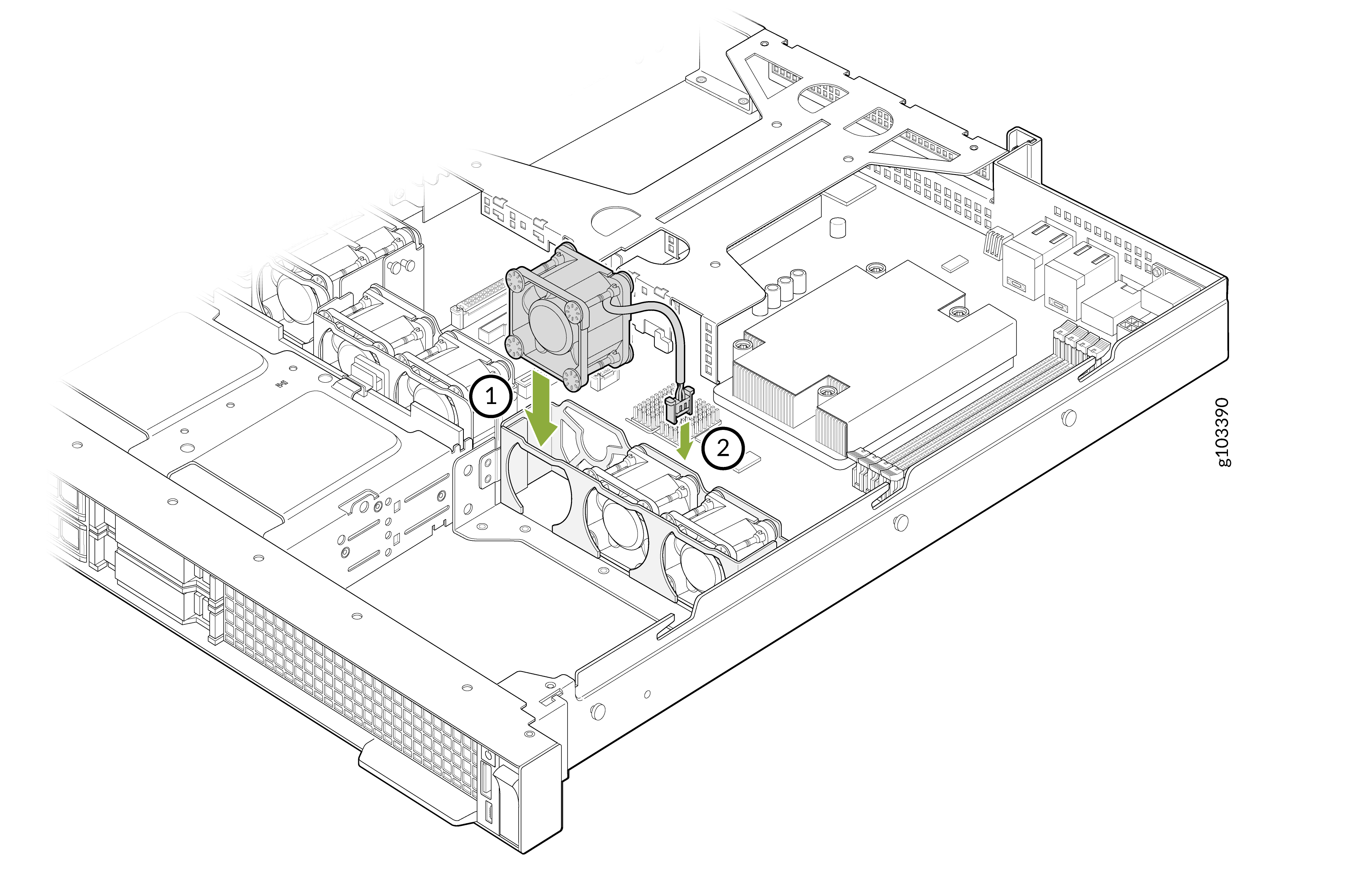
Press the release tabs on the cable connector and connect the cable to the system
board.
After you have installed the fan:
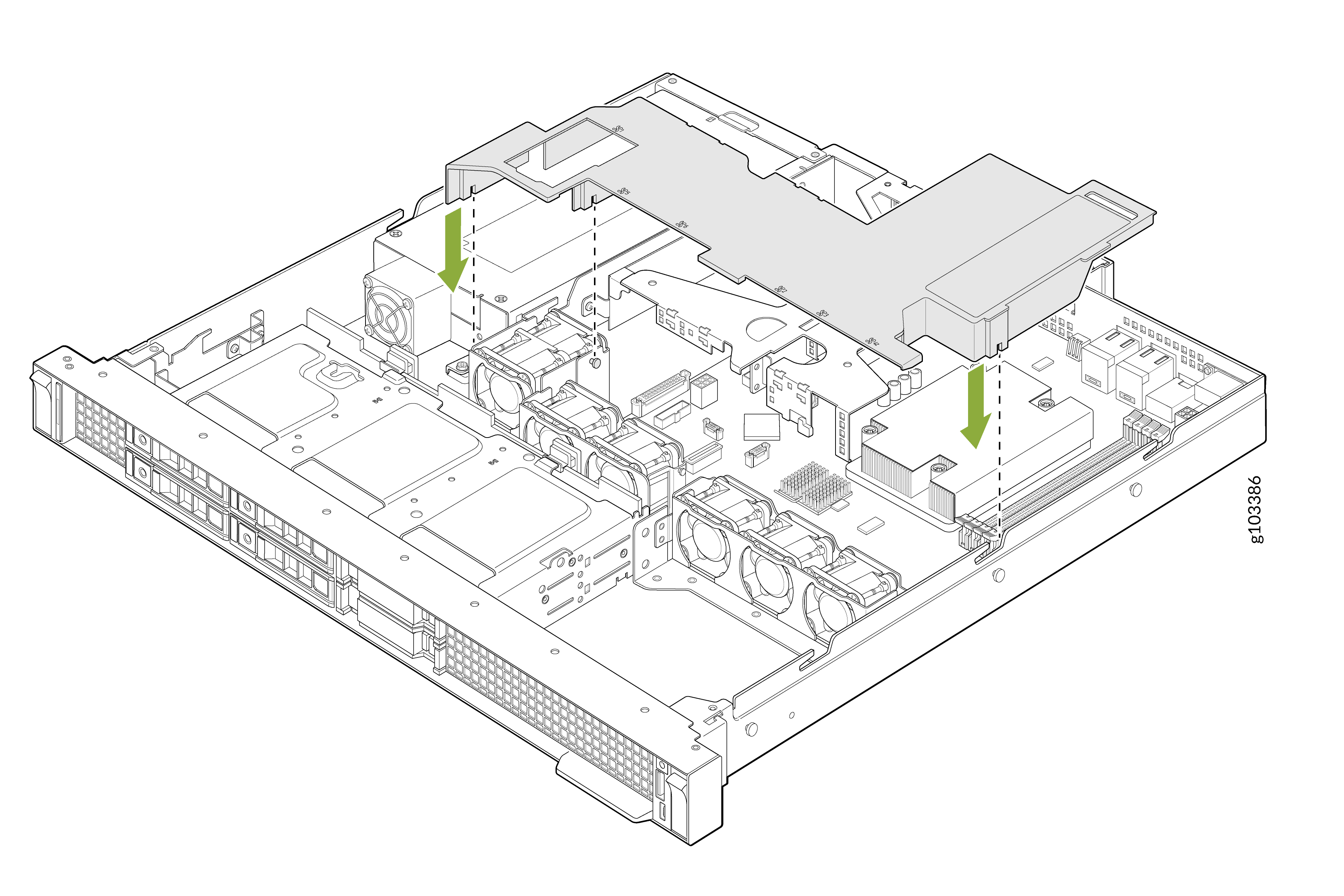
Install the air shroud.
Align the tabs on the air shroud with the slots on the system board and lower the air shroud until it is firmly seated.
-
Install the system cover as described in Install the Cover Panel.