ON THIS PAGE
Replace the Cover Panel
You will need to remove the cover panel to access the internal components of the ME-X2-M. Ensure that you install the cover panel after your work is done.
Remove the Cover Panel
Before you remove the cover panel:
-
Power off the device and disconnect it from the power source.
-
Remove all peripherals connected to your device.
-
Remove the device from the rack.
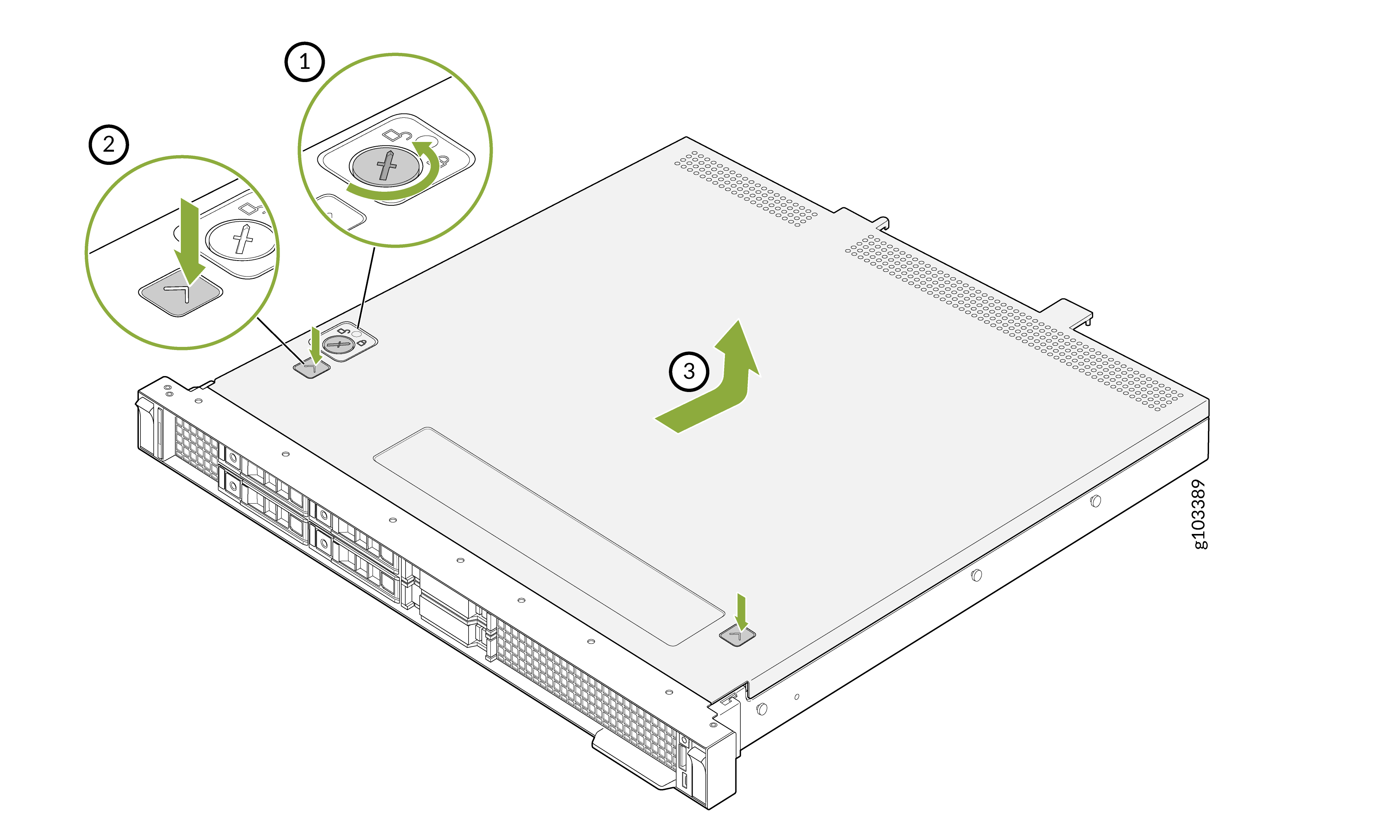
To remove the cover panel:
-
Lift the cover panel from the device.
Install the Cover Panel
Before you install the cover panel:
-
Power off the device and disconnect it from the power source.
-
Remove all peripherals connected to your device.
-
Ensure that all internal cables are connected properly.
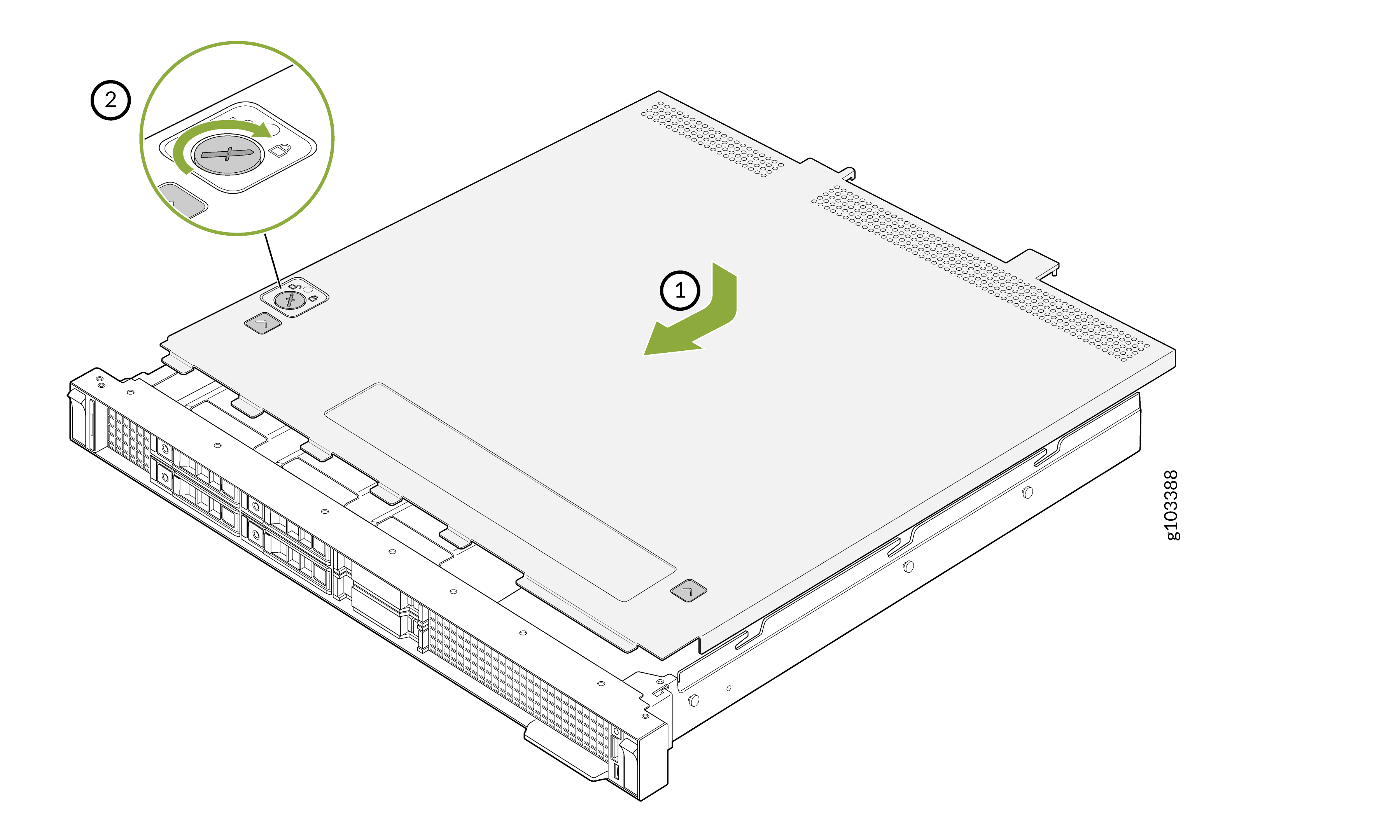
To install the cover panel:
-
Use a screwdriver to rotate the lock on the cover panel. Turn the lock clockwise until
it is in the lock position.