
ON THIS PAGE
Reseat the Storage Drive
CAUTION:
The storage drives on the ME-X2-M are not field-replaceable components. If the storage drive on your device needs to be replaced, follow the Return Material Authorization (RMA) procedure.
Remove a Storage Drive
Remove the front bezel before accessing the storage drives. See Remove the Front Bezel.
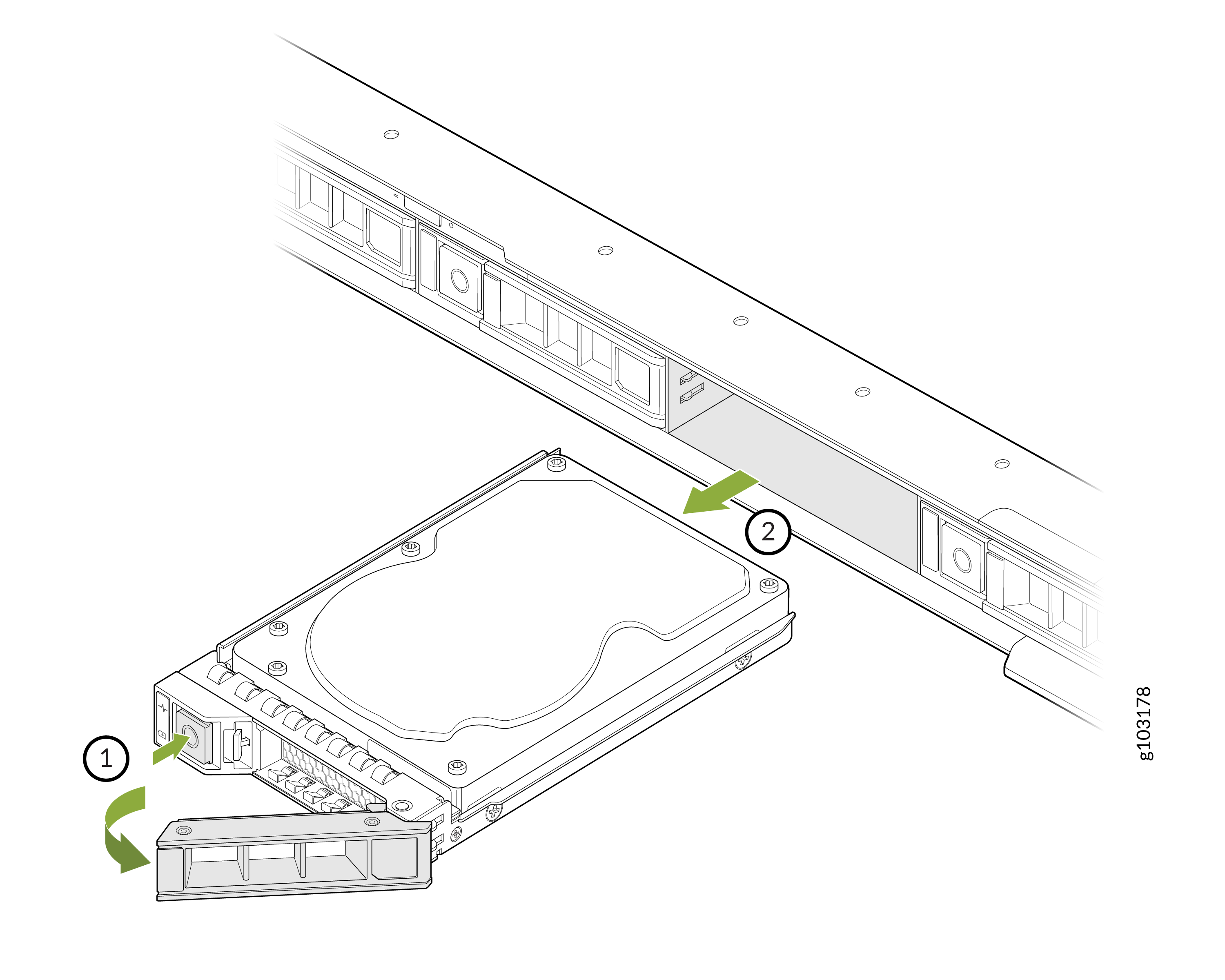
To remove the drive carrier and storage drive:
-
Hold the drive carrier release handle and slide the drive carrier out of the
slot.
Install a Storage Drive
Remove the front bezel to access the storage drives. See Remove the Front Bezel.
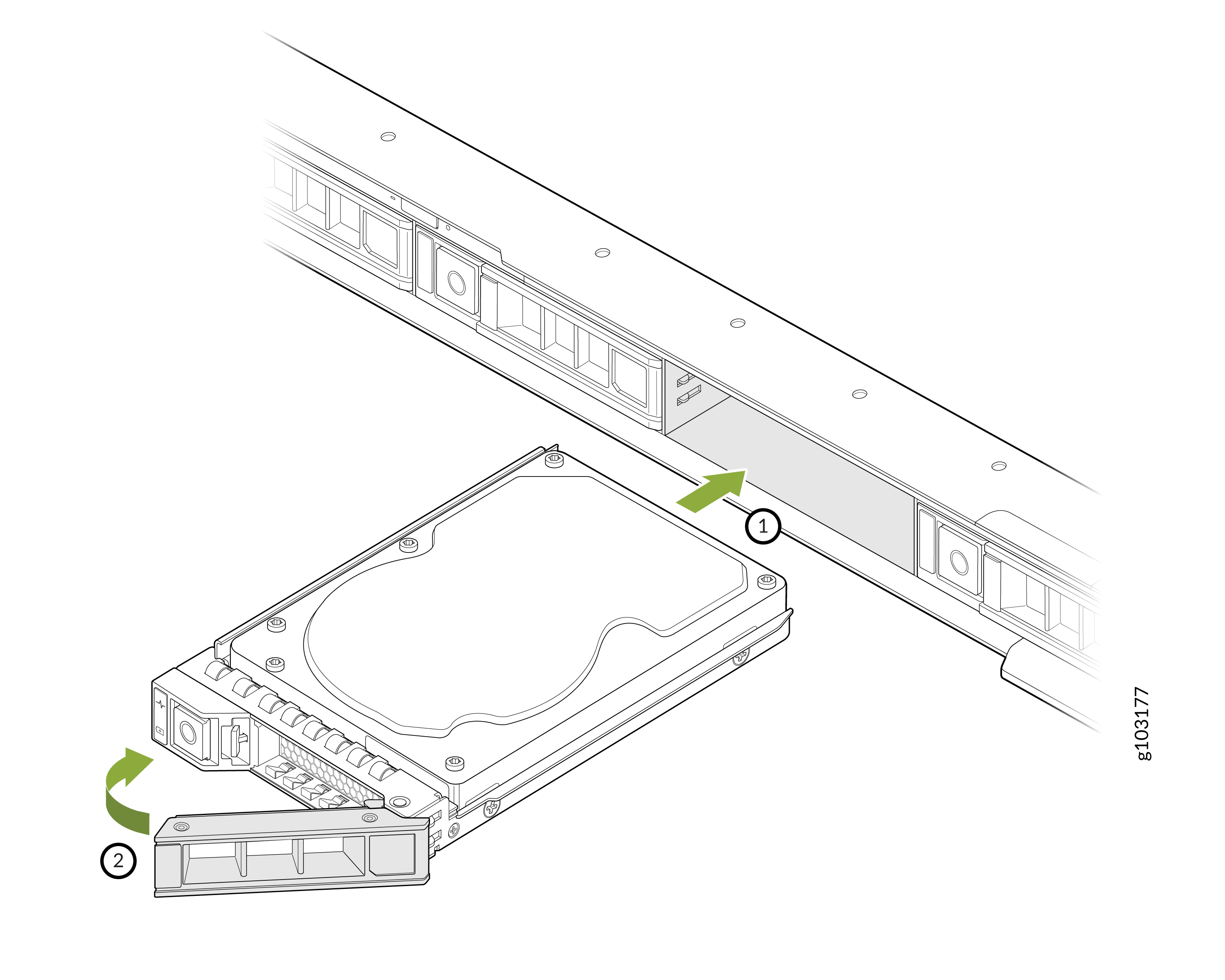
To install the drive carrier and storage drive:
-
Close the drive carrier release handle to lock the drive in place.
After you have installed the storage drive, install the front bezel as described in Install the Front Bezel.