Enterprise user management
The Enterprise User Management page provides an integrated view of users in their enterprise and their account information.
Searching for user information
You can search for user information by:
-
account name (Email), to see which users are associated with a specific account,
-
User Group, to see which users are part of a specific user group, or
-
User Name, to see which users (if any) are associated with more than one account.
To perform a search, enter all or part of the username, group name, or email in the Search box. Searches are case sensitive. To return to the default list, clear the Search box.
Filtering user information
You can filter the display of information by cloud application. Click the Filter icon at the upper right and select the cloud applications to include in the display.
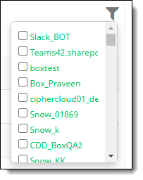
To clear the filter, click anywhere outside of the list box.