Configure file type, MIME type, and file size for exclusion from scanning
In hosted deployments, you can specify the file types, MIME types, and sizes of files to be excluded from data scanning. You can specify scanning exclusions for DLP policy types, and for exclusion by the CASB scan engine during malware scanning.
To configure exclusions, go to Administration > System Settings > Advanced Configuration and click the Content Settings tab. Then, perform the following steps for CASB DLP exclusions, CASB scan engine exclusions, or both.
Exclusion from scanning by Juniper DLP engine
Click the toggle for each exclusion you want to set.
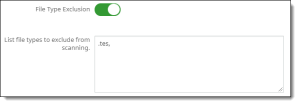
File type
Review the default file types shown and delete those you want to exclude. Because excluded files are not scanned, response time for loading them is faster. For example, rich-media files such as .mov, .mp3, or .mp4 load faster if they are excluded.
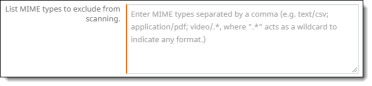
MIME type
Enter any MIME types to be excluded (for example, text/css, application/pdf, video/.*., where * acts as a wildcard to indicate any format). Separate each MIME type with a comma.
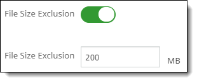
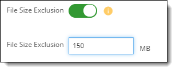
File size
Enter a file size (in megabytes) that will serve as the threshold for files to be excluded. Or accept the default value of 200 MB. Any files larger than this size are not scanned. A value greater than zero is required. The maximum value allowed is 250 MB.
Exclusions from scanning by the CASB scan engine
Click the toggle for each exclusion you want to set.
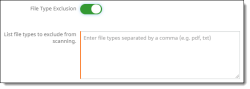
File type
Enter the file types to exclude. Because excluded files are not scanned, response time for loading them is faster. For example, rich-media files such as .mov, .mp3, or .mp4 load faster if they are excluded.
File size
Enter a file size (in megabytes) that will serve as the threshold for files to be excluded. Any files larger than this size are not scanned. A value greater than zero is required. The maximum value allowed is 250 MB.
Click Reset when finished.