
Security Settings Overview
Security settings allow you to configure default security profiles for advanced services such as:
-
IPS
-
Content Security
-
Decrypt
-
Anti-malware
-
SecIntel Profile Groups
Security profiles apply security configurations to firewall traffic, ensuring consistent enforcement of organizational policies across the network. Security settings let you enforce a consistent security baseline across your organization while still customizing advanced protections to the specific needs of each device.
Device-Specific Profiles
Configure IPS and Content Security profiles at the individual device-level. These settings override the default security settings, allowing more granular, device-level security control. Only IPS and Content Security profiles can be configured at the device-level. All other security settings must remain aligned with the defaults security settings.
Figure 1 shows how device-specific profiles are mapped to a security policy.
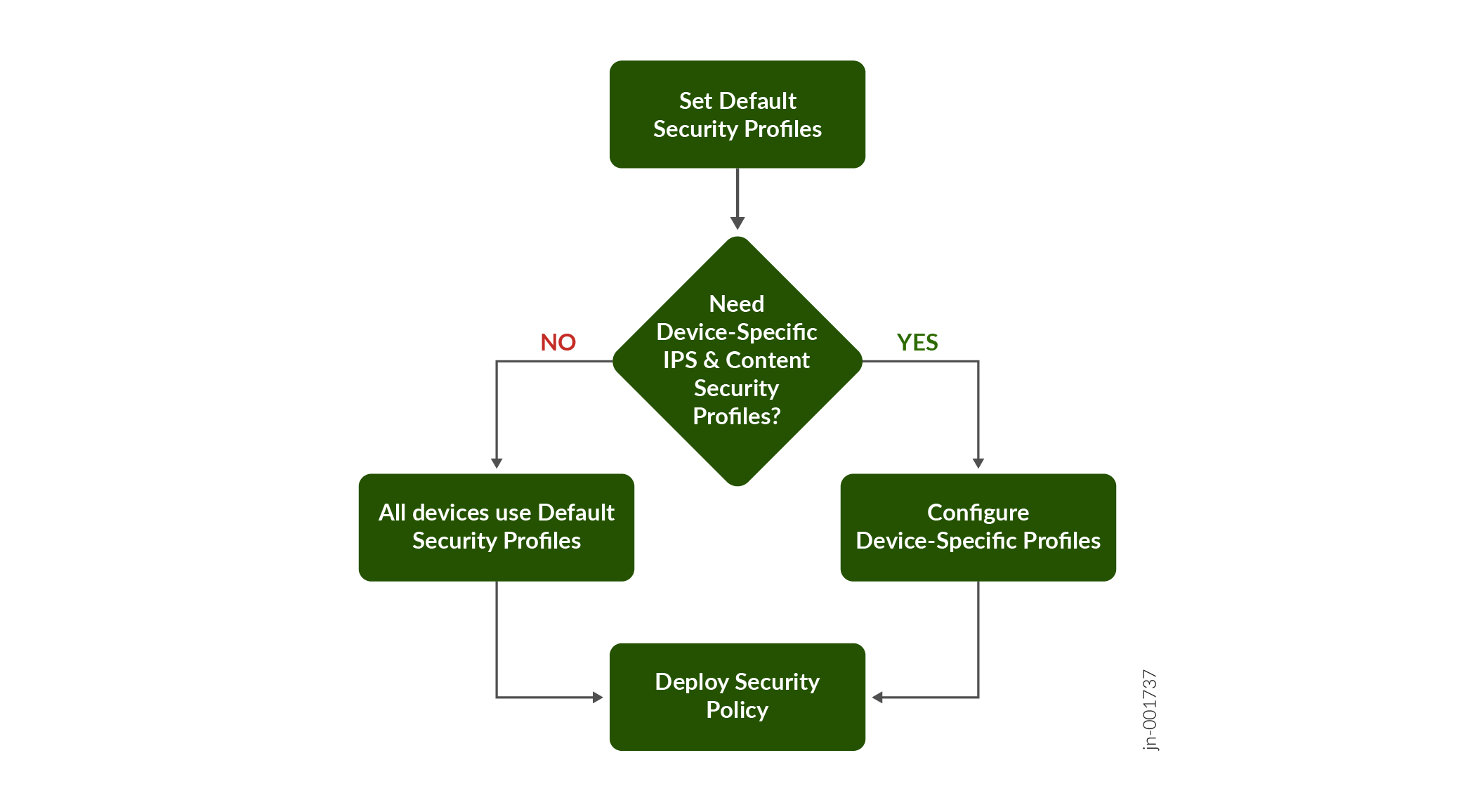
Device-Specific Security Profiles Behavior
When you deploy a security policy, Juniper Security Director determines the effective security profile for each device using the logic in Table 1:
|
Scenario |
IPS Profile Used |
Content Security Profile Used |
|---|---|---|
|
No device-specific mapping exists |
Default IPS profile |
Default Content Security profile |
|
Device mapping specifies both IPS and Content Security profiles |
Device-specific IPS profile |
Device-specific Content Security profile |
|
Device mapping specifies only Content Security profile |
Default IPS profile |
Device-specific Content Security profile |
|
Device mapping specifies only IPS profile |
Device-specific IPS profile |
Default Content Security profile |
Security Settings Use Cases
Use Security Settings to:
-
Set organization-wide default profiles—Create standard IPS, Content Security, Decryption, Anti‑malware, and SecIntel profiles and apply them to all devices through your security policy. For example, you can use a common IPS profile so every SRX device starts with the same level of intrusion protection.
-
Customize profiles for specific devices—Override the default security settings for devices that need different security controls. For example, a data center SRX can use a stricter IPS profile than a branch office SRX, even if they share the same security policy. Only IPS and Content Security profiles can be configured at the device-level.
To access this page, click .
Field Descriptions
|
Field |
Description |
|---|---|
|
Default Profile The default security settings that apply to all devices using your security policy. |
|
|
IPS Profile |
The default IPS profile to inspect network traffic and mitigate threats. |
|
Content Security Profile |
The default Content Security profile to control the web and file content filtering on the device. |
|
Decrypt Profile |
The default decrypt profile that defines whether this policy decrypts or bypasses SSL traffic. |
|
Anti-malware Profile |
The default anti-malware profile for advanced malware detection and file inspection on the device. |
|
SecIntel Profile Group |
The default SecIntel profile group applied to the device. |
|
Device-Specific Profile These profiles override the default security settings. You can only configure IPS and Content Security profiles. |
|
|
Device |
The devices to which device-specific security profiles are applied. |
|
IPS Profile |
The default IPS profile used for the device. |
|
Content Security Profile |
The default Content Security profile used for the device. |