
Reset the SSH Public Key
To reset your SSH public key for the cliadmin user:
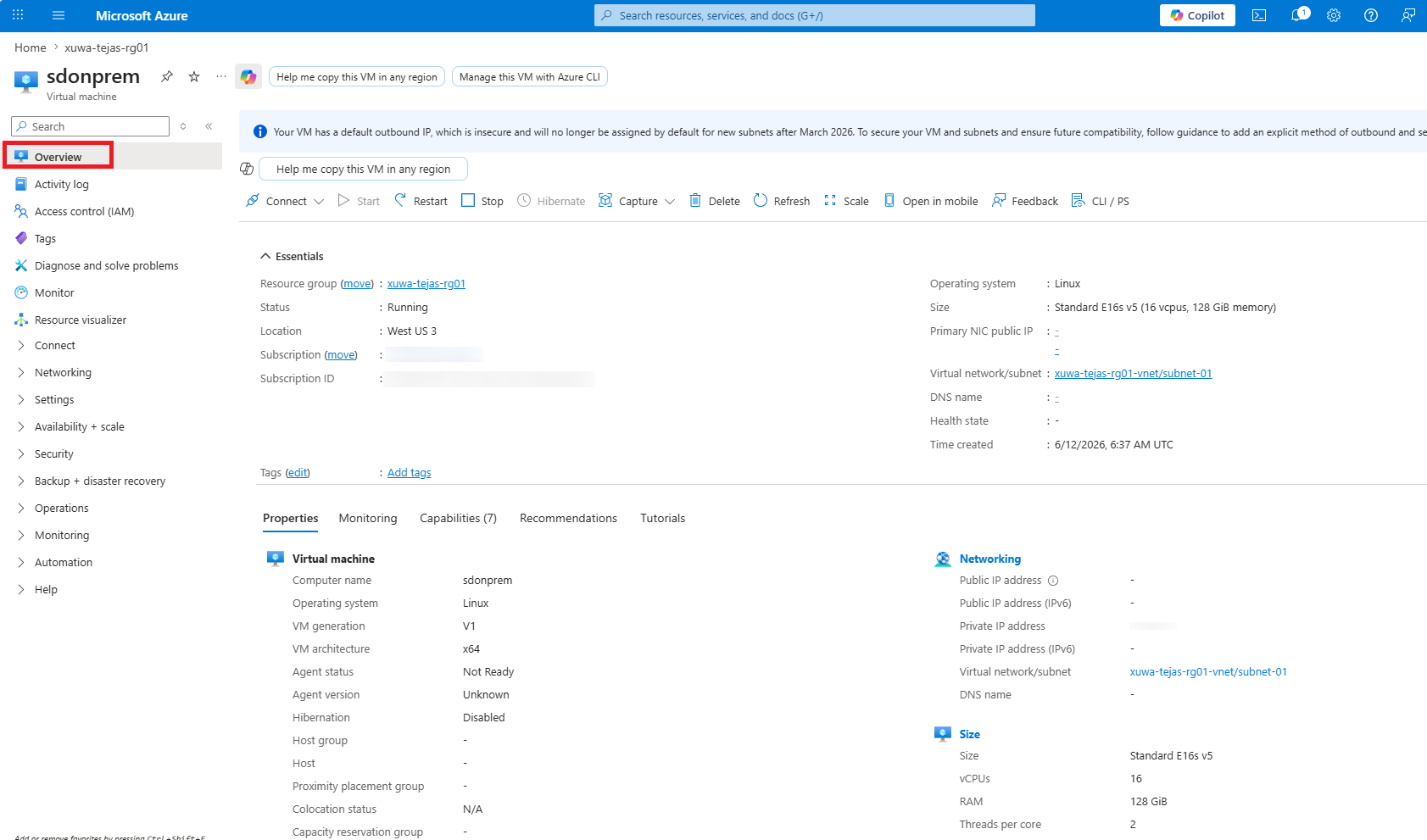
Click the VM name in the Azure portal to open the Juniper Security Director VM overview page.
Select .
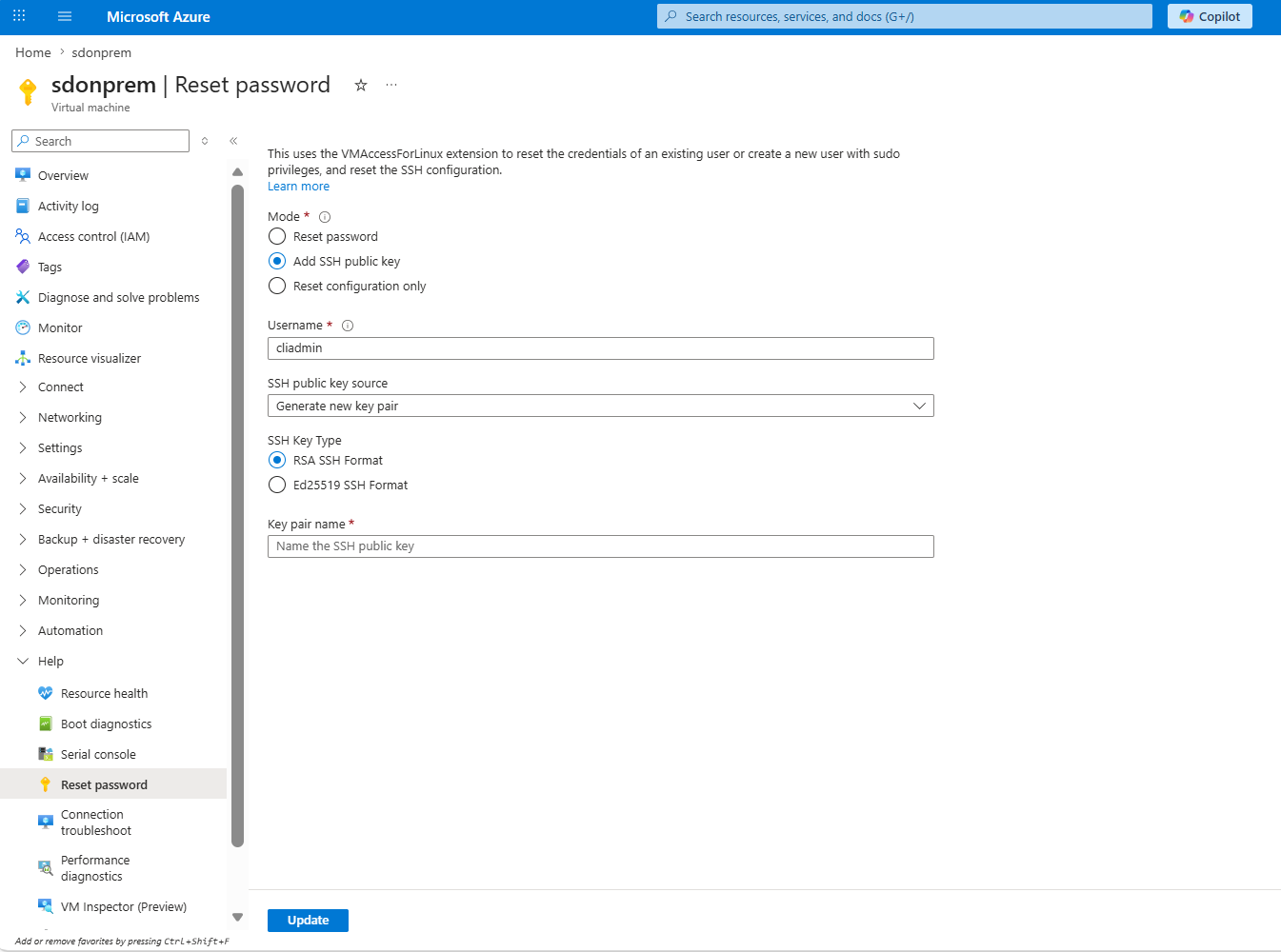
Enter the username as cliadmin.
Select an SSH public key source from the drop-down list and enter the corresponding details.
Click Update to update the SSH public key.