
ON THIS PAGE
Add and Manage Subscriptions
After you purchase your subscription, you must add it to your account. You can add one or more subscriptions as follows:
- You can add only one trial account of a subscription type.
- You can add multiple paid accounts of a subscription type.
- You can add trial and paid accounts of different subscription types. For example, if you add a trial account of an SRX Management Subscription, you can only add a paid account of a Secure Edge Subscription.
- You cannot add trial and paid accounts of the same subscription type. For example, if you add a trial account of an SRX Management Subscription, you cannot add a paid account of the same subscription type.
- If a trial account is not renewed within the grace period of 30 days after the expiry, all the organization data is deleted.
- If all the purchased subscriptions are expired and not renewed within the grace period, the storage logs are deleted.
Add Subscriptions
-
Click Add Subscriptions.
The Add Subscriptions page is displayed.
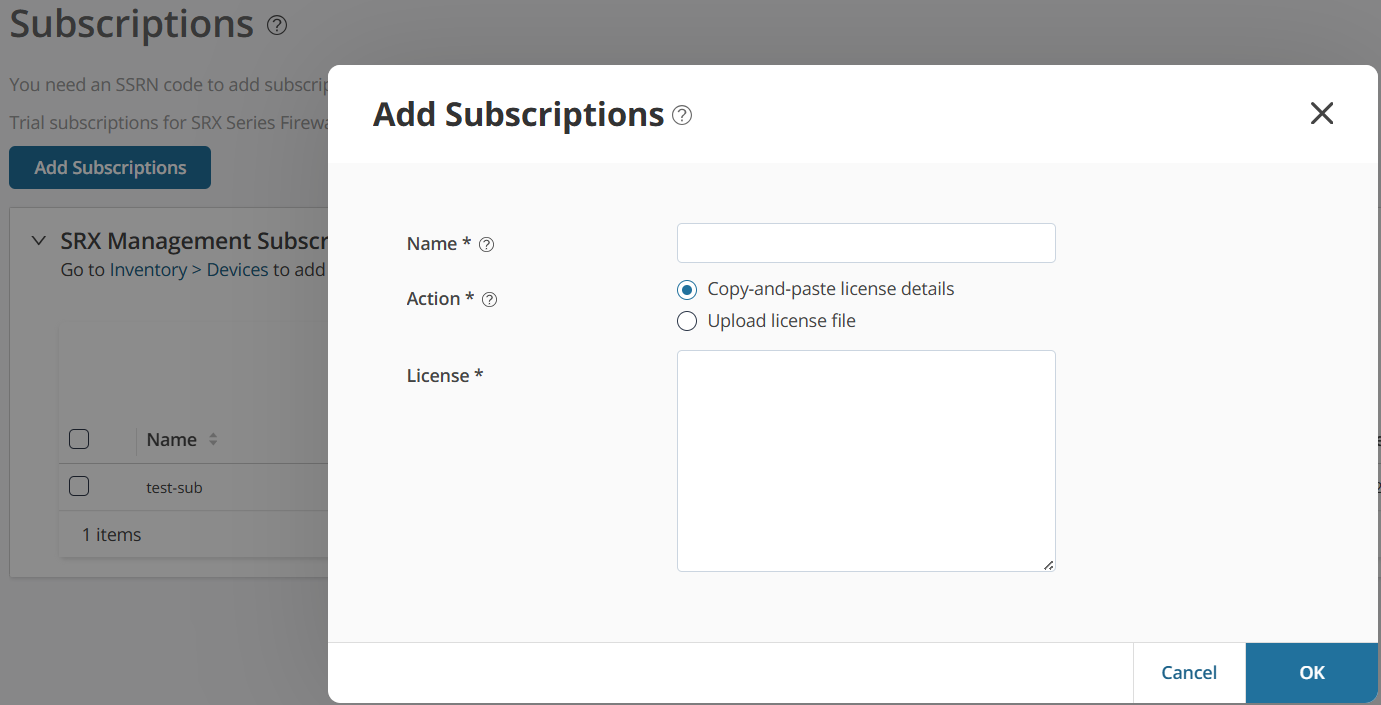
You can use a 60-day trial subscription that is available by default. After 60 days, you need an active subscription to log in to Juniper Security Director Cloud.
-
To add multiple subscriptions, click the plus icon (
 ) and repeat steps 4 and 5.
- The subscription SSRN is verified.
- The subscription is activated.
- The subscription details are displayed in the corresponding section on the Subscriptions page.
Next, review your subscription details, such as the activation state, the expiration date, and the number of devices that you can subscribe to.
Manage Subscriptions
Delete—Select the subscription, and then click the trash can icon ( ). You cannot delete active subscriptions. You can delete the subscriptions
with unsuccessful SSRN activation or paid subscriptions that are expired. If you
delete the subscriptions, you will not receive e-mail notifications about
subscription renewal.
). You cannot delete active subscriptions. You can delete the subscriptions
with unsuccessful SSRN activation or paid subscriptions that are expired. If you
delete the subscriptions, you will not receive e-mail notifications about
subscription renewal.
When a device subscription is deleted, the devices that were associated with that subscription lose the entitlements provided by the subscription.
Refresh—Select the subscriptions, and click Refresh Data from License Portal to get the latest subscription data from the Juniper Agile Licensing (JAL) portal after you upgrade or change your subscriptions. This option is available only to users with paid subscriptions and permissions to add and manage subscriptions.