
Security Policy Report Export Overview
Export your active security policies into downloadable files, making it easy to review, archive, and share your security configurations for audits, compliance reviews, or offline analysis.
You can export and download active security policy reports in two formats.
| Format | Description |
|---|---|
|
|
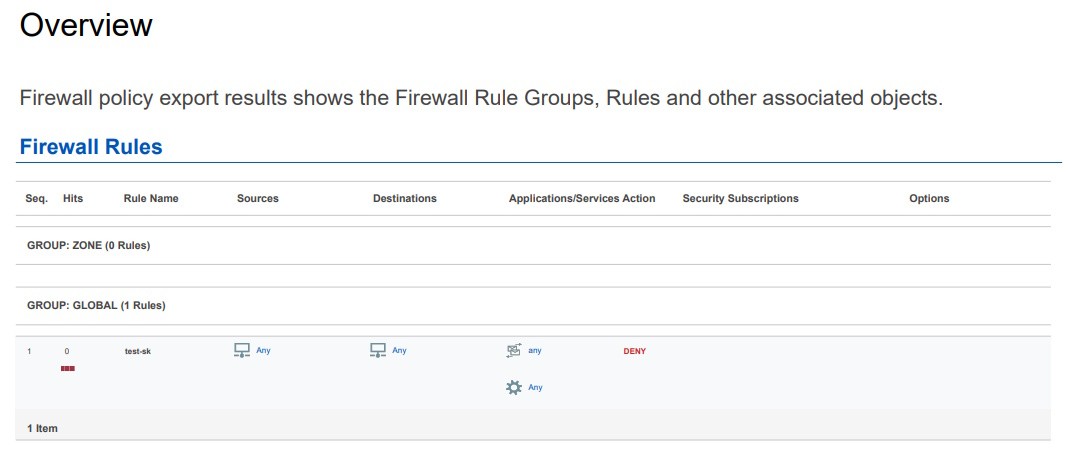
A human-readable, print-friendly document. Ideal for sharing with auditors and stakeholders who need a formatted report. Figure 1: Security Policy Export Report—PDF Format Sample

|
|
JSON file |
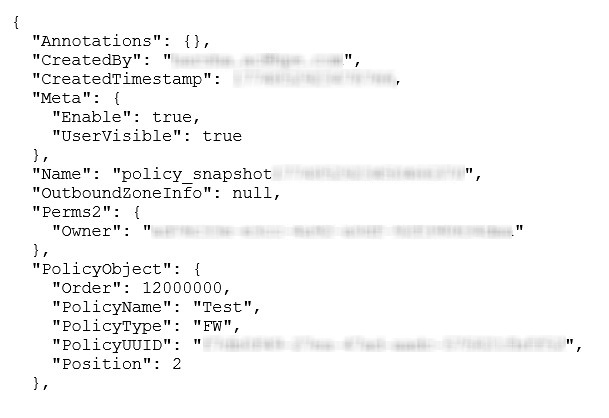
A machine-readable compressed file containing security policies in JSON format. Useful for programmatic analysis, backup, and potential future import workflows. Figure 2: Security Policy Export Report—JSON File Sample
|
The exported security policy report in both the formats captures a snapshot of the policy at the moment of export, including:
-
Security policy rules—Sequence number, rule name, source and destination endpoints, applications and services, action (permit/deny), and hit counts.
-
Rule groups—Zone-based and global rule groups.
-
Security profiles—IPS profiles, Content Security profiles (anti-virus, antispam, web filtering, content filtering), SSL proxy, SecIntel, anti-malware, flow-based anti-virus, Secure Web Proxy, and ICAP redirect profiles attached to each rule.
-
Referenced objects—Addresses (individual IPs, networks, groups), services, applications, URL categories, schedulers, and policy profiles.
-
Logging—Schedules and session logs.
-
Metadata—Policy name, generation timestamp, and the user who triggered the export.
Retention and Storage
The two most recent exported security policy reports for each organization are retained in storage. You can download the exported reports using a secure download link on Juniper Security Director Cloud.
If you delete a security policy, its stored reports and download links are also removed.
Security Policy Report Export Benefits
-
Audit readiness—Provides detailed snapshots of security policies for compliance and reviews.
-
Simplifies data management—Consolidates all security policy rules and associated objects of a policy into a single report, reducing the need for multiple downloads.
-
Improves efficiency—Export jobs run in the background, allowing you to continue other tasks.