
Viewing Multicast Trees
To view the multicast trees configured in the network, on the main topology map select Subview > Multicast Tree as shown in the following figure. From this subview, the (S,G) or (*,G) tree can be selected at a particular node.
Figure 1: Multicast Tree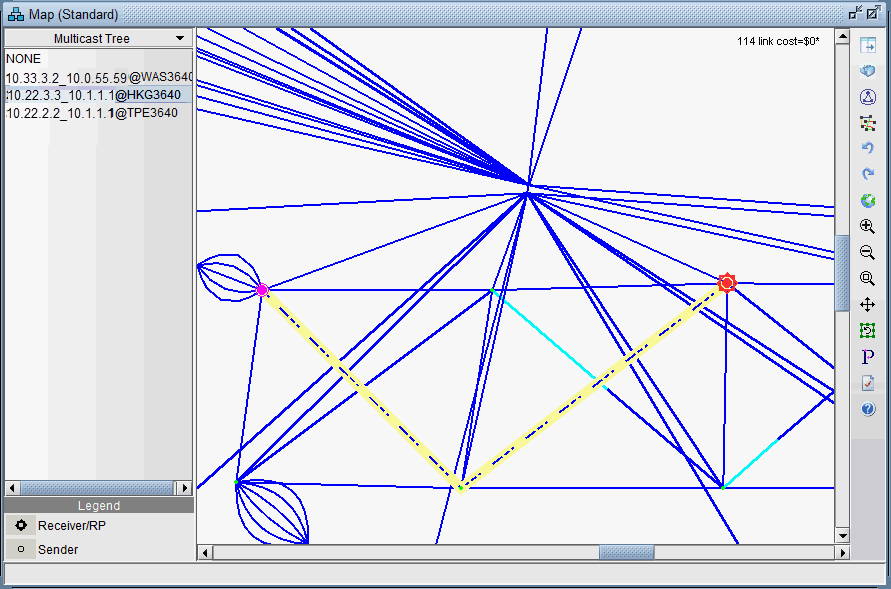
Since the mcpath.x file uses the same format as the demand file; it can be used for network planning (as known flows) or for failure simulation. For example, links can be failed and the multicast tree (more specifically the demands making up the multicast tree) will be rerouted.