
BGP Information at a Node
From the node window’s Protocols tab, a variety of information related to BGP is available in a table format. For instance, the following figure shows a particular node’s BGP-related properties, including AS number, BGP Speaker, Route Reflector, Confederation ID, etc.
Figure 1: BGP Information at a node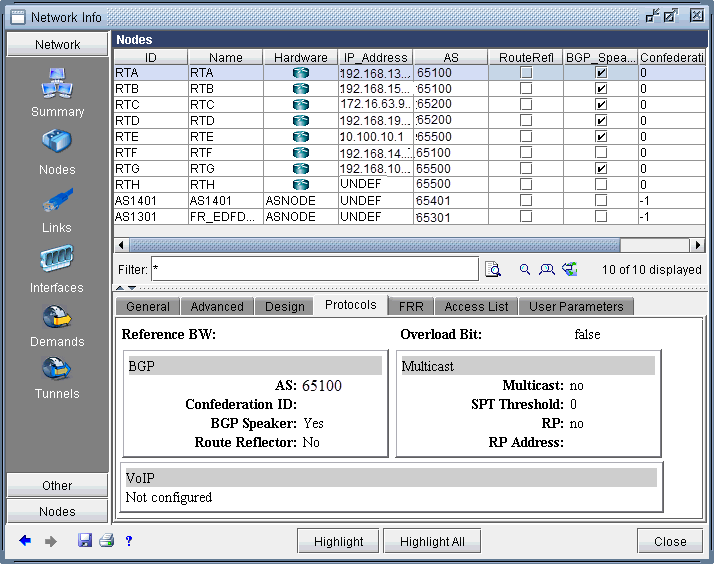
The Advanced Filter from this window contains the following keys that can be used to filter for nodes with particular BGP properties: AS, BGP_Speaker, Cluster_ID, Confederation_ID, and Route_Reflector.
These keys can also be used to label the Standard map using Labels>Node Labels, Customize... from the Standard map’s right-click menu.