Traffic Menu Overview
This chapter explains how to use the various traffic features in the Traffic Menu. The addendum at the end of this chapter also explain how to access and interpret the basic traffic charts available in the Paragon Planner Desktop application.
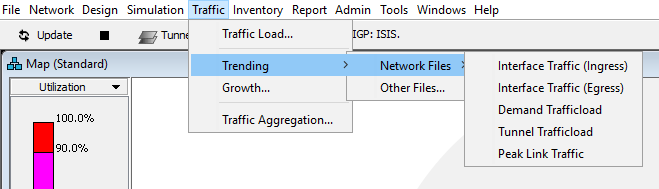
Figure 1 shows the Traffic Menu on the top menu bar.
Figure 1: Traffic Menu