Help us improve your experience.

Let us know what you think.

Do you have time for a two-minute survey?


VPN Configlet Generation

As mentioned earlier under the sections under VPN Design and Modeling using the VPN Wizard, the VPN Module gives you the ability to generate VPN configlets for a particular VPN. For instance, the last step under the section, L3 (Layer 3) VPN, describes how to generate and display the configlet for a L3VPN. The following figures show configlets generated for two of the VPNs discussed earlier.
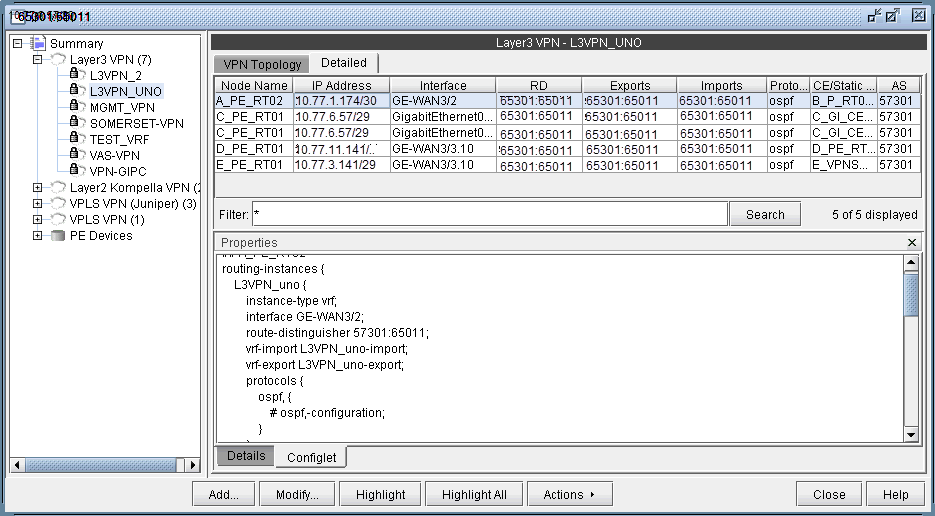
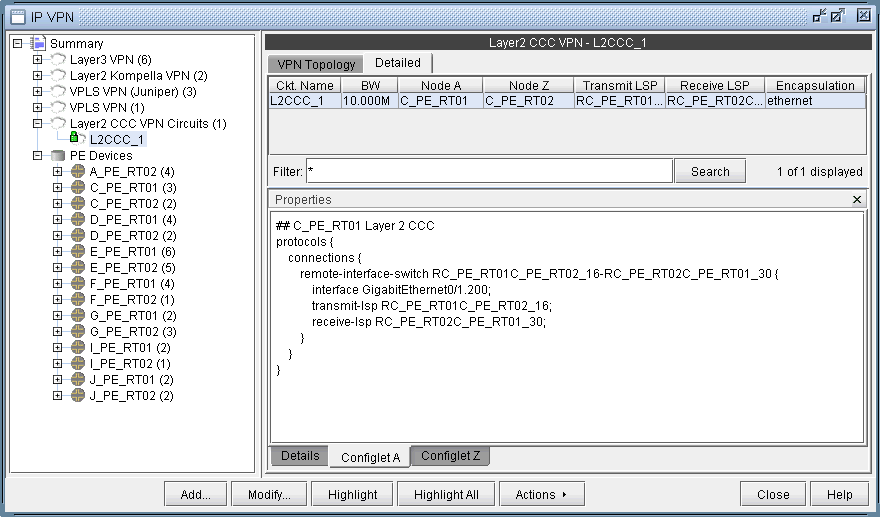
Figure 1: A Configlet Generated for a L3VPNScreenshot of a network tool showing Layer 3 VPN details for L3VPN_UNO. Displays node names, IP addresses, interfaces, route distinguishers, routing protocols, and AS numbers.
Figure 2: A Configlet Generated for a L2CCC VPNNetwork management software interface for IP VPNs showing hierarchical view with Layer2 CCC VPN Circuits selected and circuit L2CCC_1 highlighted. Right panel displays circuit details like topology, bandwidth, nodes, and encapsulation type ethernet. Options for modifying and managing VPN configurations are available.

To generate configlets in batch for several of the VPNs in a network, you may use the VPN Configlet window (accessed via the Design > Configlets/Delta > VPN Configlet menu), shown in the following figure, where you can specify a particular directory (specified in the Directory box) to store the generated VPN configlets. In addition, you may also choose to generate configlets for particular nodes or VPNs via the Node/VPN drop-downs.
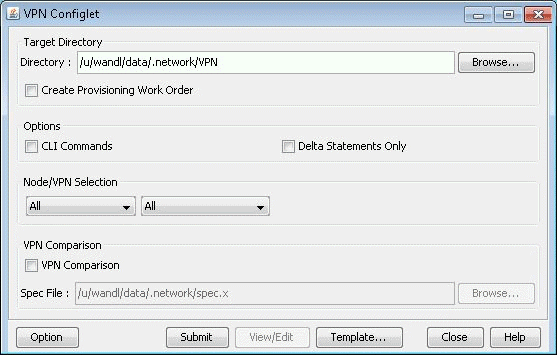
Figure 3: VPN Configlet MenuVPN Configlet interface for managing VPN settings with options for directory selection, work order creation, CLI commands, and VPN comparison.

Select “CLI Commands” before clicking “Submit” to also generate the corresponding CLI commands corresponding to the configlet.

The following figure shows a VPN directory that contains all of the generated VPN configlets for the network.
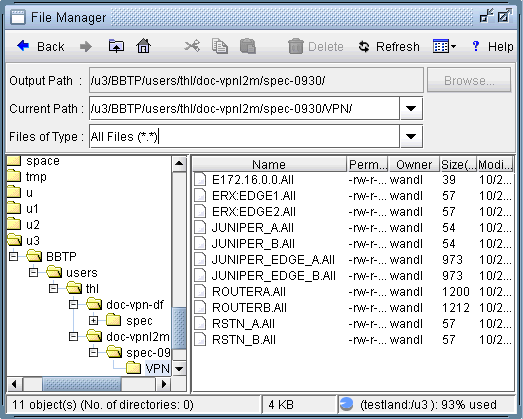
Figure 4: VPN Directory with the Generated VPN ConfigletsFile manager interface showing navigation toolbar, path fields with directory paths, file type filter, directory tree, file list with names, permissions, owner, size, and modification date. Disk usage is 93 percent for directory /u3.

An example of a generated VPN configlet is shown in the following figure.
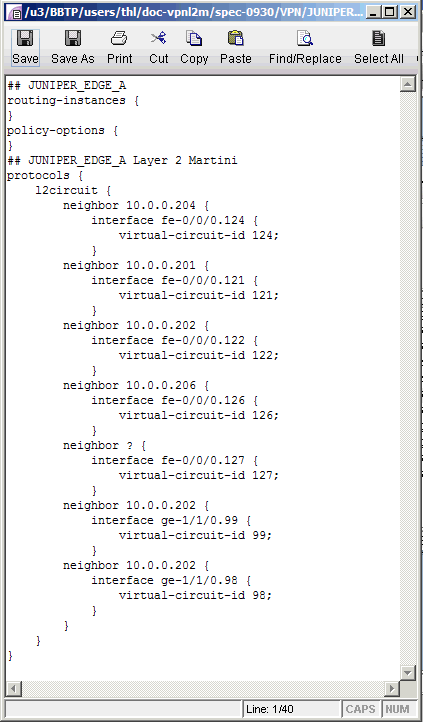
Figure 5: The Configlet Generated for JUNIPER_EDGE_AConfiguration file for Juniper network device showing empty routing instances and policy options, with Layer 2 circuits detailing neighbors, interfaces, and virtual circuit IDs for VPN setup.