Help us improve your experience.

Let us know what you think.

Do you have time for a two-minute survey?


Viewing Demands Over GRE Tunnels

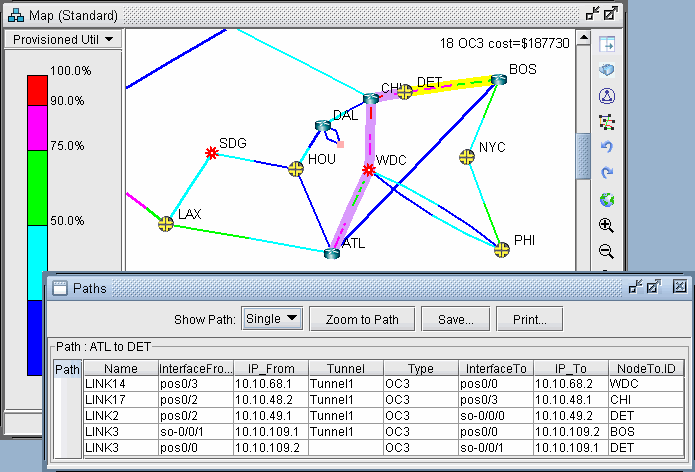
  1. Right-click over the GRE link either on the map or in the Network Info window, Links view pane. Select “View > Demands on/thru Link” to view the demands routed over the GRE link.

  2. Select a Demand and click “Show Path” to view its path over the GRE tunnel.

    Figure 1: Demand Routed Over GRE Tunnel via Static RouteNetwork topology map showing nodes for cities like ATL, DET, BOS connected by color-coded links indicating utilization levels. Detailed path info from ATL to DET includes link names like LINK14, interface info like pos0/2, IP addresses, tunnel info like Tunnel1, connection type OC3, and node IDs.