Help us improve your experience.

Let us know what you think.

Do you have time for a two-minute survey?


VPN Configlet Generation

As mentioned earlier under the sections under VPN Design and Modeling using the VPN Wizard, the VPN Module gives you the ability to generate VPN configlets for a particular VPN. For instance, the last step under the section, L3 (Layer 3) VPN, describes how to generate and display the configlet for a L3VPN. The following figures show configlets generated for two of the VPNs discussed earlier.
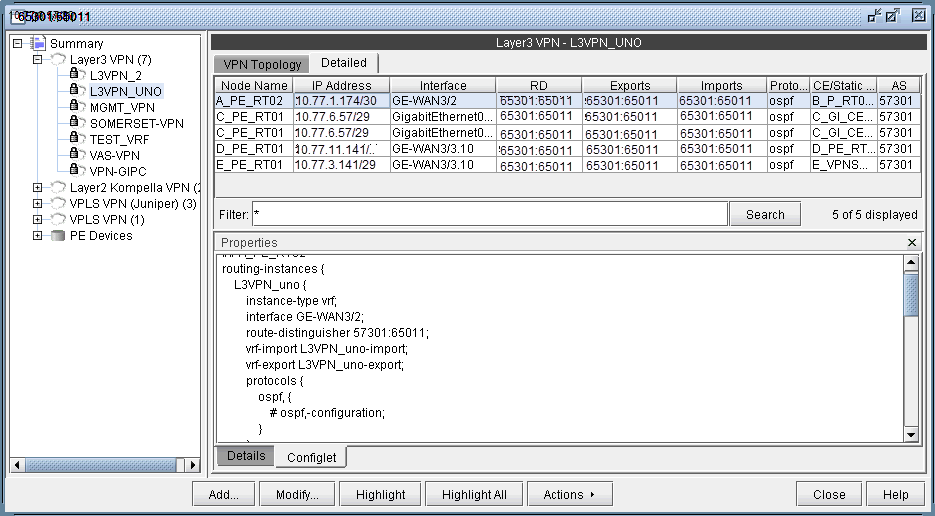
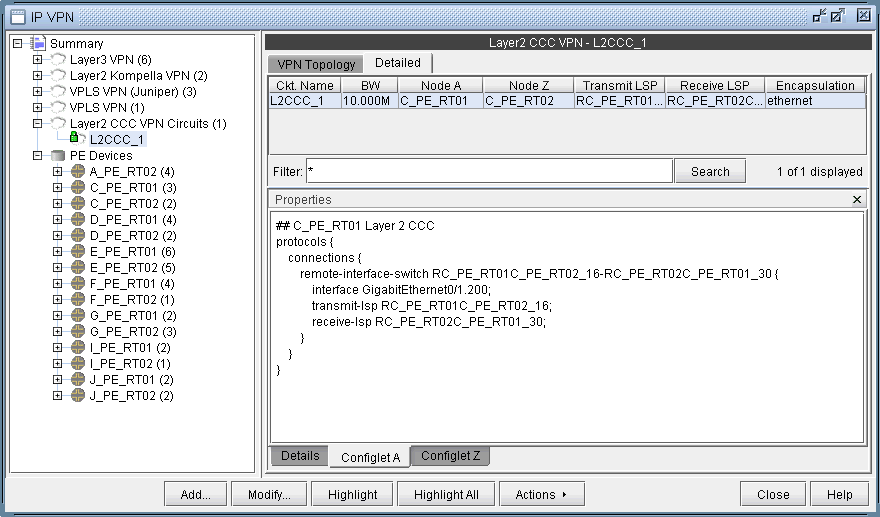
Figure 1: A Configlet Generated for a L3VPN Network management tool displaying L3VPN_UNO details, with node info, routing-instance configuration, and management actions.
Figure 2: A Configlet Generated for a L2CCC VPN Network management interface for configuring and monitoring Layer 2 CCC VPNs. Selected circuit: L2CCC_1 with endpoints C_PE_RT01 and C_PE_RT02, bandwidth 10.000M, using Ethernet encapsulation.

To generate configlets in batch for several of the VPNs in a network, you may use the VPN Configlet window (accessed via the Design > Configlets/Delta > VPN Configlet menu), shown in the following figure, where you can specify a particular directory (specified in the Directory box) to store the generated VPN configlets. In addition, you may also choose to generate configlets for particular nodes or VPNs via the Node/VPN drop-downs.
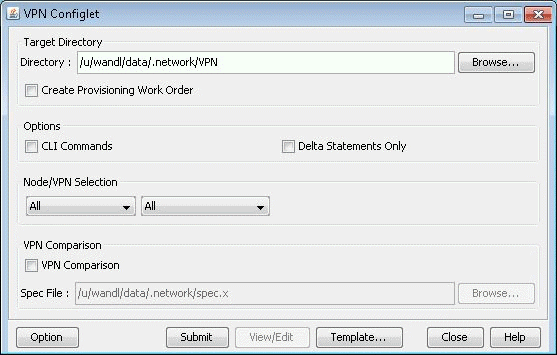
Figure 3: VPN Configlet Menu VPN Configlet interface for managing VPN settings with options for directories, provisioning, CLI commands, and VPN comparison.

Select “CLI Commands” before clicking “Submit” to also generate the corresponding CLI commands corresponding to the configlet.

The following figure shows a VPN directory that contains all of the generated VPN configlets for the network.
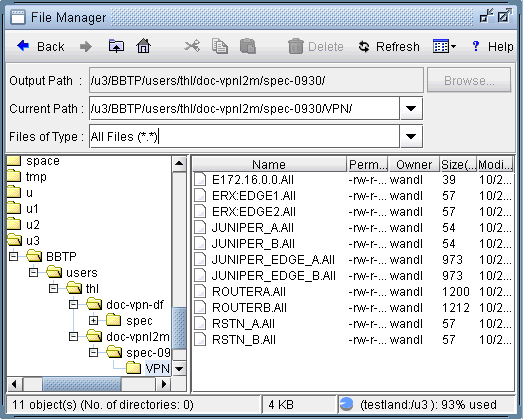
Figure 4: VPN Directory with the Generated VPN Configlets File manager interface with navigation toolbar and directory paths. Current path is /u3/BBTP/users/thl/doc-vpnl2m/spec-0930/VPN/. Directory tree on the left, file list on the right showing files like E172.16.0.0.All. Status bar indicates 11 objects, 4 KB total size, 93 percent disk usage.

An example of a generated VPN configlet is shown in the following figure.
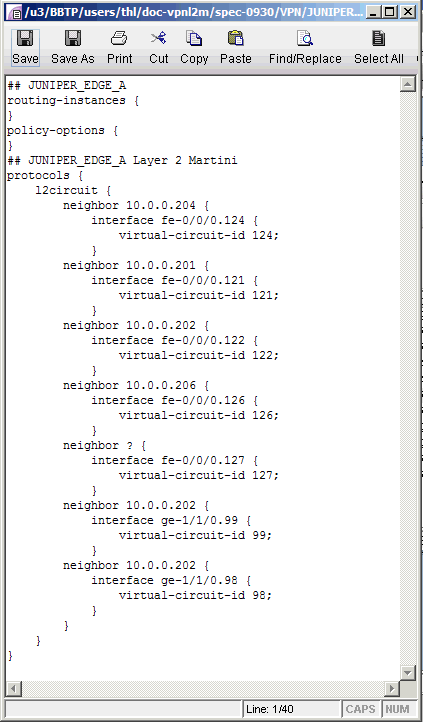
Figure 5: The Configlet Generated for JUNIPER_EDGE_A Juniper network device config file showing Layer 2 VPN settings with l2circuit protocols, neighbors, interfaces, and virtual circuit IDs.