
Link Bandwidth Reservation
Individual link bandwidth reservation schemes can be assigned to a link by applying a CoS policy to that link. NorthStar Planner allows the user to define a robust collection of CoS policies, which can be specific to a router or generic to all routers.
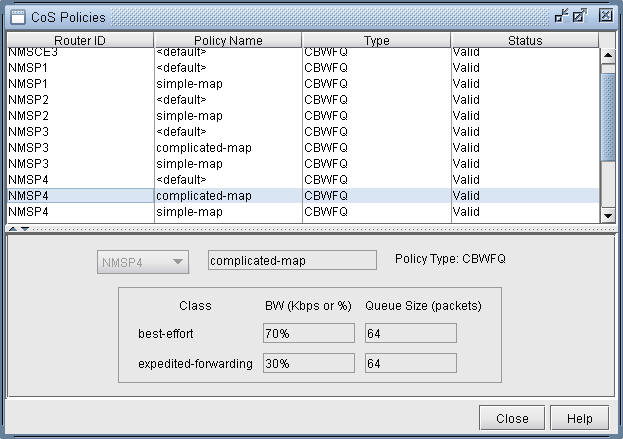
Once CoS policies, have been defined, they can be assigned to specific links. Since each link contains two interfaces, one at each end, a policy can be assigned to each end of the link.
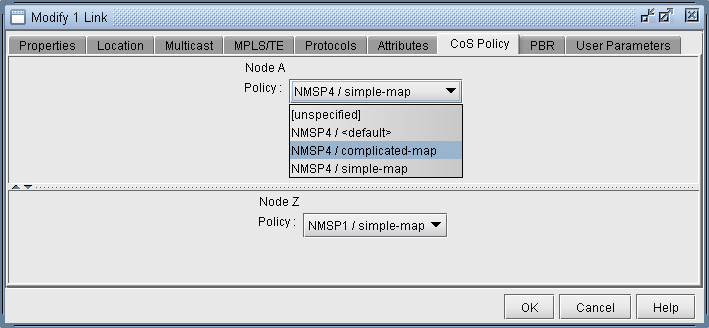
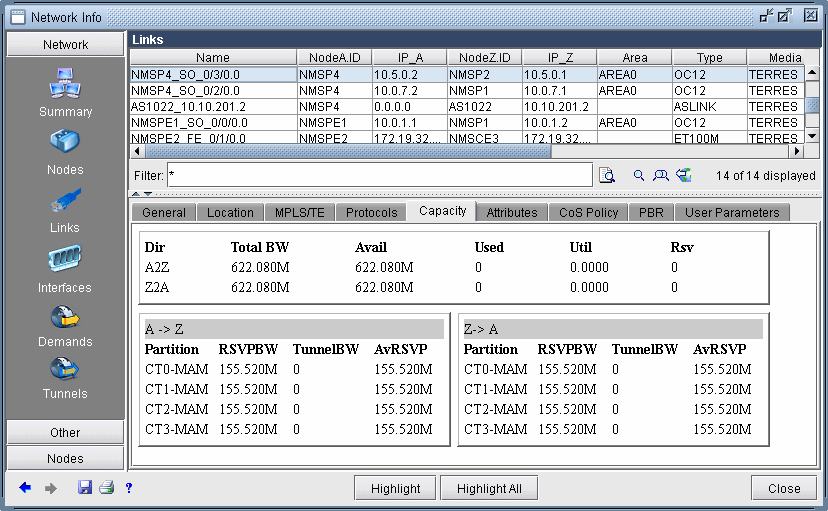
Once a policy has been assigned to a link, the capacity on the link will be updated to reflect the policy. The way in which the bandwidth is displayed in the link capacity window can be controlled by Bandwidth Model option described earlier. In the screenshot below, the Bandwidth Model being used is MAM.
|
Partition |
This corresponds to the class type associated with the policy assigned to the interface. |
|
RSVPBW |
This is the amount of bandwidth reserved for the corresponding partition, as defined by the assigned policy. |
|
TunnelBW |
This is the amount of tunnel bandwidth currently passing through the interface. |
|
AvRSVP |
This is the amount of available bandwidth remaining for the corresponding partition. |