Designing Tunnel Paths Overview
-
Select
Design > TE Tunnels > Path Design to open the
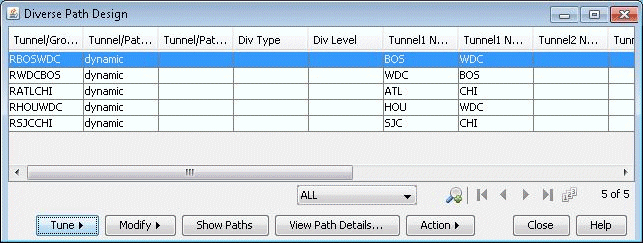
Tune Paths window. This window lists all of the tunnels whose paths can be
designed for. For each tunnel or group, the details of the first, second, and
third path are provided in this window. The Div Level column indicates the
current level of diversity satisfied between the 2 or 3 paths that belong to
this tunnel or group
Figure 1: Diverse Paths Table
-
Select the tunnels to design and select Tune > Selected
Paths. Alternatively, select Tune > All
Paths to design all tunnels for diversity. This will open up the
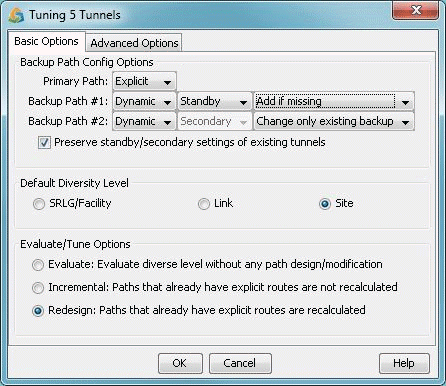
following window.
Figure 2: Tuning Options