
Traffic Menu: Growth
The Growth option in the Traffic menu can be used as a simple way of projecting future network growth. This tool allows you to model the existing network in terms of projected future growth.
This network growth feature is not cumulative; the percentage growth is always applied to the original demand bandwidths. If the growth feature is invoked twice, each time with 200 percent, for example, the result after the second increase is still a doubling, rather than a quadrupling, of the original demand bandwidth.
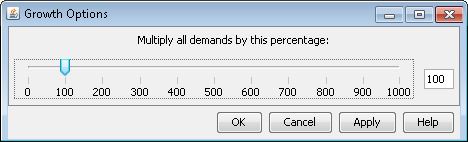
You can use the slide rule in the Growth Options window to increase the bandwidth of existing demands in the network as a way to project future network growth. Using the slide rule, the current demands in network can be multiplied by a factor anywhere from 0 percent to 1000 percent.