Help us improve your experience.

Let us know what you think.

Do you have time for a two-minute survey?


VPLS-BGP VPN (for Juniper)

The VPLS-BGP VPN is based on the IETF Kompella/Rekher draft. To configure a VPLS-BGP VPN (implemented by Juniper only), the user would perform the following sequence of steps:

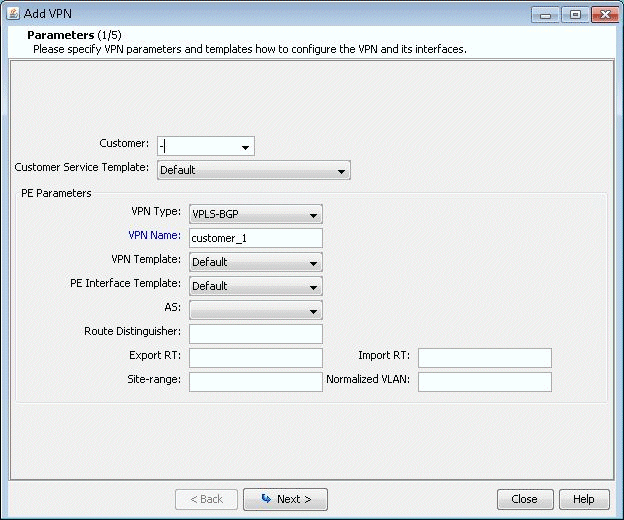
  1. Bring up the Add VPN window and select VPLS-BGP VPN (For Juniper). Then type in a name for the VPN (e.g. VPLS_4) as shown in the following figure.
    Figure 1: VPLS-BGP VPNAdd VPN configuration window for setting up a VPN with fields for customer selection, VPN type, name, template, AS number, route distinguisher, route targets, and VLAN settings.
  2. Click on Next to bring up the window where you can choose PEs and assign the Route Distinguisher, Route Target Exports, and Route Target Imports for a chosen AS as described under the L3 (Layer 3) VPN section). The program automatically recommends values or you may provide your own.
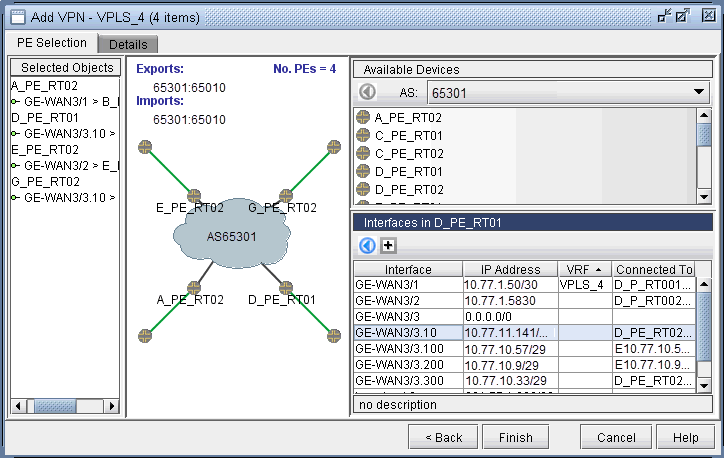
  3. Click on Next to bring up the following window where you would assign the PE facing CE interfaces (in the same manner as described under the L3 (Layer 3) VPN section). The following figure shows the result of the assignment of the interfaces.
    Figure 2: Interfaces assigned to the PEsNetwork configuration interface for adding Virtual Private LAN Service VPLS with 4 Provider Edge devices.
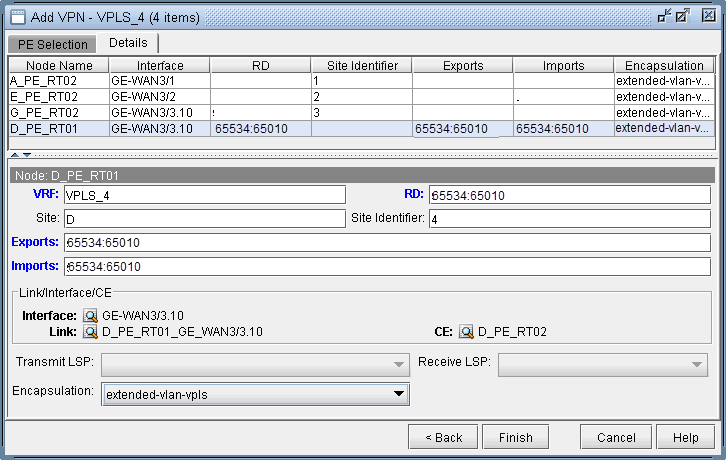
  4. Next, click on the Details tab to specify the Encapsulation, Site, Site Identifier. The LSPs may also be specified, as appropriate. The following figure shows assignments completed for three nodes and in-progress for the fourth node.
    Figure 3: Interfaces assigned to the PEsNetwork configuration interface for setting up VPLS VPN named VPLS_4 with four items. Features include PE selection table with node name, interface, RD, site identifier, exports/imports, and encapsulation. Node configuration section details VRF, RD, site identifier, exports/imports, link/interface/CE, and encapsulation. Options for configuring transmit/receive LSP. Navigation buttons: Back, Finish, Cancel, Help.

    The Encapsulation drop-down includes the following values from which you can select: ethernet-vpls, ether-vpls-over-atm-llc, extended-vlan-vpls, and vlan-vpls.

  5. Finally click on Finish to complete the creation of a Juniper VPLS VPN.