
Viewing Tunnel Utilization Information from the Topology Map
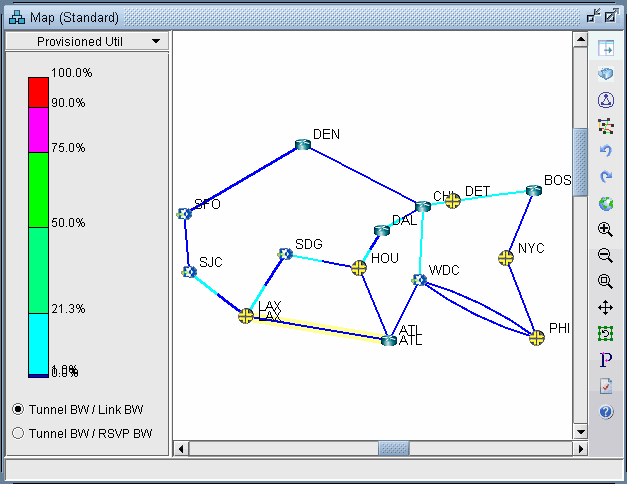
Select the Tunnel layer button from the main menu bar. On the map window left pane, select the Utilization Legends > Planned Util menu item. Because of the low planned link utilization of tunnels in this example, you will need to adjust the dividers in the Planned Util legend in order to see any color differentiation on the map.
Figure 1: Planned Tunnel Utilization (Tunnel Layer View)
-
Tunnel BW / Link BW : Displays the sum of the configured bandwidths of the tunnels over the link, divided by the link bandwidth.c
-
Tunnel BW / RSVP BW : Displays the sum of the configured bandwidths of the tunnels over the link, divided by the link’s configured RSVP bandwidth.