IP Flow Information
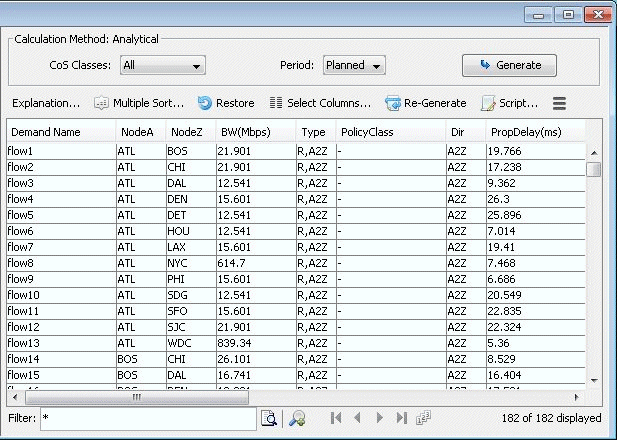
After selecting the CoS Report Options, click the OK button and the report will appear as follows.
Figure 1: CoS Demands Report

Help us improve your experience.
Let us know what you think.
Do you have time for a two-minute survey?
After selecting the CoS Report Options, click the OK button and the report will appear as follows.