L2CCC (Circuit Cross-Connect) VPN
Circuit Cross-Connect (IETF draft-kompella-ccc-02.txt), an early Layer 2 VPN technology implemented by Juniper, is still in many production networks today. To configure a L2CCC VPN, the user would perform the following sequence of steps:
-
Click on Next to take you to the screen to select the
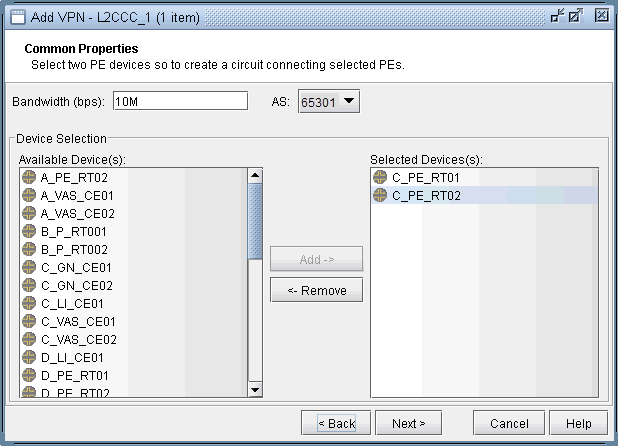
two PEs. Also assign a bandwidth value for the circuit. The following
figure shows a bandwidth of 10M for two chosen routers from AS 57301.
Figure 1: Choosing two PEs and specifying the circuit bandwidth
-
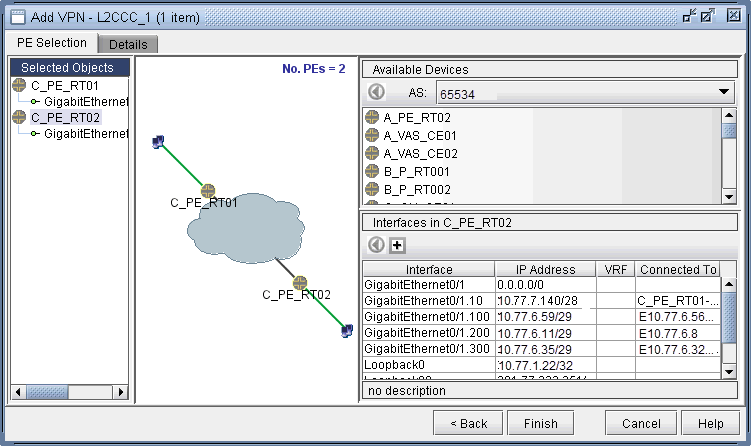
Click on Next to bring up the following window where you
would identify PEs and assign the PE facing CE interfaces (in the
same manner as described under the L3 (Layer 3) VPN section). The
following figure shows the result of the assignment of the interfaces.
Figure 2: Interfaces assigned to PEs
-
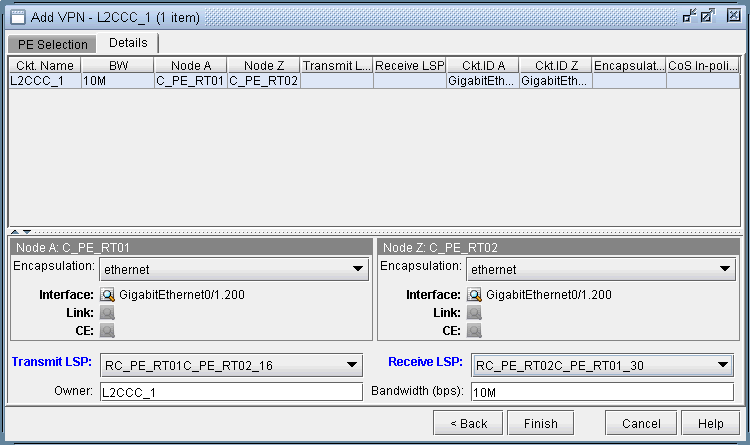
Next, click on the Details tab to specify the Encapsulation,
the Transmit LSP, and the Receive LSP. For more information about
how to set up LSPs, see NorthStar Planner
LSP Tunnels Overview. The following figure shows the completed
assignments.
Figure 3: Assigning Transmit/Receive LSPs and Encapsulation
Note that the Encapsulation drop-down can take on the values as described in the following table.
Field
Description
Encapsulation
For Juniper, the interface encapsulation types include: aal0, atm-aal5, atm-ccc-vc-mux, atm-cell, atm-cell-port-mode, atm-cell-vc-mode, atm-cell-vp-mode, cisco-hdlc, ethernet, ethernet-vlan, frame, frame-relay, frame-relay-ccc, interworking, and ppp.
-
Finally, click on Finish to complete the creation of a
L2CCC VPN.
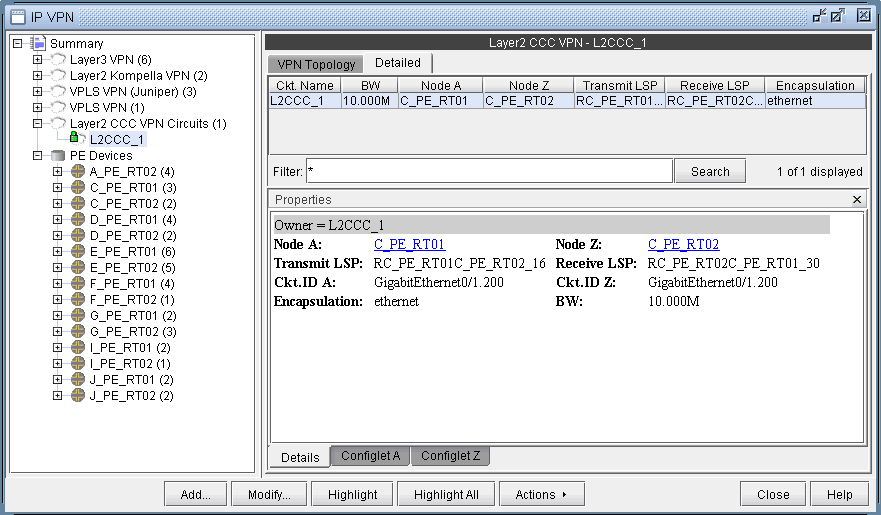
Figure 4: Details of the newly-added L2CCC VPN