Viewing the Integrity Checks Reports
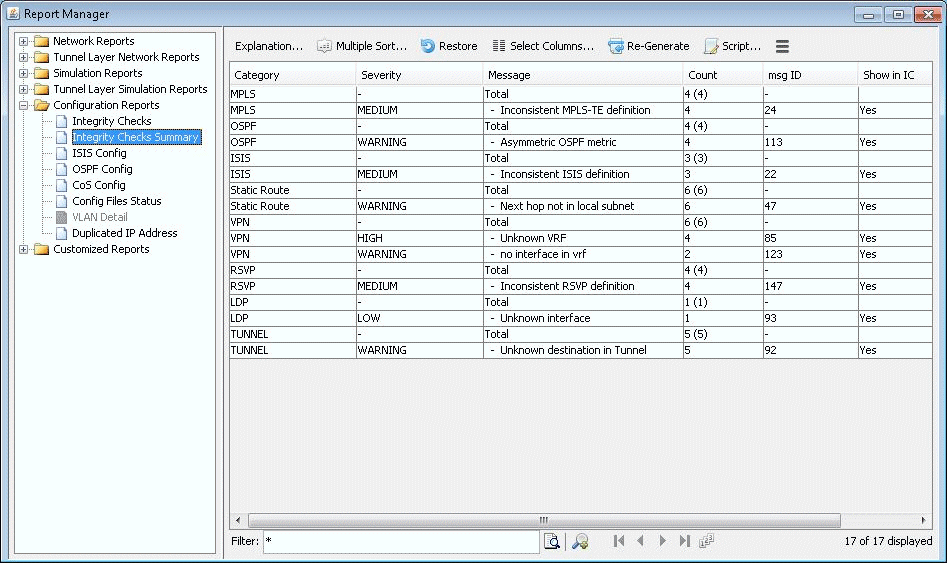
Once the network model has been loaded, the user may wish to examine the Configuration Reports (accessible via the Report > Report Manager menu) to check for any potential VPN configuration issues. The following figure shows an example of a Summary of Integrity Checks report, where certain VPN integrity checks are reported.
Figure 1: View the Integrity Checks Reports to Check for Potential
VPN Configuration Issues