L2K (Layer2-Kompella) VPN
The L2K (Layer2 Kompella) VPN, based on the IETF Kompella draft, is implemented by Juniper only. To configure a L2K VPN, the user would perform the following sequence of steps:
-
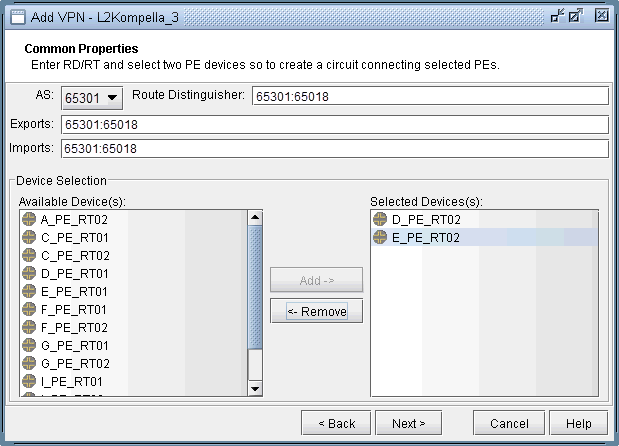
Click on Next to bring up the Common Properties window
where you can assign the Route Distinguisher, Route Target Exports,
and Route Target Imports for the chosen AS and PEs. The program automatically
recommends values based on the chosen AS or you may provide your own.
Figure 1: For the chosen AS, select RD, RT, and two PEs
-
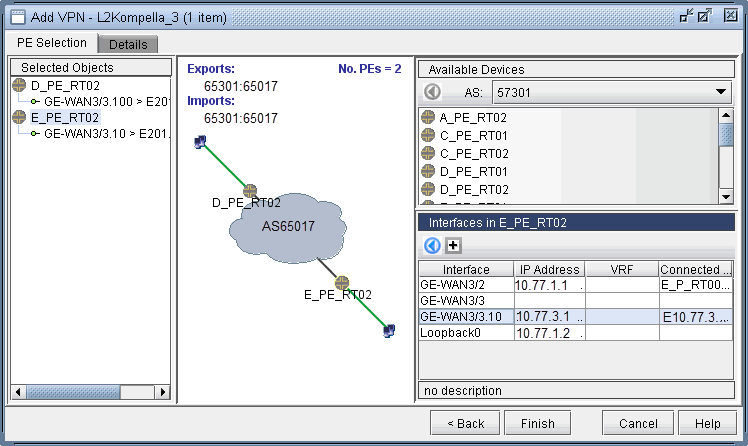
Click on Next to bring up the following window where you
would identify PEs and assign the PE facing CE interfaces (in the
same manner as described under the L3 (Layer 3) VPN section). The
following figure shows the result of the assignment of the interfaces.
Figure 2: Interfaces have been assigned to the PEs
-
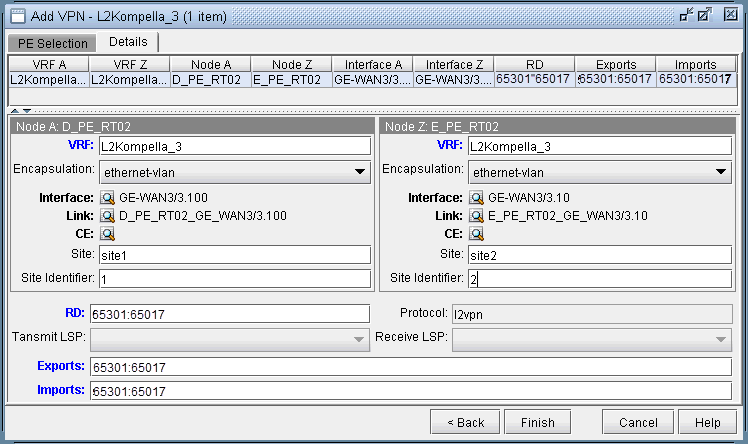
Next, click on the Details tab to specify the Encapsulation,
Site, Site Identifier. Optionally, you may also specify the Transmit
LSP and the Receive LSP. The following figure shows that Site, Site
Identifier, and Encapsulation have been assigned.
Figure 3: Details tab showing the completed assignment of Site, Site ID, and Encapsulation
Note that the Encapsulation drop-down can take on the values as described in the following table.
Field
Description
Encapsulation
For Juniper, the interface encapsulation types include: aal0, atm-aal5, atm-ccc-vc-mux, atm-cell, atm-cell-port-mode, atm-cell-vc-mode, atm-cell-vp-mode, cisco-hdlc, ethernet, ethernet-vlan, frame, frame-relay, frame-relay-ccc, interworking, and ppp.
-
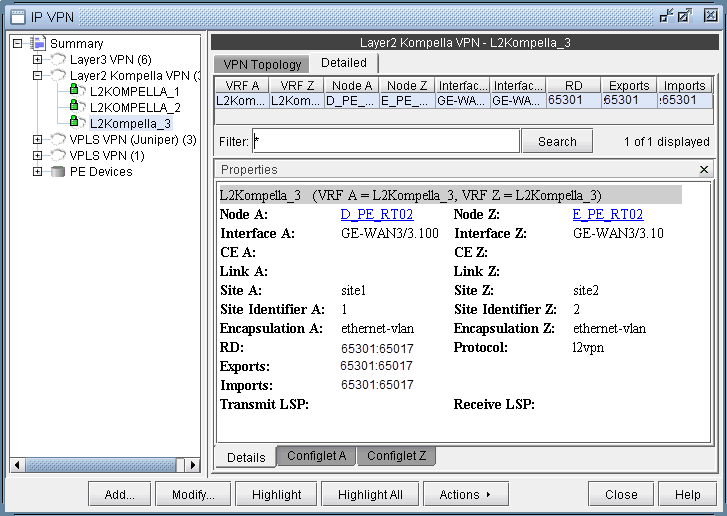
Finally, click on Finish to complete the adding of the
L2K VPN.
Figure 4: Newly added L2K VPN